One ledger, two ends

A government-and-enterprise service platform serves the people who record resources and the people who look for them at once. Park operators file five resource volumes in the admin back office; enterprises browse the ledger on their phones, post requirements and send mandates. This case reads the system as one ledger: a cover, five volumes, the recording side, the matching line and a two-end comparison — the skeleton of any investment-promotion platform with two ends.

GOVERNMENT & ENTERPRISE SERVICE SYSTEM · ADMIN + APP

Bind both ends into one ledger

Investment promotion is bookkeeping: record, review, publish, query, mandate, connect — every feature maps to an action in a ledger. The park side keeps the left leaf: ten admin modules filing five resource volumes. The enterprise side keeps the right leaf: browsing volume by volume on the phone and mandating on the spot. Bound together, the two leaves make the full read.

2ends: admin back office + enterprise app
5resource volumes: parks / land / workshops / warehouses / offices
10admin modules, covered by one manual
4matching steps: verify → require → mandate → project
LG01COVER

Two faces of one ledger: who writes, who reads

Home grid as table of contents · four taglines · three parties
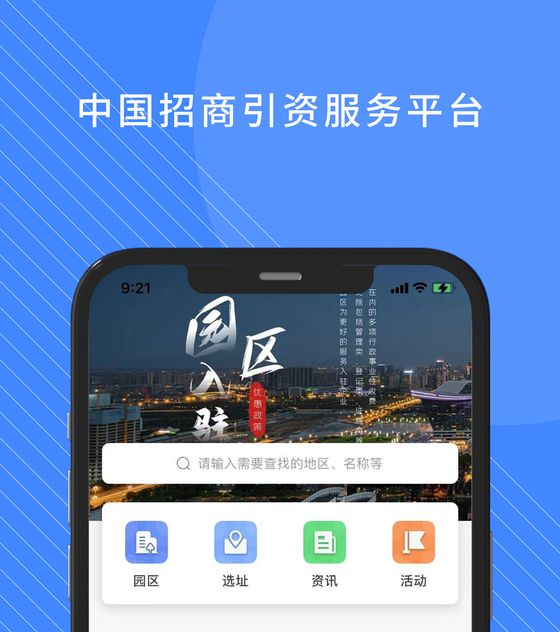
Platform tagline: a China investment-promotion service platform, phone mockup of the home screen
A China investment-promotion platform
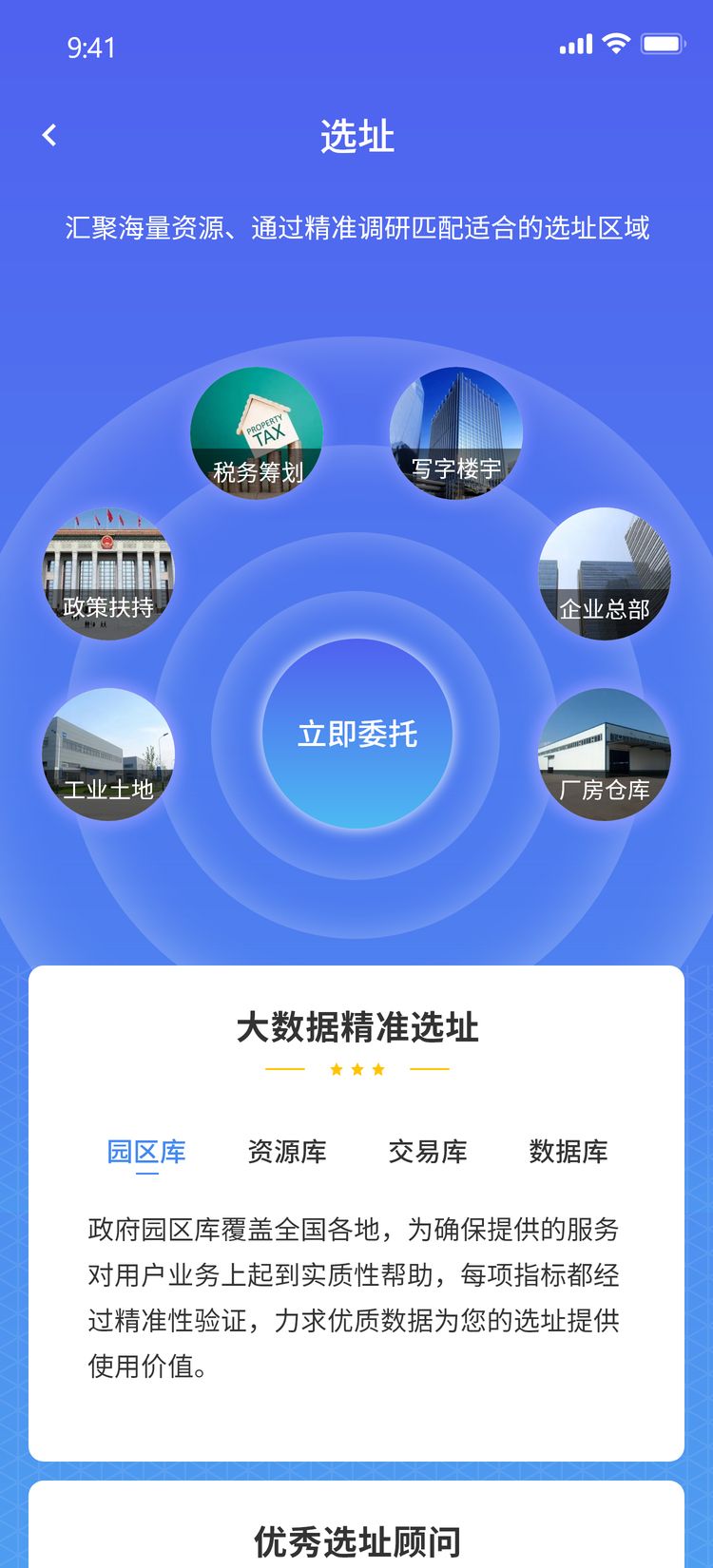
Tagline: full-value-chain globalised industrial services, phone mockup of the siting page
Full value chain, global service
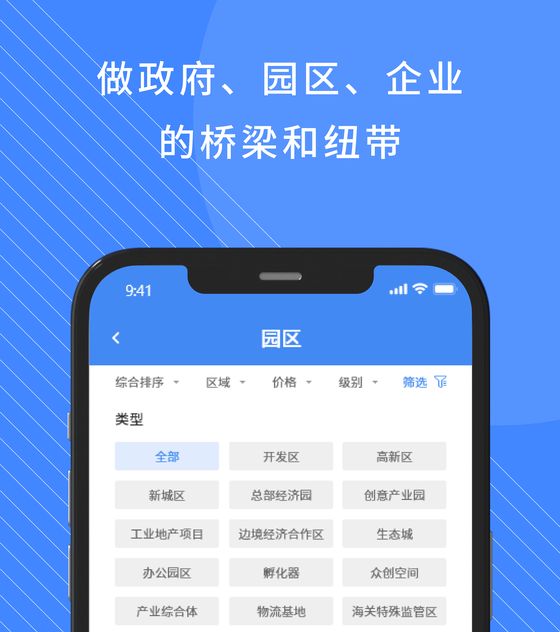
Tagline: a bridge between government, parks and enterprises, phone mockup of the park list
The bridge between three parties
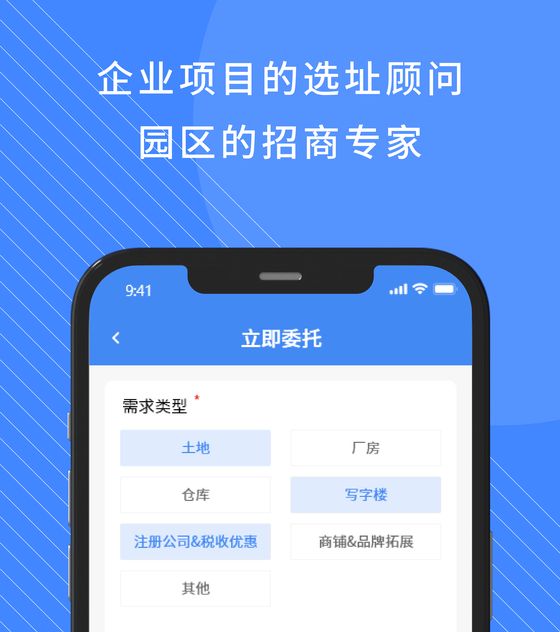
Tagline: siting advisor for enterprises, promotion expert for parks, phone mockup of the mandate page
Advisor for firms, expert for parks
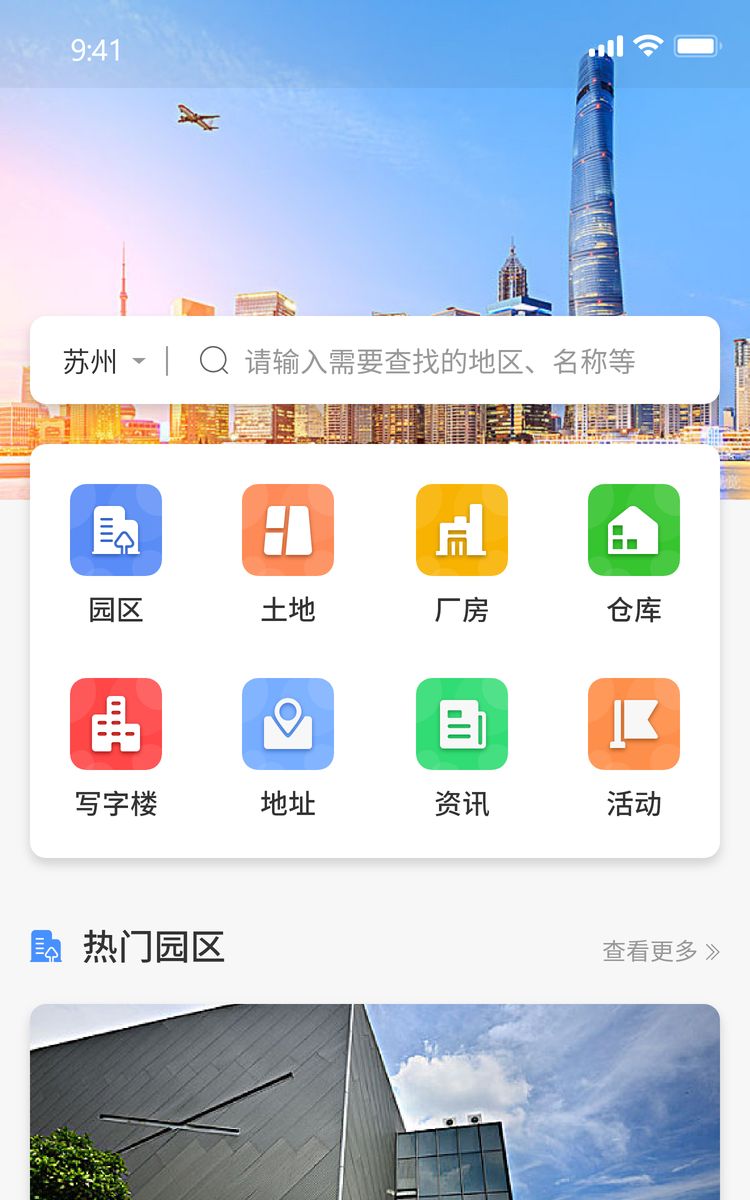
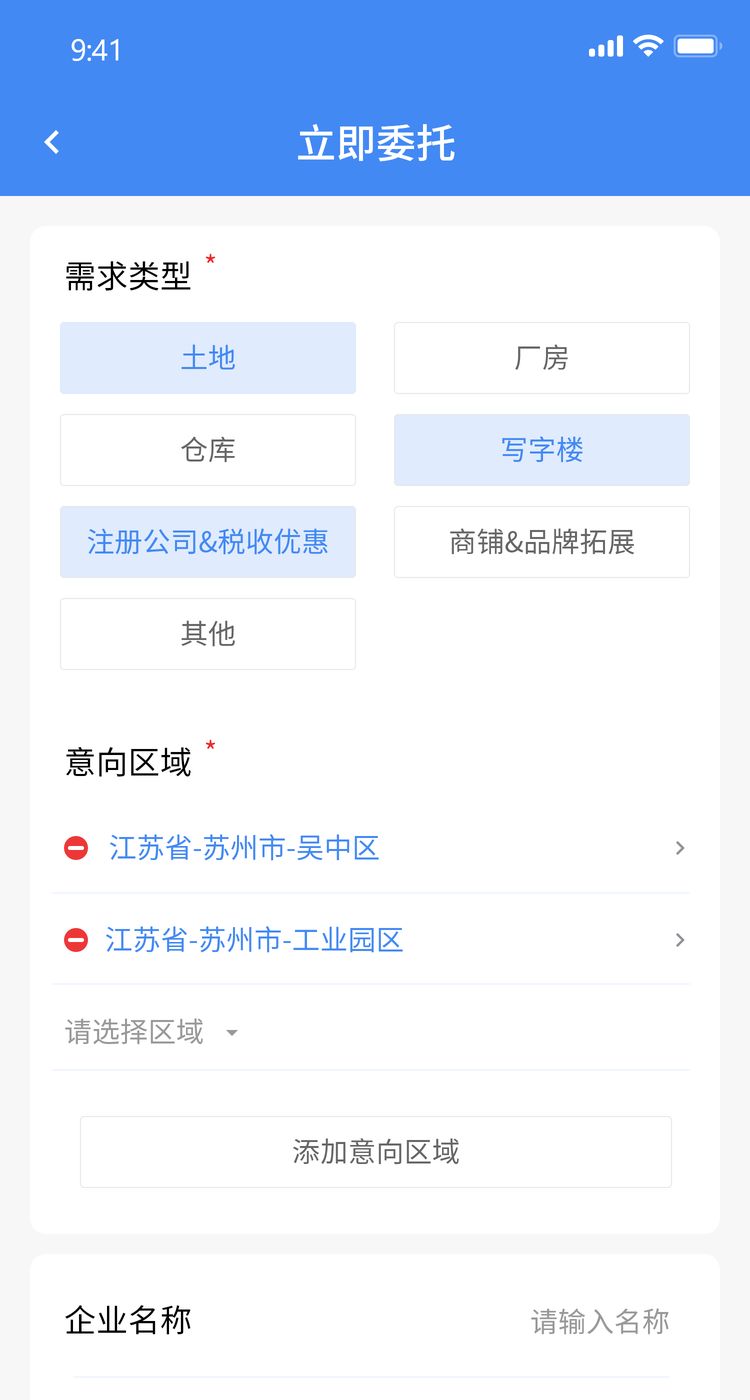
App home: search bar and a grid of entrances for parks, land, workshops, warehouses, offices and projects
Home · the grid is the contents
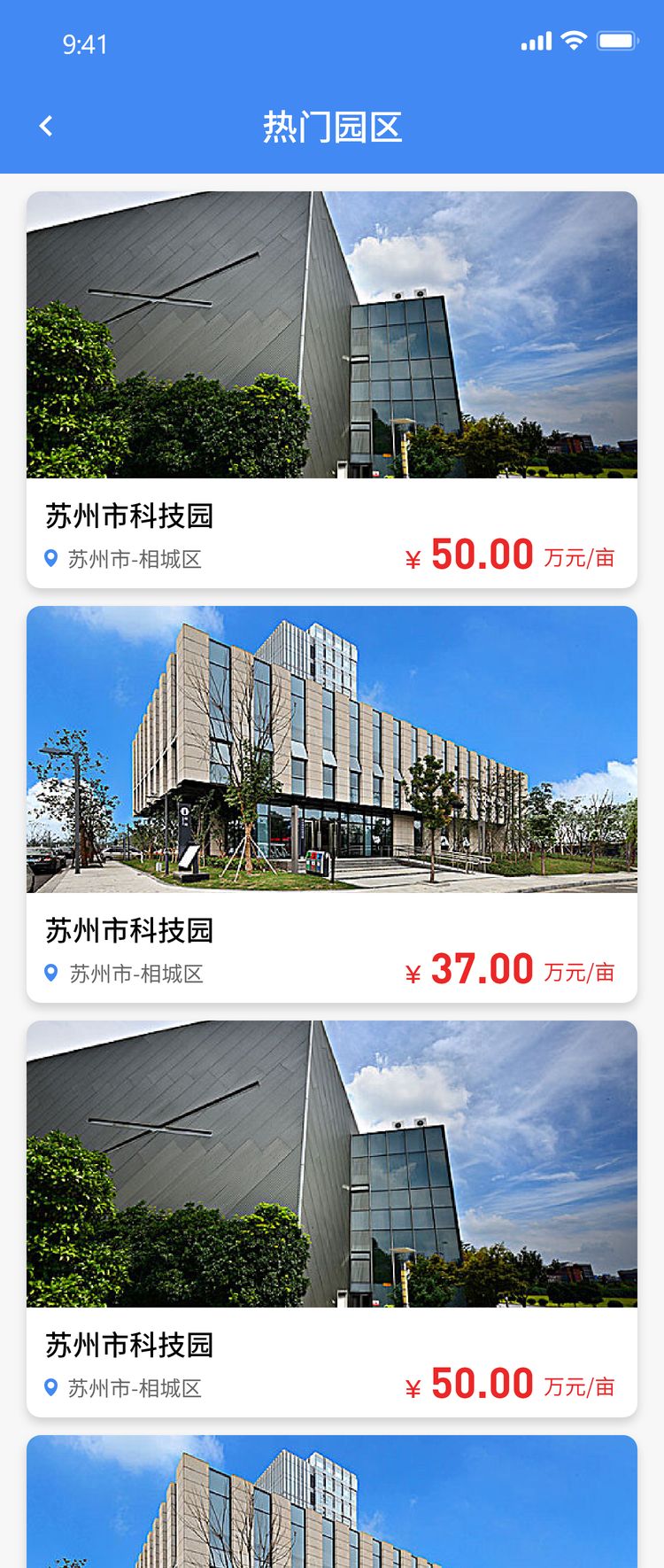
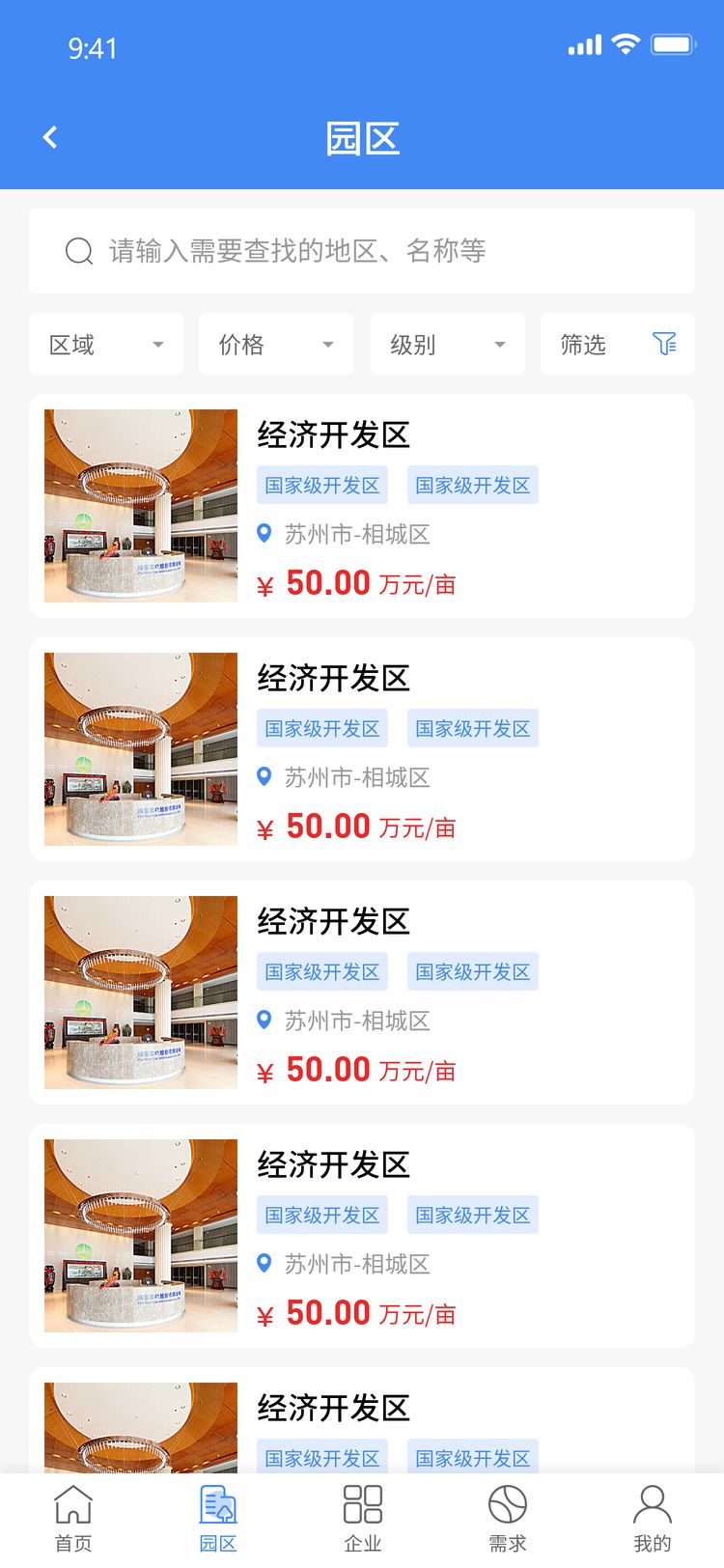
Hot parks list: park cards with price and location
Hot parks · resources on the first screen

Cover notes · three decisions

  1. 1The home grid is the ledger's table of contents: park, workshop, warehouse, office, land, enterprise and project entrances sit flat on the first screen — nobody learns the navigation, everyone reads it.
  2. 2Four taglines each speak for one side: platform, depth, three parties, two identities — together they say "we keep the ledger for both ends".
  3. 3Hot parks opens with resource cards: price, location and photos up front — a promotion platform's first screen is readable accounts, not a brand story.
LG02RECORD

The back office: the ledger itself, not a decoration

Sign-in → dashboard → ten modules · 13 filter fields · review stamps

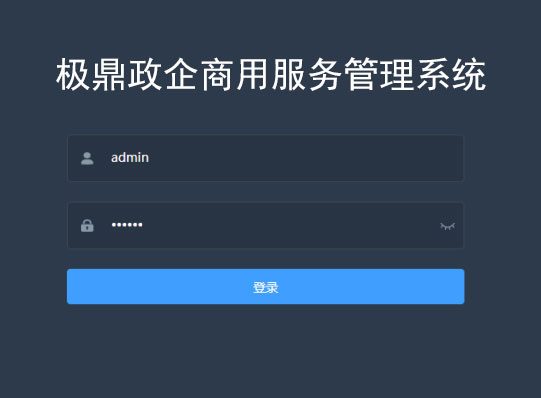
Admin sign-in page of the service system
Sign-in · one door into the ledger
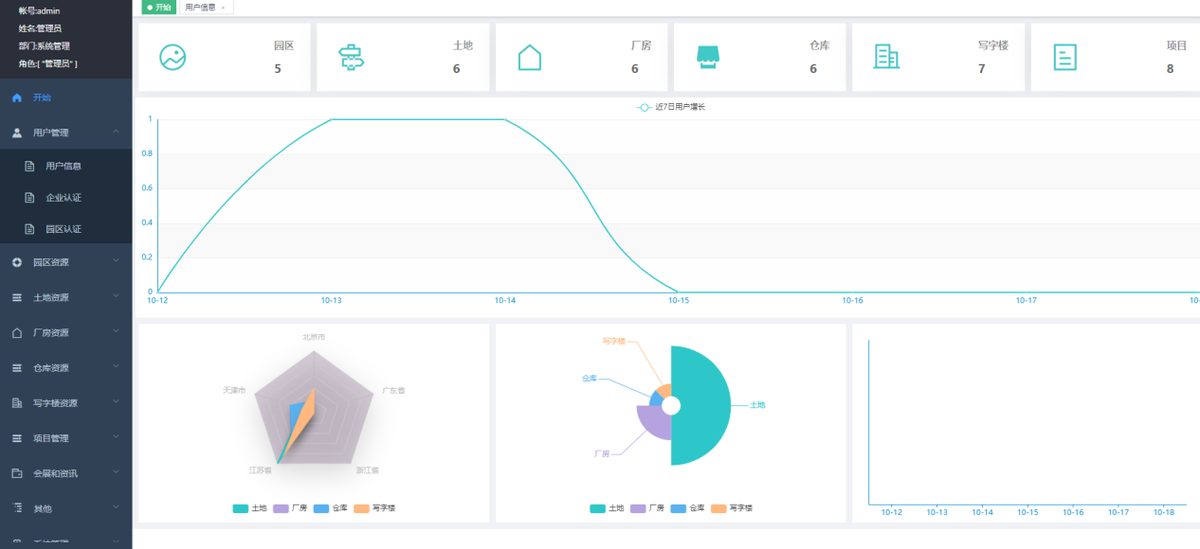
Admin dashboard: trend curve and statistics charts
Dashboard · the ledger's summary page
Park management back office: review status, name, code, level, type, fund, financing platform, creators, reviewers, dates, price and area filters
Park management · 13 filter fields in one row: circle the accounts before the talks
User management back office: verification status, company name, region, target region, contact person, phone, submitter, reviewer and date filters
User management · company verification searchable by 10 conditions, exportable
Project management back office: status, name, industry, carrier, area and investment filters
Project management · one promotion pipeline read by industry and carrier

Recording-leaf notes · three decisions

  1. 1Ten modules hang in the left menu: users, park resources, land, workshops, warehouses, offices, projects, events & news, system — the manual devotes one chapter to each; the ledger is bound volume by volume.
  2. 2Filters come before reports: 13 conditions on the park table, 10 on company verification, 9 on projects — promoters circle resources by condition first, act second.
  3. 3Every row carries a status stamp: pending, reviewed. Unstamped resources never reach the phone side, so the books and the front end always agree.
LG03VOLUMES

Five resource volumes: one skeleton, five booklets

Parks / land / workshops / warehouses / offices · list-filter-detail on shared templates

Ledger fieldsstatusparkcodetypetenureusepriceareacreatorreview
Park list: cards with price, area and filter entry
Parks · list
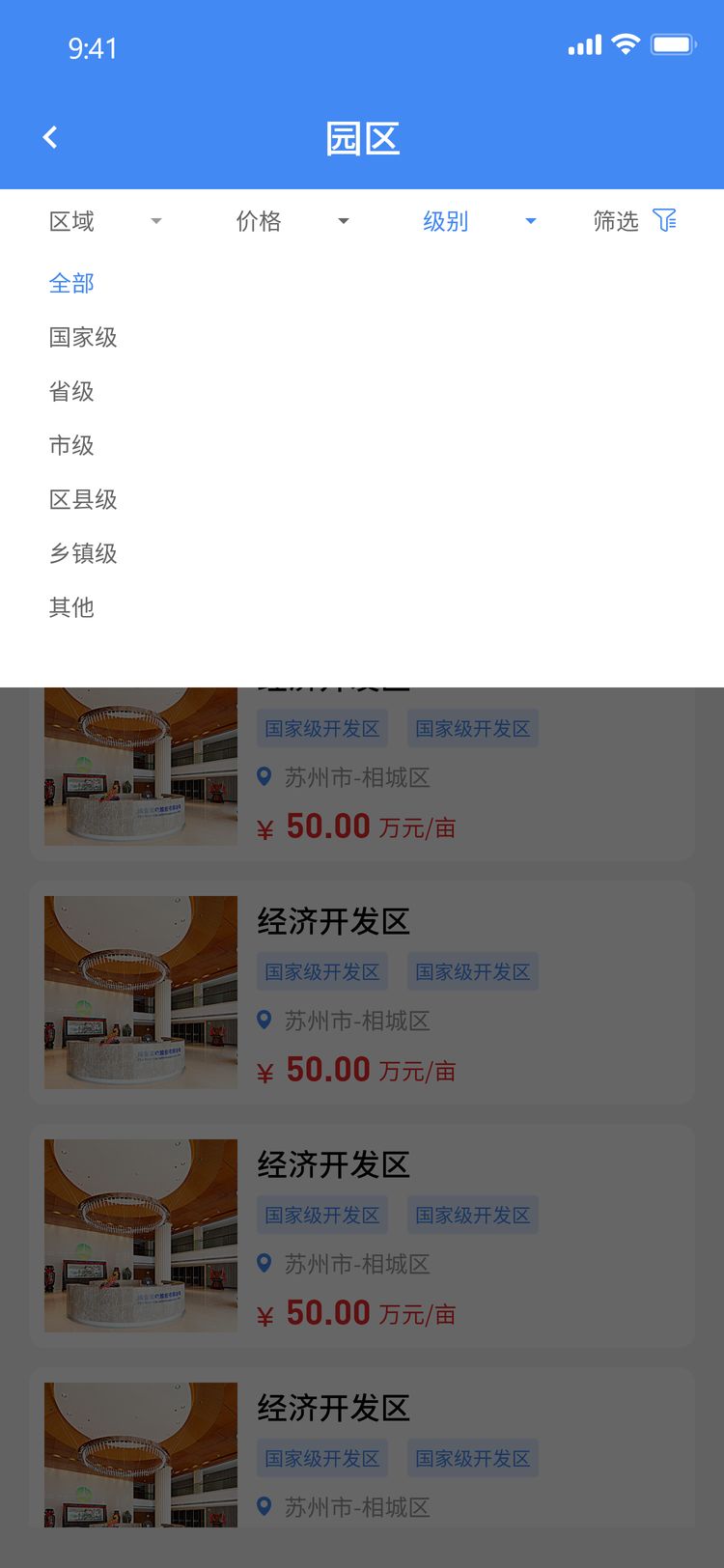
Park filters expanded: region, price, area, type and more
Parks · filters open
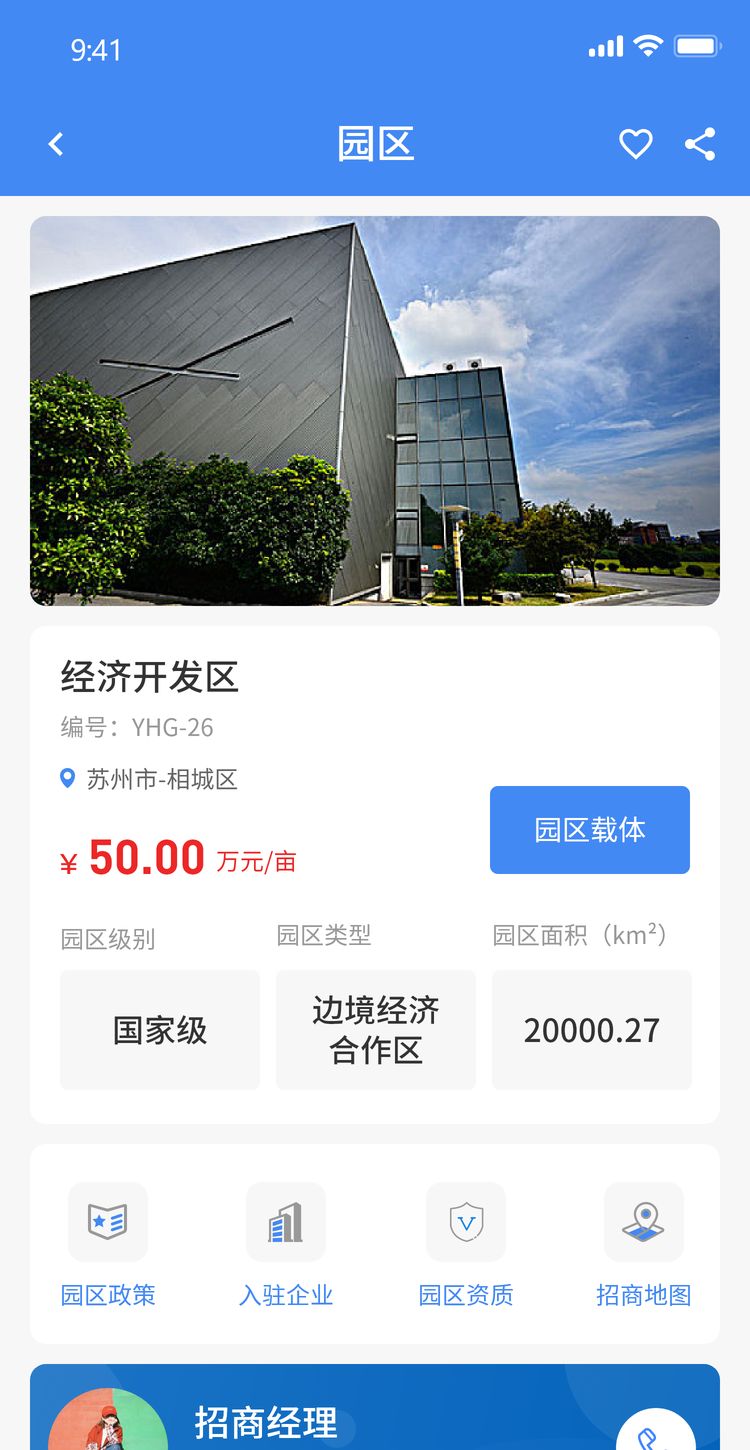
MandatePark detail: hero photo, price, 2.86M sqm, expected rent, promotion manager and leading industries
Parks · detail in one read

Park volume · three decisions

  1. 1Parks are the general ledger: land, workshops, warehouses and offices all hang under a park — read the park first, then its booklets.
  2. 2The detail page reads three figure groups in one screen: 2.86 million sqm of park area, expected rent from 28 yuan per sqm per month, average park price (sample data), plus leading industries and the promotion manager's card.
  3. 3The mandate button sits beside the price — mandate on the spot, never send users back to the list for the entry.
Turn to the next volume · Land (kept in mu)
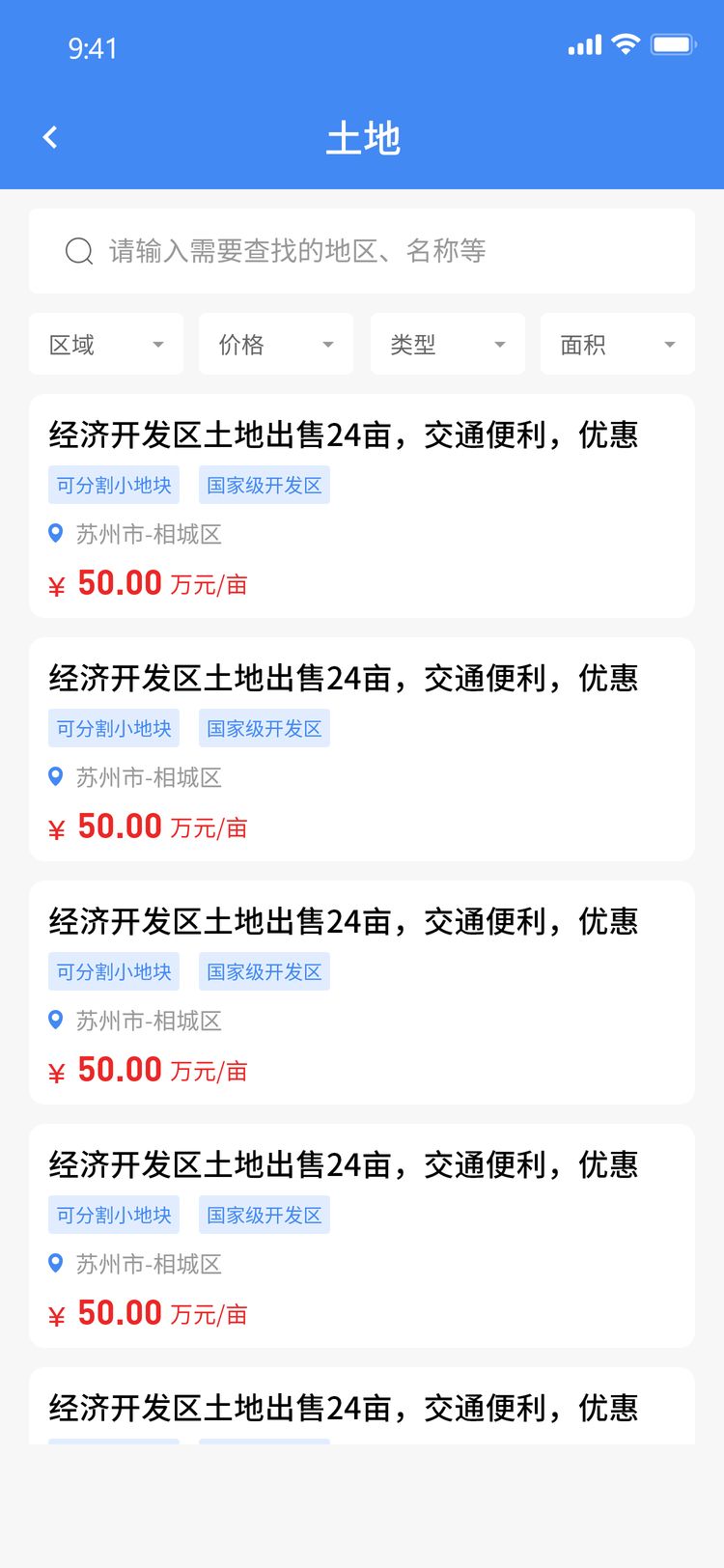
Land list: cards with area, use and price
Land · list
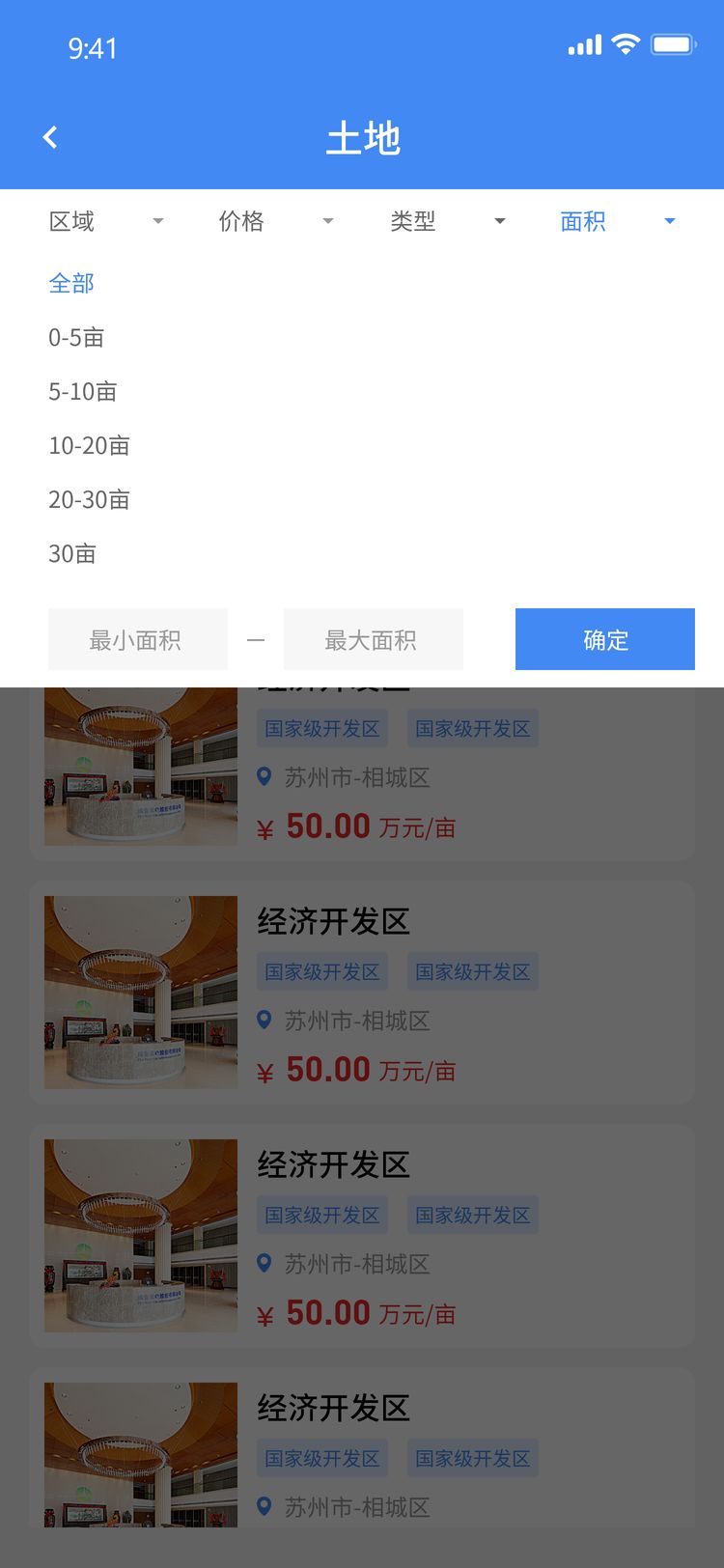
Land filters expanded: use, area, price and more
Land · filters open
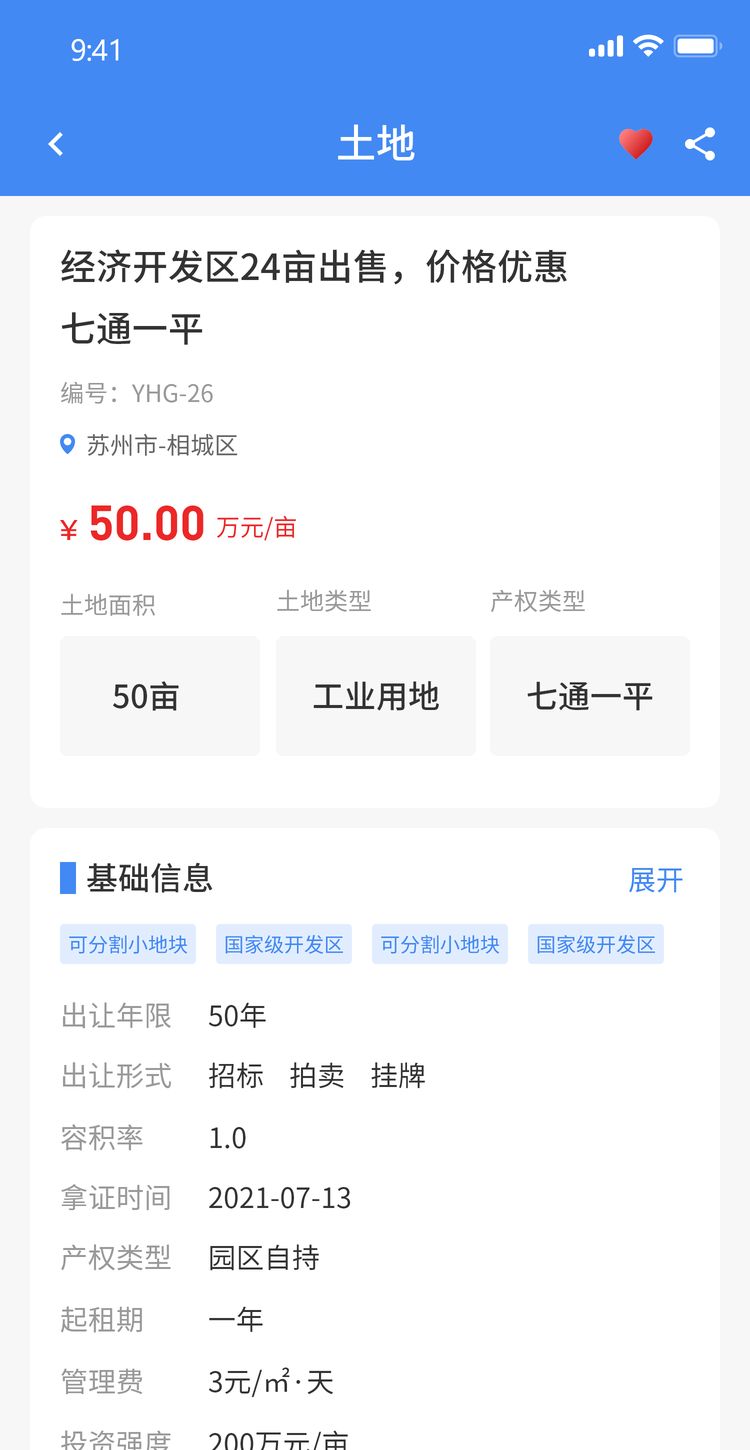
Land detail: 518 mu, industrial use, fully serviced tags and filing information
Land · detail

Land volume · three decisions

  1. 1Land is kept in mu: 518 mu, industrial use, fully serviced — three tags carry more information than a paragraph, and they are the three stamps an industrial client reads first.
  2. 2Filters split by use: industrial, commercial and residential buyers are different audiences, so the use filter sits on the first line.
  3. 3Filing data stands alone: location, area and planning conditions must be checkable — land deals are large, the books must withstand verification.
Turn the page · Workshops (kept in yearly rent)
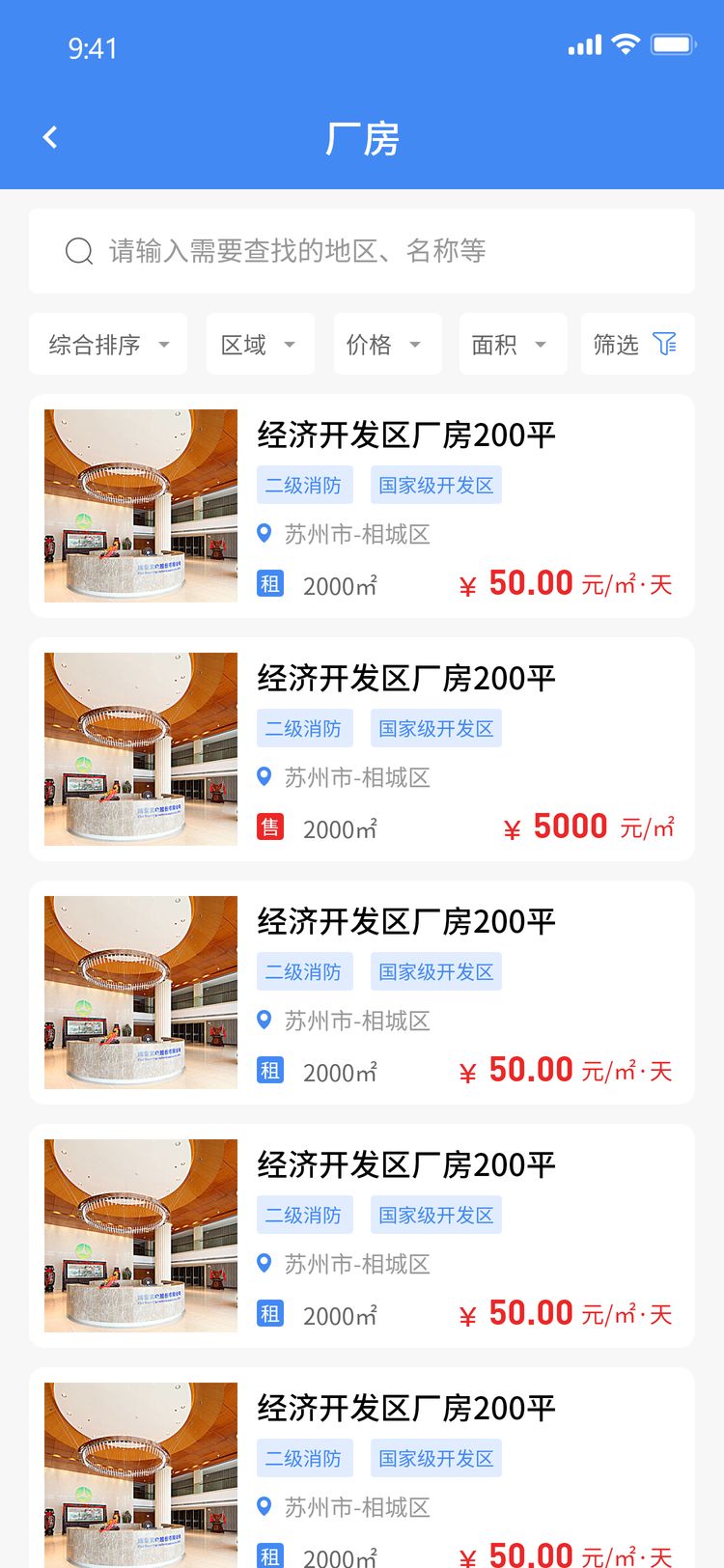
Workshop list: cards with area, rent and filter entry
Workshops · list
Workshop filters expanded: area, price, type and more
Workshops · filters open
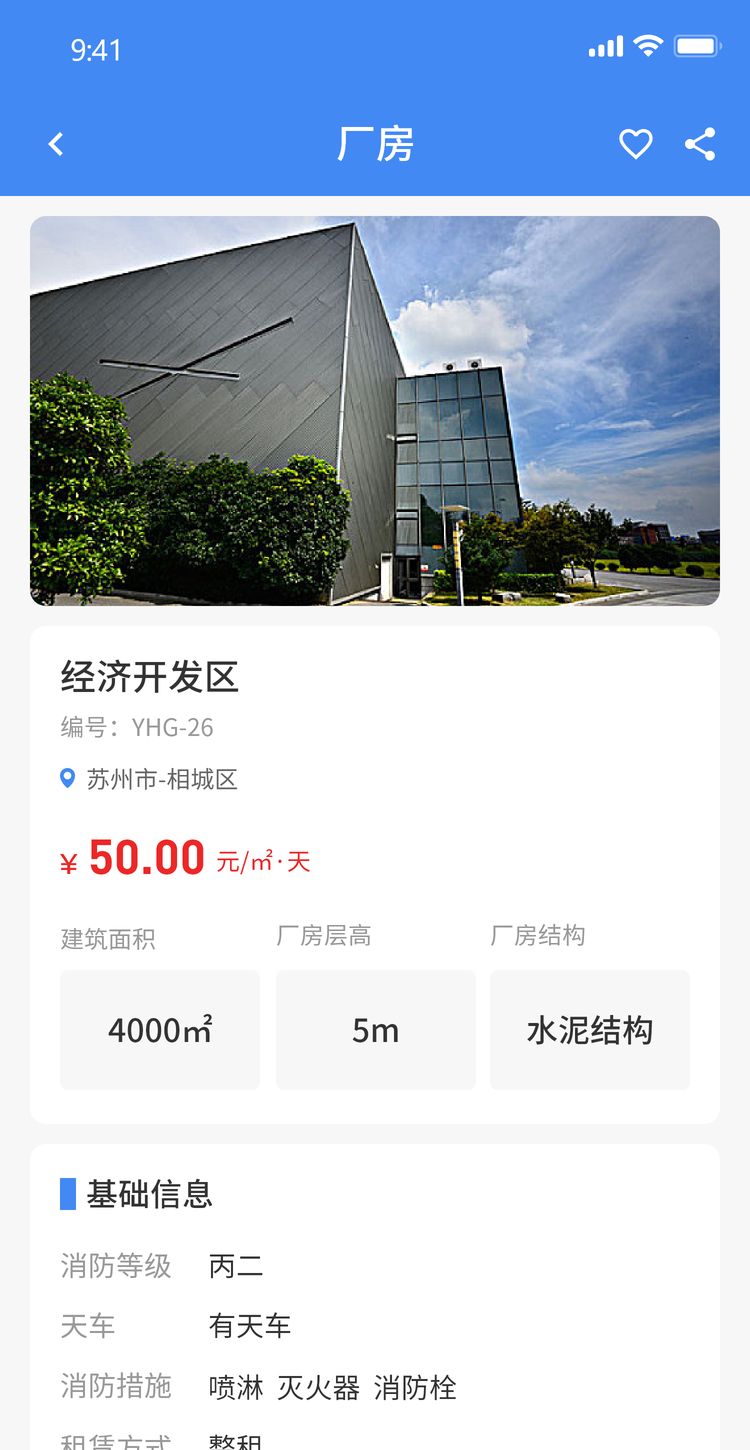
Workshop detail: 4,000 sqm, 5 m headroom, heating structure and facility information
Workshops · detail

Workshop volume · three decisions

  1. 1Workshop fields are the hardest: 5 m headroom, span and crane rails decide whether a production line fits — facility data gets its own block and never lets photos speak for parameters.
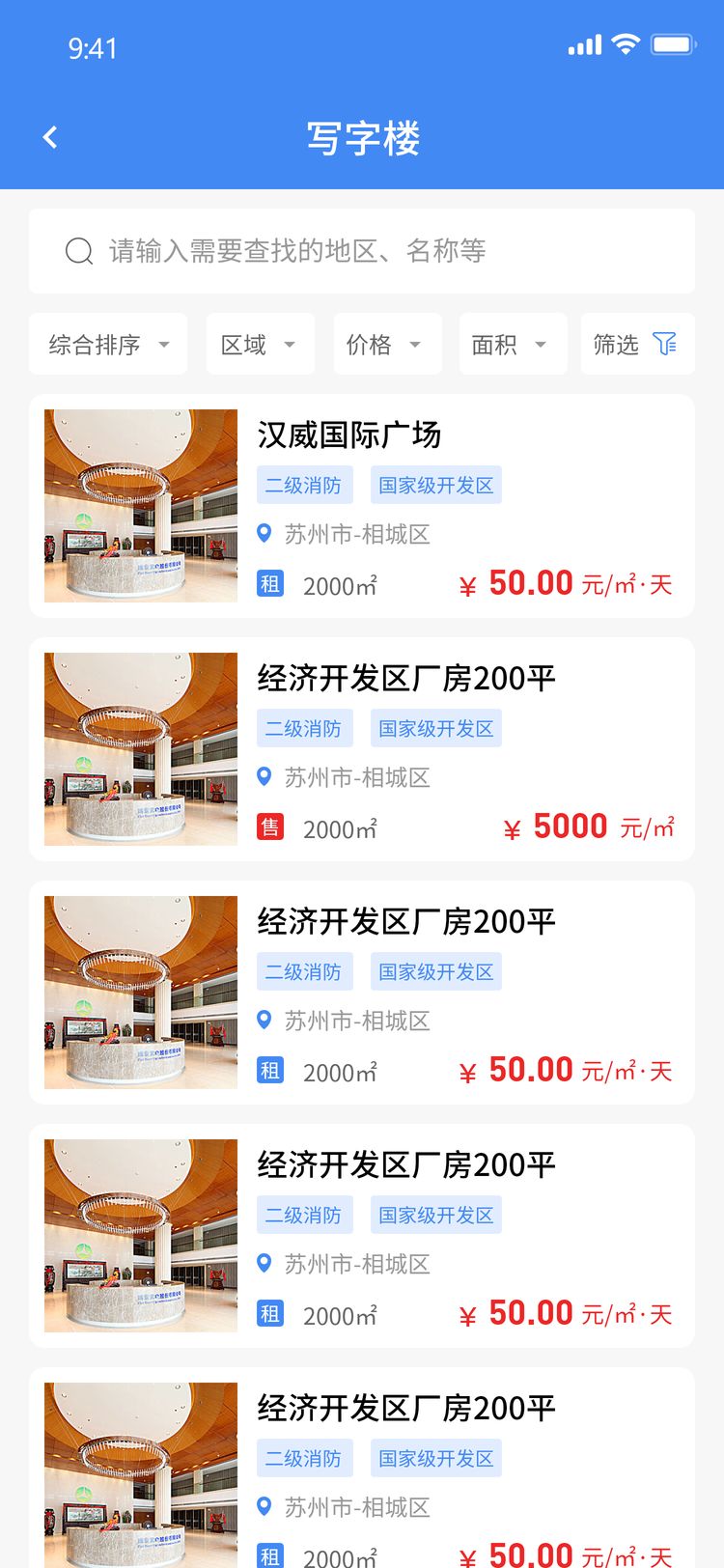
  2. 2The list card is the name card: area, rent and structure on three lines — manufacturers scan parameters before they look at pictures.
  3. 3Filters mirror the back office: the workshop management filters move to the phone unchanged, so the promoter and the enterprise read the same conditions.
Turn the page · Warehouses (picked by condition)
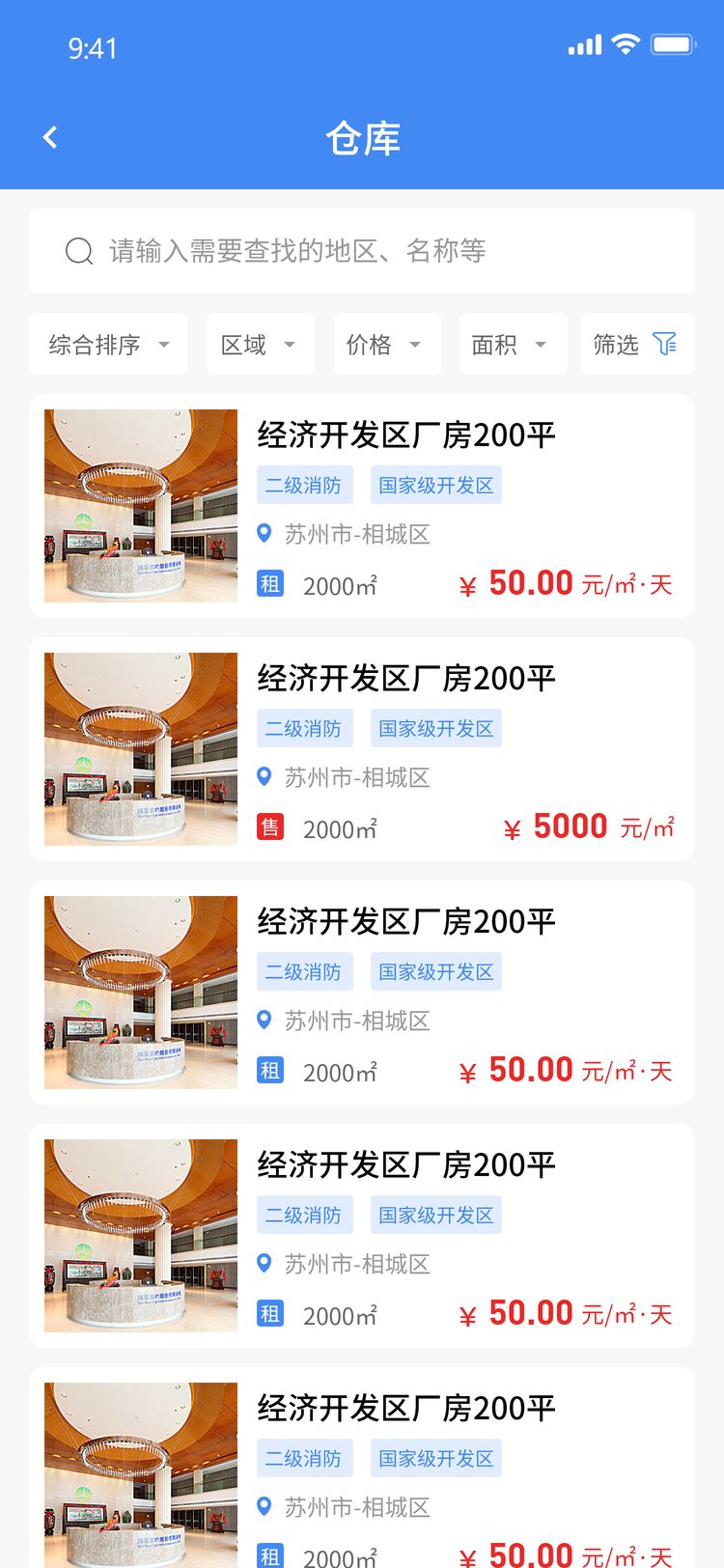
Warehouse list: cards with area, rent and tags
Warehouses · list
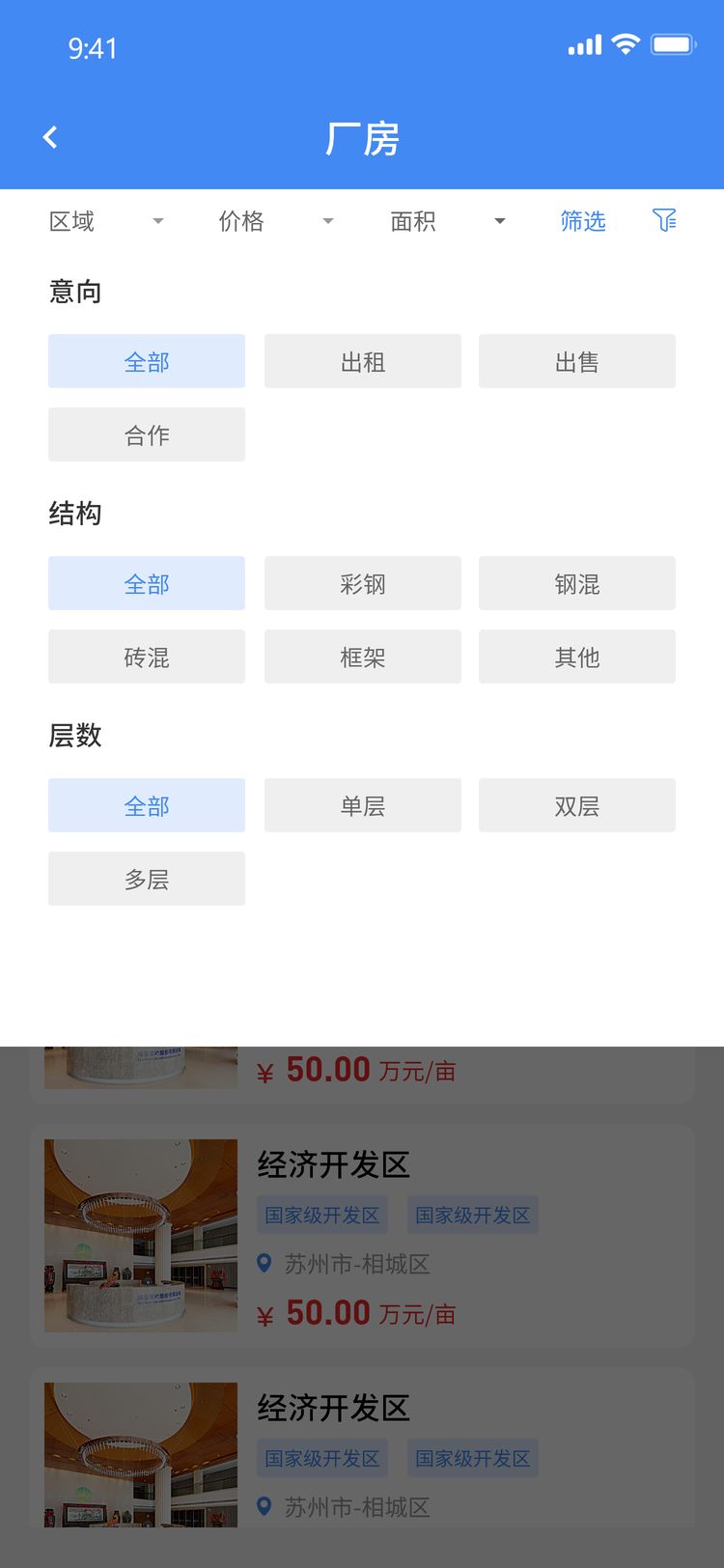
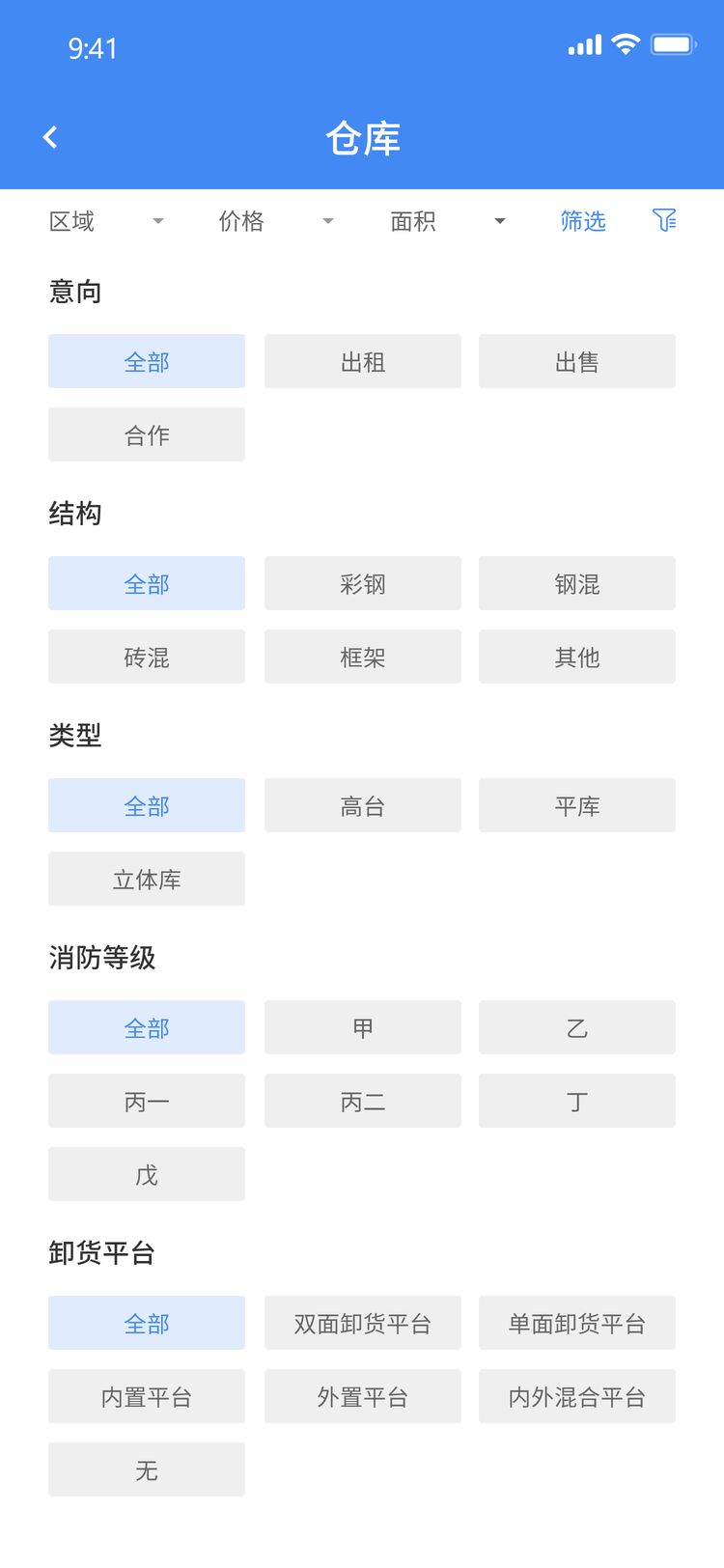
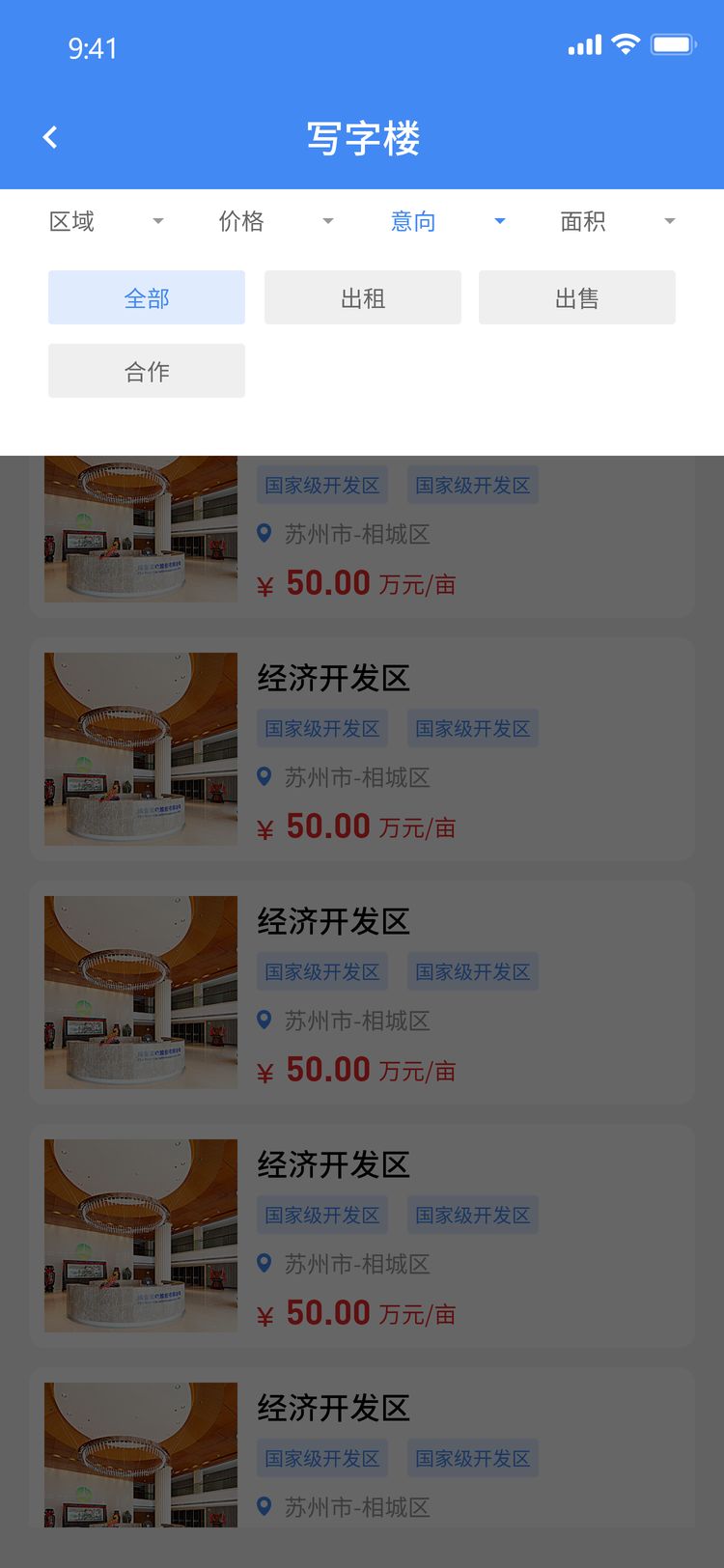
Warehouse filters expanded: rows of condition tags
Warehouses · filters open
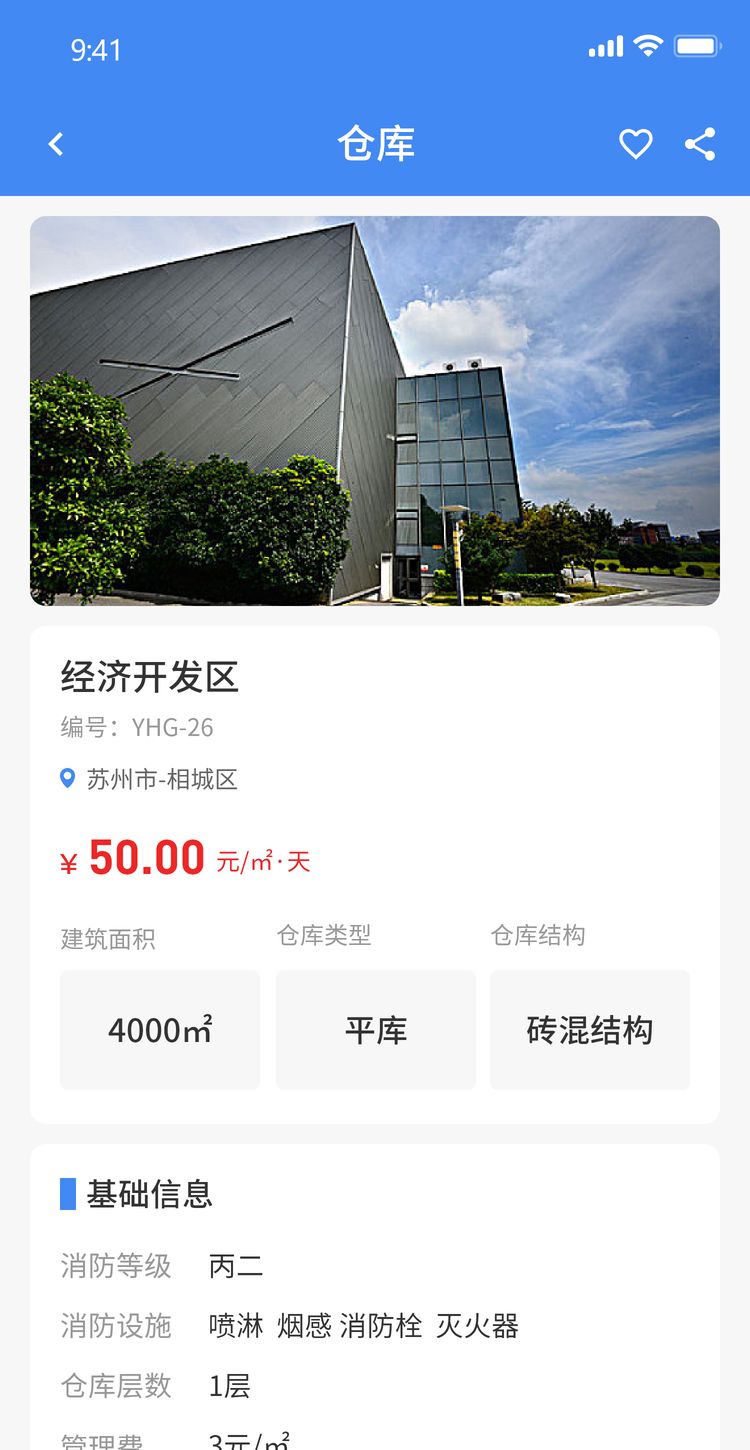
Warehouse detail: 4,000 sqm, single storey, insulated structure and storage conditions
Warehouses · detail

Warehouse volume · three decisions

  1. 1Warehouse clients pick by condition, not by browsing: insulation, fire safety, floor load, single storey or multi-storey — the filter band opens with one touch and conditions come first.
  2. 2Structure and form sit side by side: 4,000 sqm, single storey, insulated — three tags next to the price make the account readable at a glance.
  3. 3Warehouses usually hang under a park: the detail page links to the parent park, so after the warehouse you can read the whole estate.
The last volume · Offices (kept in monthly rent)
Office list: cards with rent, area and tags
Offices · list
Office filters expanded: rent, area, floor and more
Offices · filters open
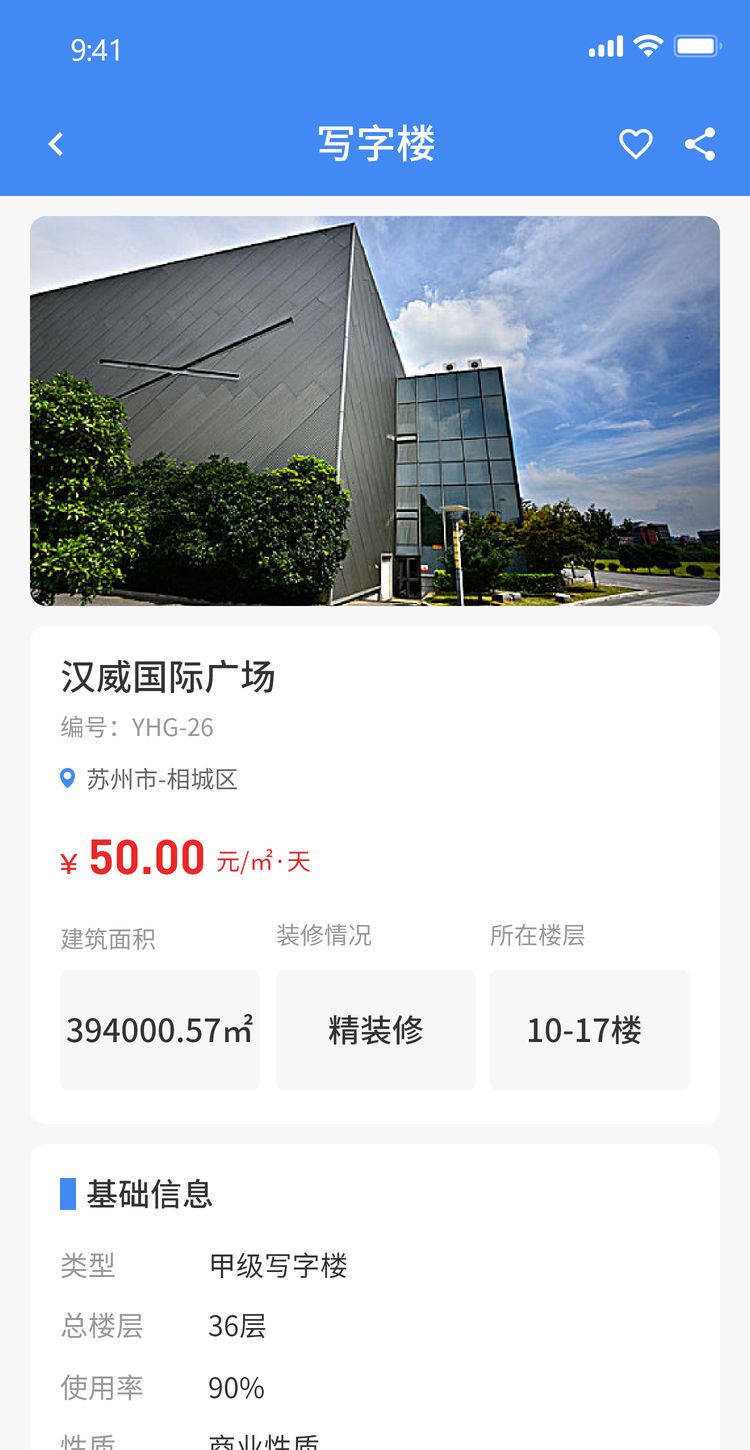
Office detail: tower name, rent, 39,800 sqm and floors 30-37
Offices · detail

Office volume · three decisions

  1. 1Offices are kept in monthly rent: unit rent, total area (39,800 sqm) and the floor band (30-37) are the three main filters — tenants fix the budget band first, then the floor.
  2. 2The tower name is the coordinate: the detail page pairs the hero photo with the tower name and location field — office tenants recognise buildings, not renders.
  3. 3Five volumes, one skeleton: list, filter, detail and publish templates cover every carrier, and the difference is field configuration only — effort goes into the skeleton, not five separate interfaces.
Five volumes read · next chapter publishing (LG04)
LG04PUBLISH

The publish line: enterprises add rows too

Entry → form → pending → stamped and live

Publish entries: two cards, publish a park and publish a resource
Publish · two entries
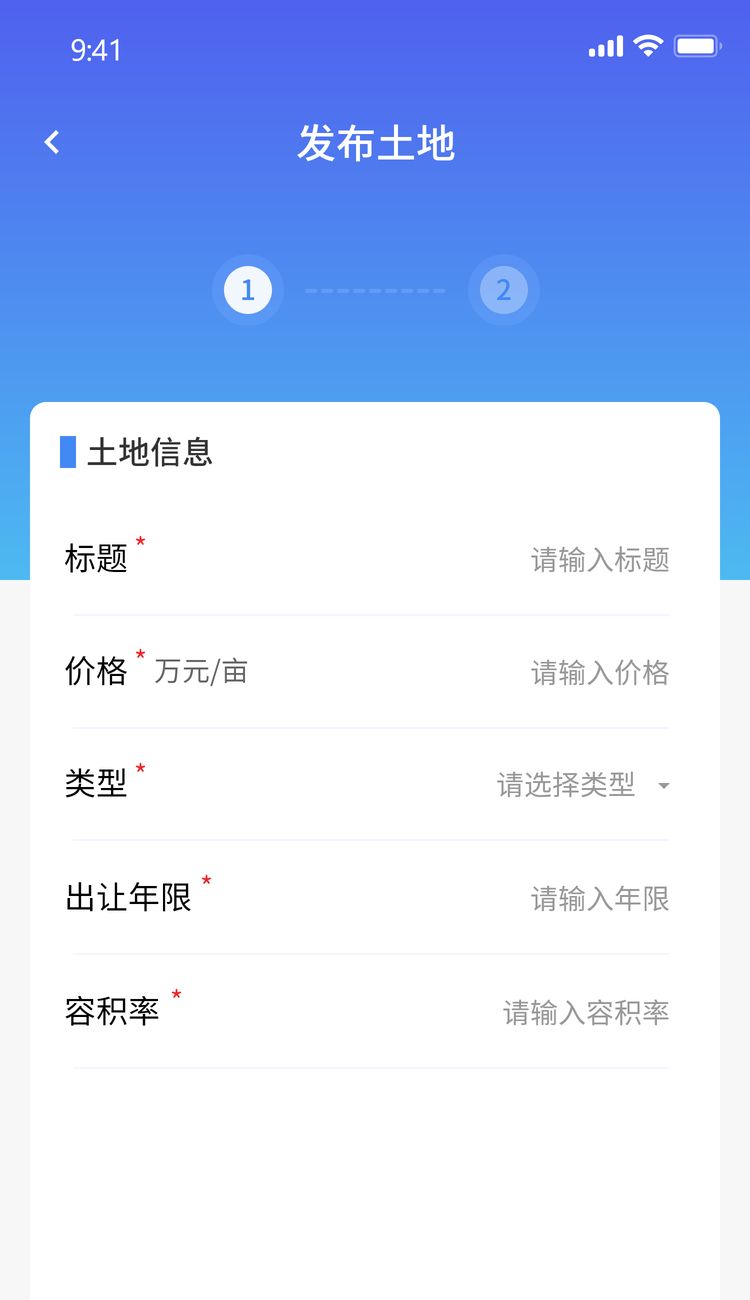
Publish land form: basic information, region, area, price and more fields
Publish land · form
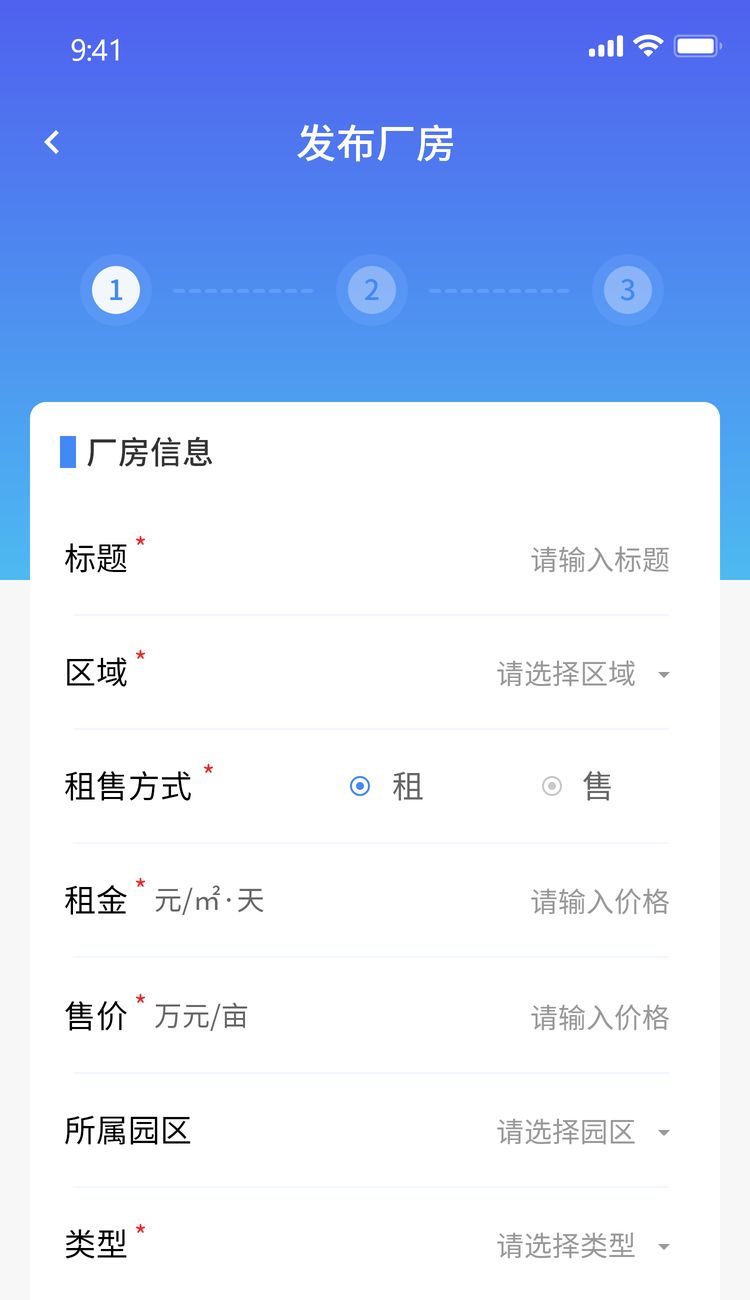
PendingPublish workshop form: name, region, type, area and more fields
Publish workshop · into the review queue

Publish notes · three decisions

  1. 1Only two entry cards: publish a park, publish a resource — park operators publish parks daily, enterprises post single resources occasionally; the home screen does not spend five slots on a low-frequency action.
  2. 2The form fields are the ledger fields: name, region, area, price, tenure, use — submitting writes one row into the admin table, never a second format.
  3. 3Submitting is not publishing: resources land as "pending" and reach the phone side only after a reviewer stamps them — the ledger's door has a keeper.
LG05MATCHING

The matching line: from "looking" to "in progress"

Verify → require → mandate → project · big-data siting

  • STEP 1VerifyName, region, contact
    a business card buys an identity
  • STEP 2RequireType, industry, area band
    vague intent becomes conditions
  • STEP 3MandateHangs beside the price
    mandate on the spot
  • STEP 4Projectapply → dept manager → GM
    every step has an owner
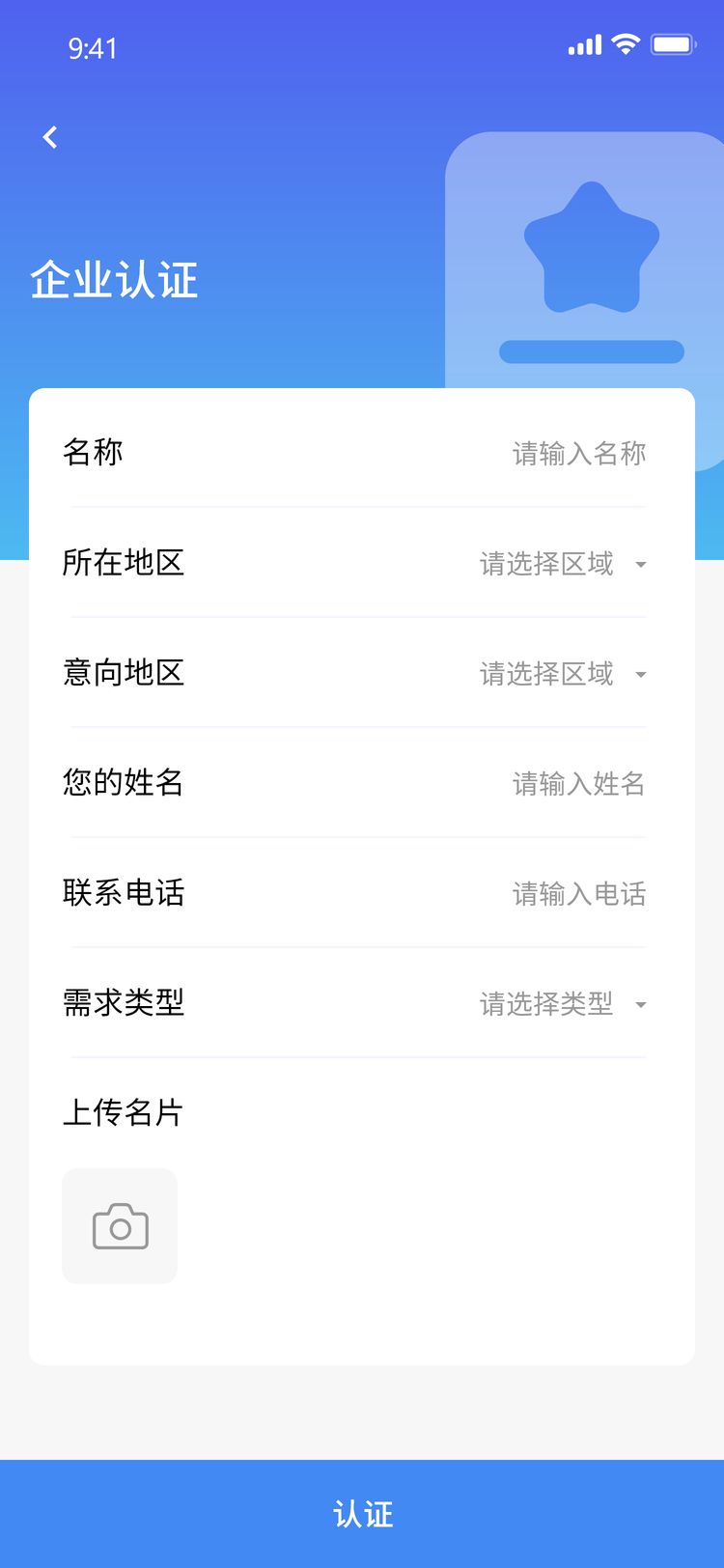
Company verification form: name, region, target region, contact phone, upload business card
Verify · a card buys an identity
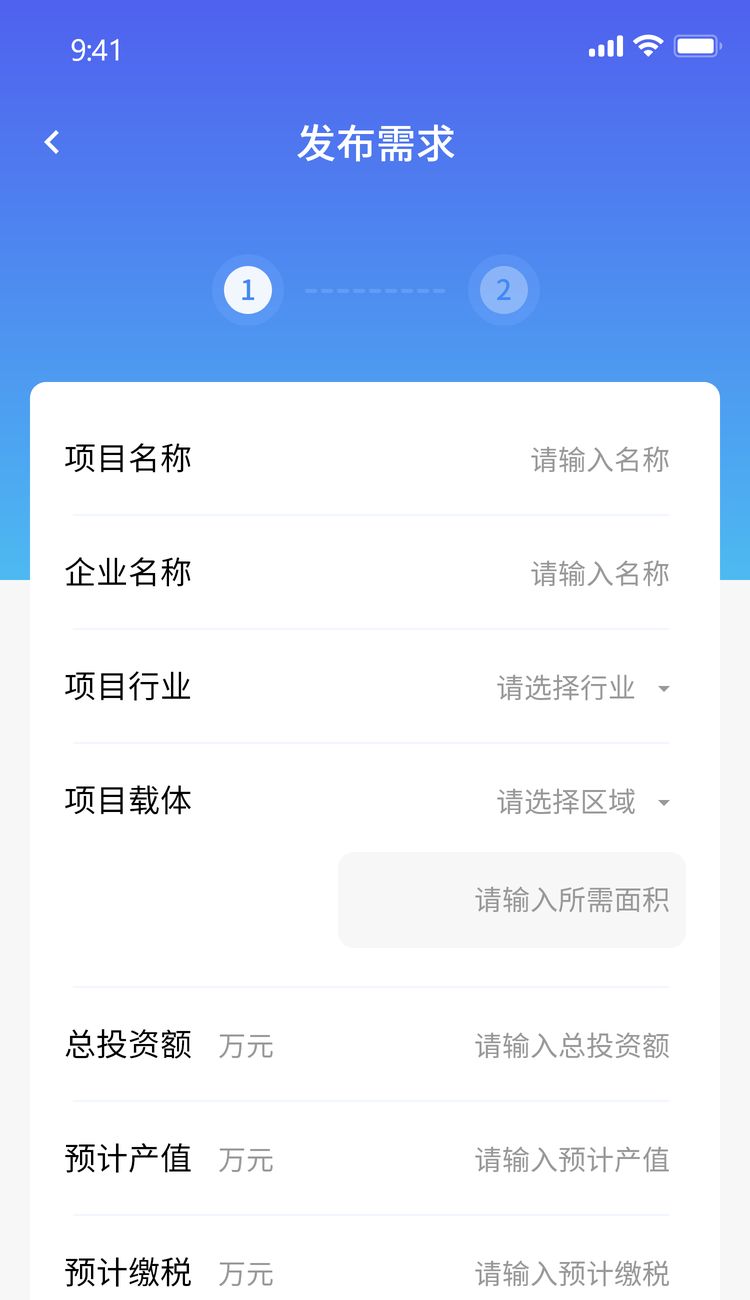
Requirement form: title, type, industry, premises, area band, target region
Require · structured conditions
Mandate form: mandate type, target region, requirement type, expected area
Mandate · three required fields
Project approval progress: application, department manager and general manager nodes
Project · three-level sign-off
Big-data siting: six carrier types around the mandate button, supported by park, resource, transaction and data libraries
Big-data siting · carried by park / resource / transaction / data libraries

Matching-line notes · three decisions

  1. 1Verification is the first gate of matching: unverified accounts can browse but cannot mandate — every lead the promoter receives carries a real phone number.
  2. 2The mandate is a page, not a modal: type, region and area are the only required fields, the rest goes to notes — the shorter the mandate, the higher the submission rate.
  3. 3Project approval leaves a trail: application, department manager, general manager, each step with an owner — promotion is a long-cycle business, and the ledger records who is handling it, not only whether it is done.
LG06COMPARE

Two ends compared: one row, two readings

Admin row vs phone card · operations content and empty states

Recording leaf · admin Admin park filters: the full field scope of one resource row

An admin row carries 13 filter fields: review status, code, level, type, fund, financing platform, price, area — the fields are the ledger's scope.

Reading leaf · phone Phone park list: the same fields presented as a card

The phone reads the same row as a card: photos, price, area and location first, filters tucked into the header — a different reading, the same scope.

Industry news list: column-based content operations
News · columned operations
Empty-state page: illustration and explanation
Empty states · never cold

Comparison notes · three decisions

  1. 1The comparison is the acceptance test: every admin field must have a display slot on the phone card — once the fields drift apart, the two ends drift apart.
  2. 2Content operations never pause: park policies, qualifications, events and industry news are published in the back office and read by column on the phone — the platform updates even on days without new resources.
  3. 3One voice for empty states: offline, no records and no results share one illustration system — a cold start is never a cold screen.
VolumeCoversSamples shown
LG01 CoverFour taglines, home grid, hot parks6
LG02 Recording leaf (admin)Sign-in, dashboard, park / user / project filter bands5
LG03 Five volumesParks / land / workshops / warehouses / offices, each with list, filters, detail15
LG04 Publish linePublish entries, land form, workshop form3
LG05 Matching lineVerification, requirement, mandate, project approval, big-data siting5
LG06 Compare & fallbackTwo-end comparison, news operations, empty states3
TotalOne ledger on two ends: 10 admin modules + five volumes + four matching steps37

FAQ

Why read a two-end system as one ledger?

Investment promotion is bookkeeping: operators record resources, the system reviews and publishes them, enterprises query and mandate, projects advance level by level — every step is an action in a ledger. The metaphor makes each end's duty obvious: the back office is the recording leaf, the phone the reading leaf, and comparing the two leaves is the acceptance test.

Why must the back office and the app be built together?

Both ends keep the same row: the admin filters are the phone card's display fields. Fix the field scope in the back office first, and resources never gain a second format from registration to publication; build one end alone and the other will sooner or later disagree with the books.

Why do five resource types share one skeleton?

Parks, land, workshops, warehouses and offices share identical business actions: record, review, list, filter, detail, publish. Four templates cover all five, and the difference is field configuration — land in mu, workshops by headroom, offices by floor band — the skeleton never gets rewritten.

Why four matching steps?

Promotion leads must withstand checking. Verification keeps every mandate attached to a real contact; requirements turn vague intent into structured conditions; the mandate hangs on the carrier detail so it can be sent on the spot; once a project opens, approval runs level by level with an owner on each step — the ledger records who is handling it, not only whether it is done.

MORE CASES

More Related Cases

Smart sand & aggregate pit-site management platform
Government SystemSmart sand and gravel, smart construction site

Smart sand & aggregate pit-site management platform

A B/S on-site management platform for sand pits: login, visual dashboard, card top-up, dredger manag...

View Details →
Smart sand & aggregate supervision platform
Government SystemSmart sand and gravel, smart construction site

Smart sand & aggregate supervision platform

A B/S supervision console for city, county and Yellow River Commission levels: regional one-map view...

View Details →
Conference mini-program · from sign-up to wind-down
Government SystemExhibition System

Conference mini-program · from sign-up to wind-down

Conference products fail when the feature list becomes a menu wall — registration, agenda, streamin...

View Details →

View All Cases →

Planning a similar production line or enterprise system?

Start with our pricing logic, then let's talk requirements — cost structure, technology comparison and acceptance criteria, all laid out in the open.