
From sign-up to wind-down: a summit mini-program

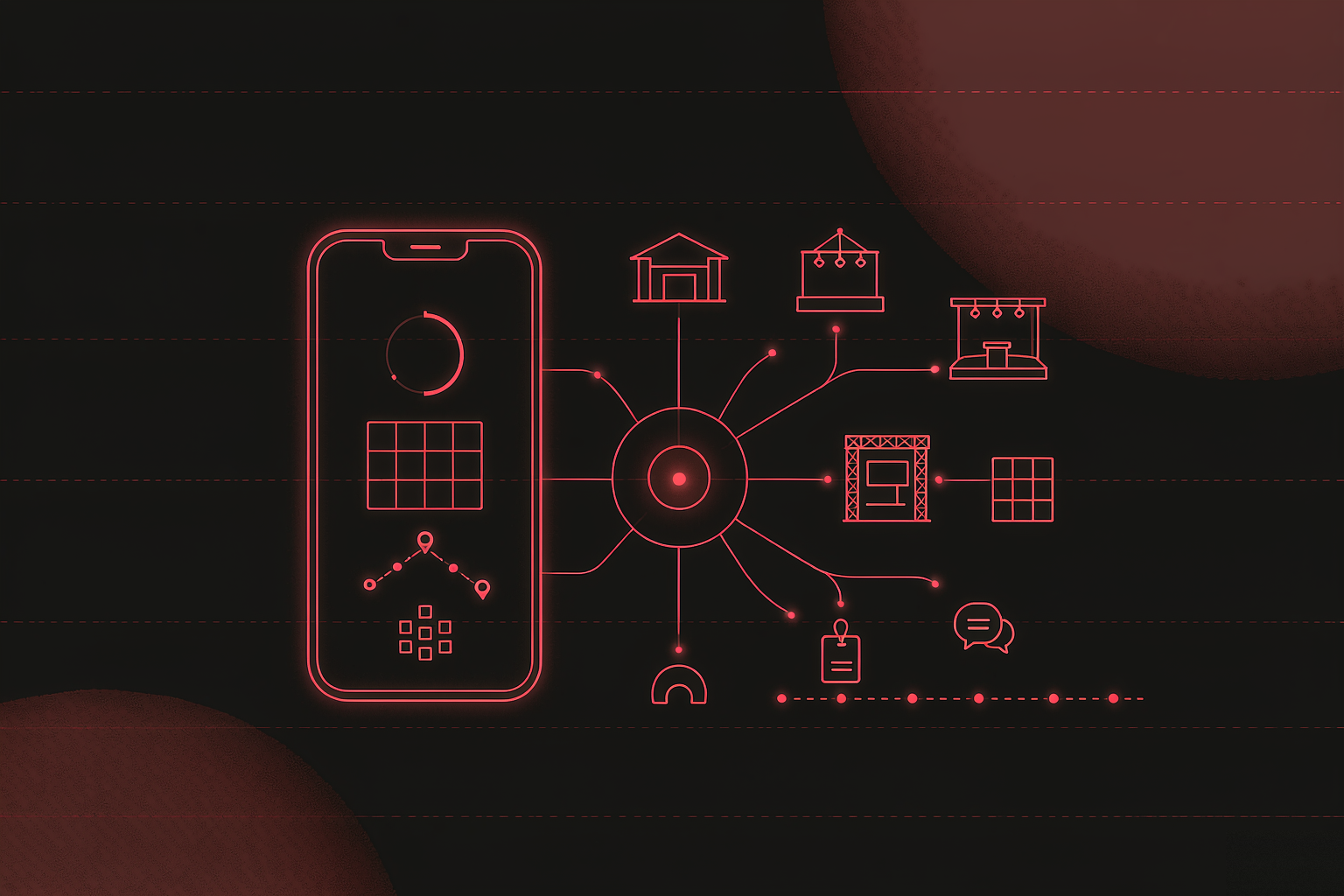
Conference products fail when the feature list becomes a menu wall — registration, agenda, streaming, transport and health rules each manage their own corner while attendees stitch the route together themselves. This proposal re-orders everything along a conference timeline of six stops, from the sign-up form at T-30 days to the press kit after the closing. The case walks all 40 screens along that timeline: how sign-ups are collected, how passes are issued, how arrival is guided, how the opening is watched, how agendas are checked and how the story is told afterwards.

Industry
MICE / large industry forum (digital congress services for the organizer)
System type
WeChat mini-program UI proposal (40 design screens, 22 published)
Key design
Phone-number authorization · dual registration lanes (delegate / visitor) · one-pass e-badge · aggregated venue services · agenda and speaker matrix · streaming and press assets
Our role
UI proposal walkthrough, interaction mapping, asset redaction and delivery
40 screenscovering the full life of one conference, from the sign-up form to the post-event press wall
22 screenspublished, filed under six conference stops, each mapping to one stretch of the attendee route
6 stopson the timeline: T-30 sign-up, T-7 pass, three stops on Day 1, and the post-event archive
30+ editsof redaction: forum names, speaker names and portraits, platform marks, exhibitor listings
CONFERENCE SERVICE MINI-PROGRAM · ONE-PASS E-BADGE PARTICIPANT E-BADGE Affiliation & title · verified SCAN TO VERIFY Scan check Agenda sync Wayfinding Replay 01 Sign-up & eligibility T-30 days · dual lanes, separate review criteria 02 Pass ready T-7 days · the e-badge sits on the first screen of “Me” 03 Arrival services Day 1 08:30 · transport, rules, health, lodging 04 Opening floor Day 1 09:00 · plenary entrance and three streams 05 Agenda & speakers Day 1 14:00 · track agendas and the speaker matrix 06 Coverage & archive T+1 · updates, press assets and the media handbook One badge walks the whole venue: six checkpoints, six stretches of the attendee route
T-30 daysStop 1
Sign-up

STOP 01 · T-30 DAYS

Sign-up & eligibility: put people into the system first

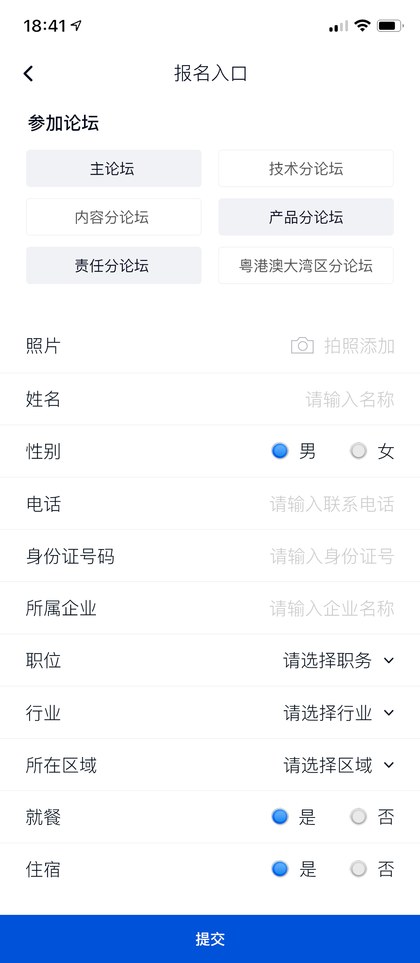
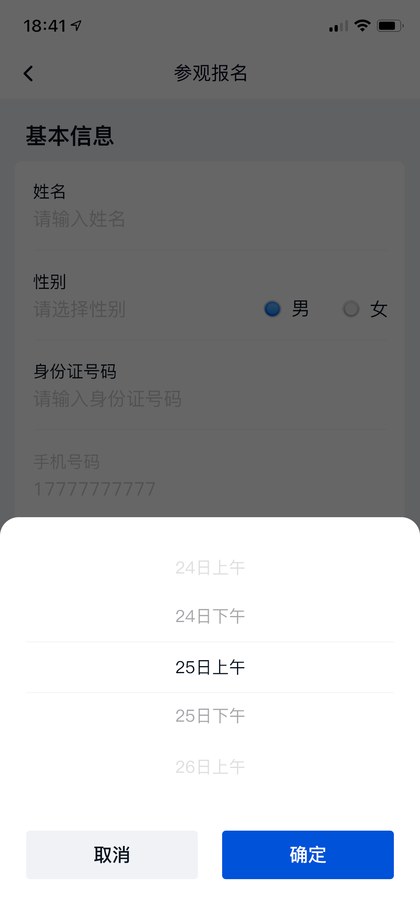
Registration is the first conversion of the whole event. The proposal compresses sign-in to its shortest form — phone-number authorization in two taps; registration splits into a delegate lane and a visitor lane: delegates pick tracks and file affiliation for review, visitors just pick a time slot. Each lane collects its own fields, so the review criteria never collide.

Sign-in sheet: quick phone-number login panel (forum name blurred)
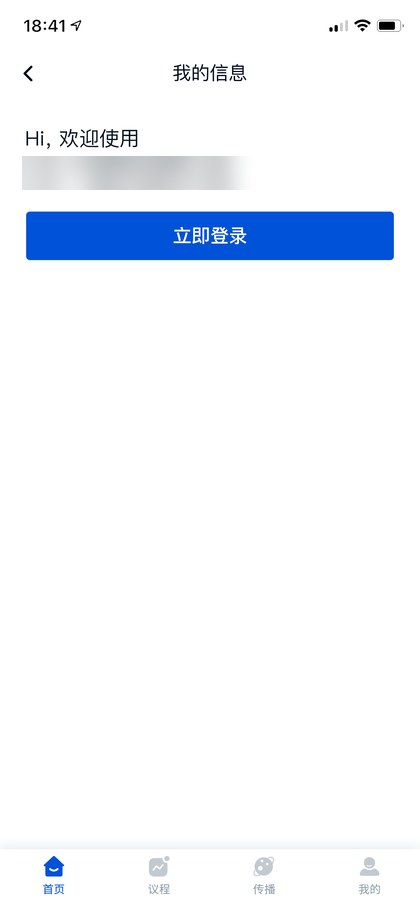
Quick sign-in one-tap phone authorization, two steps to home.
Authorization sheet: consent note and phone-number authorization button (forum name and portrait blurred)
Consent what is collected and why, agreed up front.
Delegate registration form: track multi-select and a long personal-information sheet
Delegate sign-up track picks first, affiliation goes to review.
Visitor registration sheet: time-slot picker
Visitor booking a time slot only, verified on its own terms.
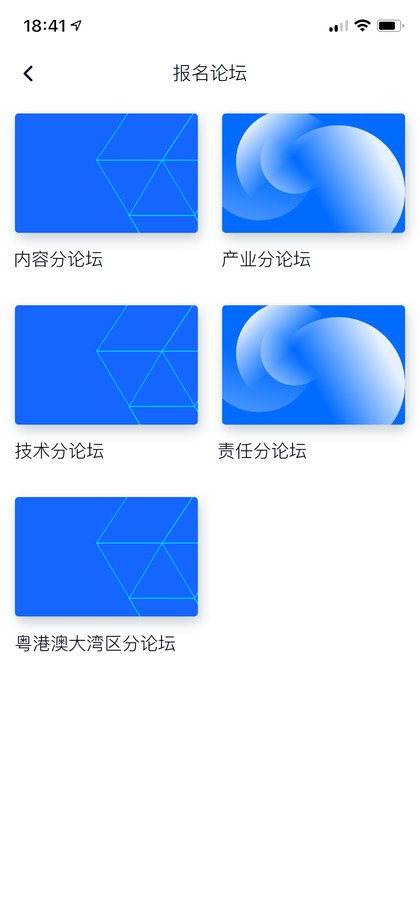
Track picker: five cover cards, one per track
Track picker tap the covers; multi-lane sign-up closes here.
T-7 daysStop 2
Pass

STOP 02 · T-7 DAYS

Pass ready: one badge walks the venue

Paper badges must be printed, handed out and reprinted; the e-badge is summoned once. The pass page keeps name, affiliation, title and entry credential on one screen, so gate checks finish with a scan; the “Me” page pins registration, favorites, badge and lodging into the first screen — the hour at the gate runs on these two screens.

E-badge screen: name, affiliation and entry credential on one page (name and photo blurred)
E-badge name and affiliation on one screen, scan and pass.
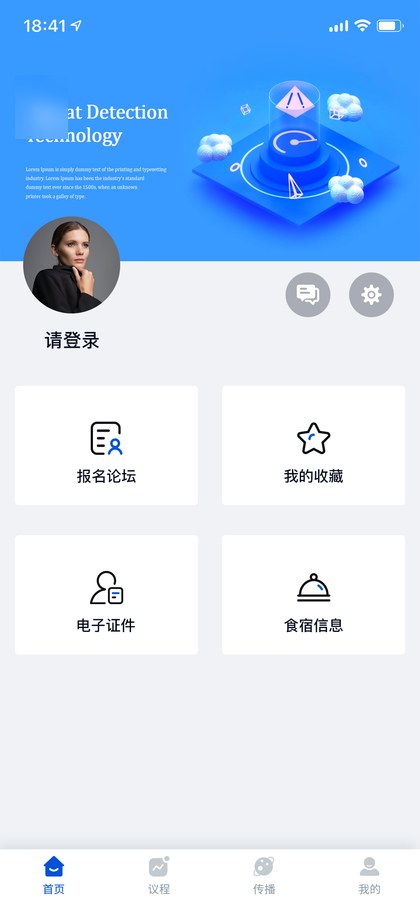
Me screen: registration, favorites, badge and lodging entries (portrait blurred)
Me four frequent entries pinned to the first screen.
Day 1 08:30Stop 3
Arrival

STOP 03 · DAY 1 08:30

Arrival services: route, rules, health and lodging, sorted

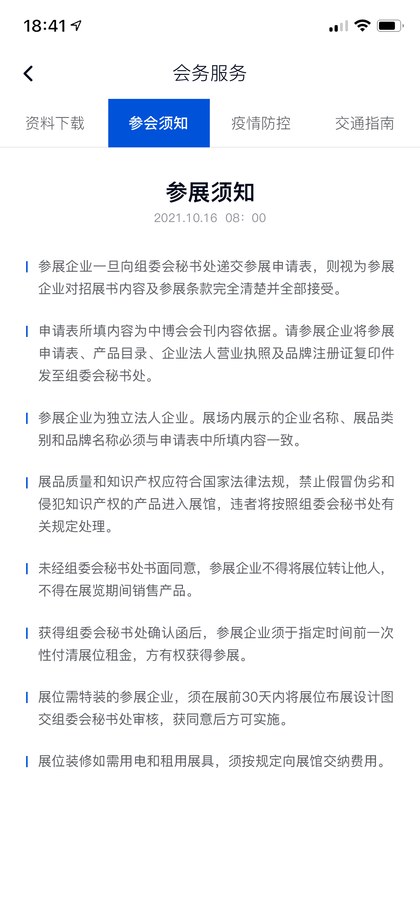
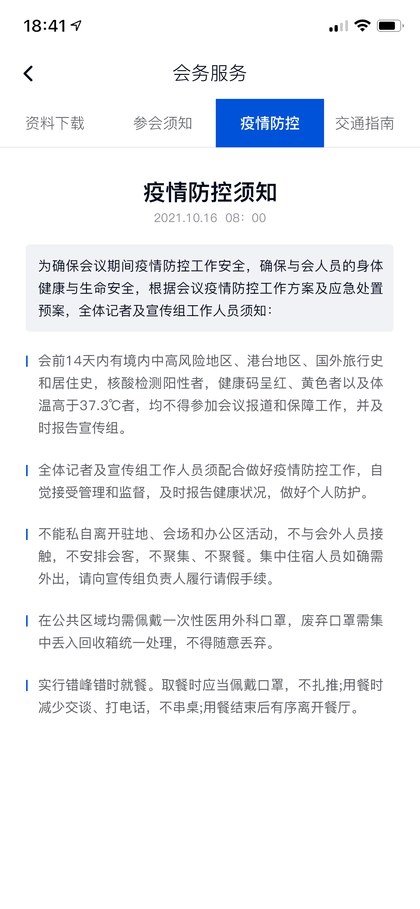
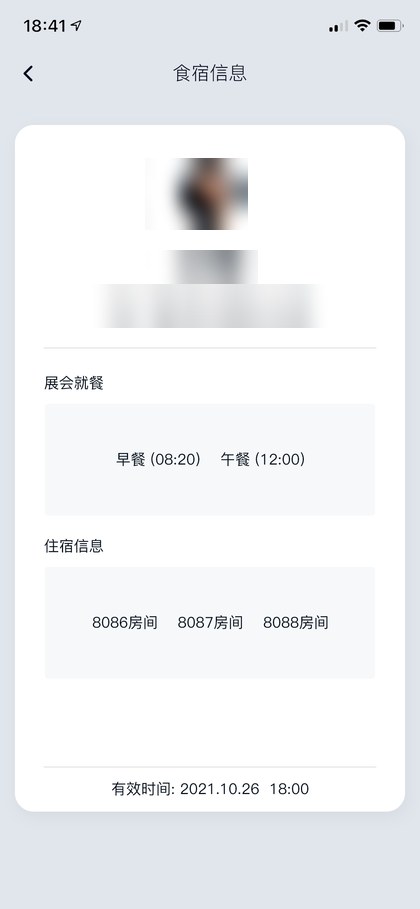
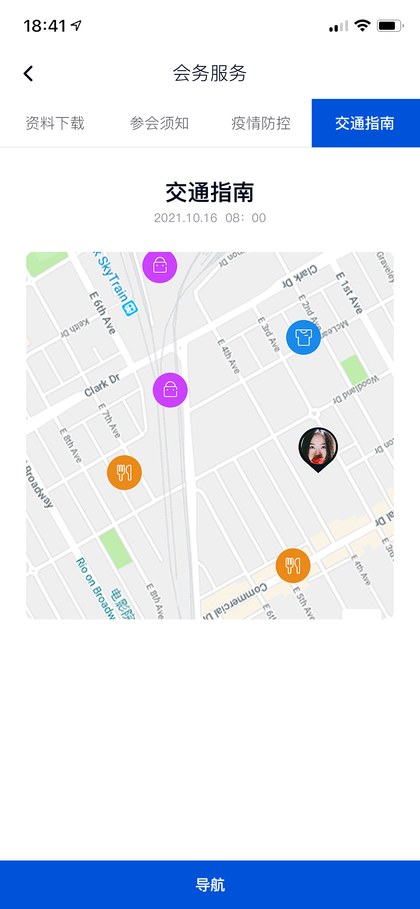
The hour before opening is the peak of questions: how to get there, what to bring, where to sleep, what the health rules say. The services page folds them into downloads, venue rules, health notice and transport; the transport page marks both venues on a map with one-tap navigation; the lodging page ties meal times and room numbers to the badge. Answers served before they are asked keep the desk quiet.
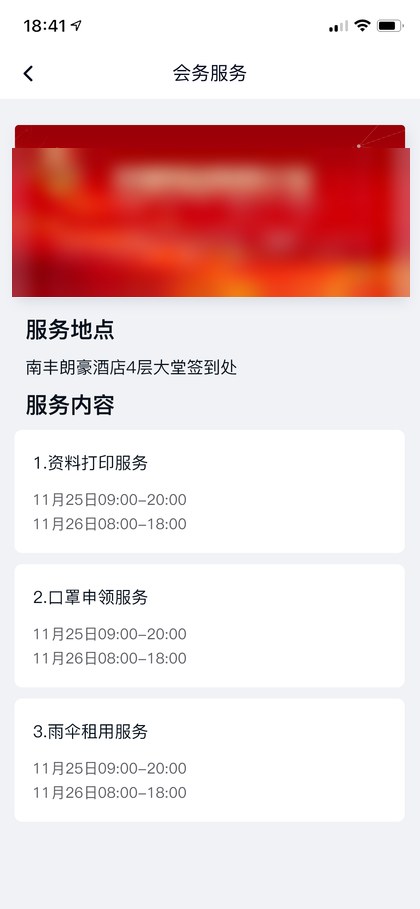
Venue services screen: service points and service list (hero forum name blurred)
Venue services points first; printing, masks and umbrellas on demand.
Transport guide screen: venue map markers and addresses with navigation
Transport both venues on the map, one tap to navigate.
Venue rules screen: participation terms as a clause list
Venue rules clause by clause, read before you enter.
Health notice screen: epidemic-prevention terms
Health notice requirements and contingencies on one page.
Lodging screen: meal times and room numbers (name and portrait blurred)
Lodging meal times and rooms tied to the badge.
Day 1 09:00Stop 4
Opening

STOP 04 · DAY 1 09:00

Opening floor: the plenary and the screen, in sync

After the opening the mini-program switches from an organizing tool to a viewing entrance. The home page pins services, registration, health notice and the media handbook into a grid with the plenary and track entrances under the key visual; the plenary page streams sessions as a timed list; the live page puts three streams side by side — those outside the hall enter it here.
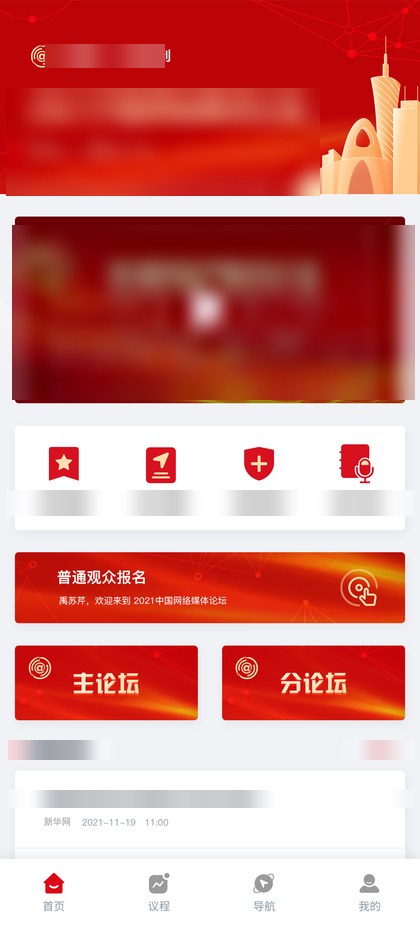
Home screen: service grid, plenary and track entrances (hero forum name blurred)
Home the service grid stays; entrances hang under the visual.
Plenary screen: sessions arranged as a timed list
Plenary sessions on a timed list, cross-linked to the agenda.
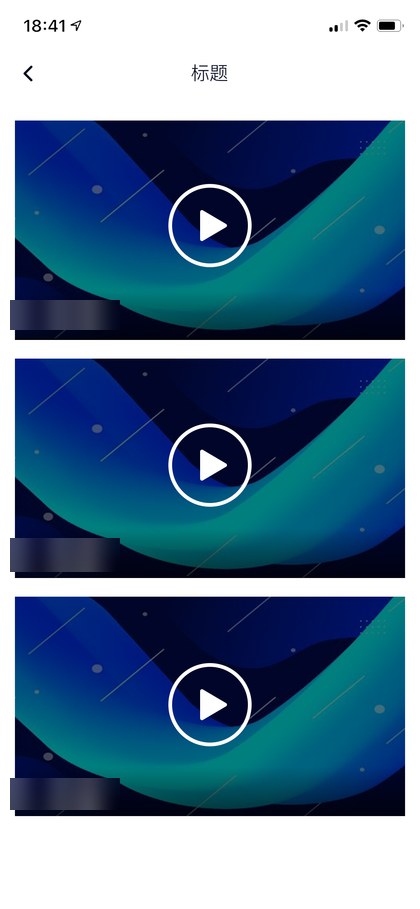
Live screen: three streams side by side (platform marks blurred)
Live three streams side by side, covers as entrances.
Day 1 14:00Stop 5
Agenda

STOP 05 · DAY 1 14:00

Agenda & speakers: picking tracks, placing faces

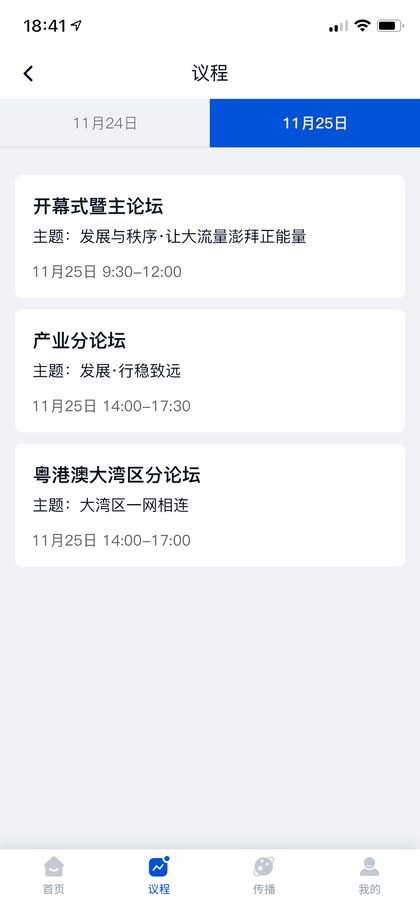
The afternoon tracks are a decision peak. Agenda pages split by day and give each track one thesis line — you pick a session by that line, not by scrolling a table; the speaker page lays out names, affiliations and portraits as a matrix (the demo is fully redacted), one tap to the profile. Picking a session and placing a face are the two moves of the afternoon.
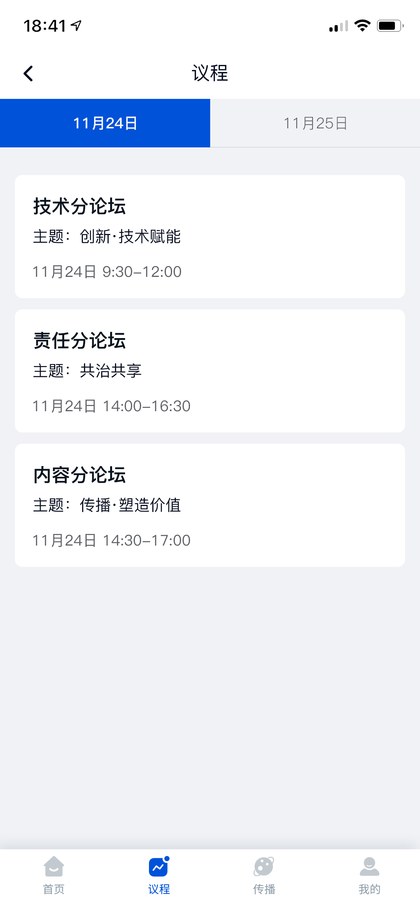
Agenda screen: three tracks on day one with thesis lines and times
Agenda · day one three tracks, one thesis line each.
Agenda screen: three tracks on day two with thesis lines and times
Agenda · day two the opening plenary plus two parallel tracks.
Speakers screen: speaker matrix grid (names, affiliations and portraits fully redacted)
Speaker matrix grid first, profile one tap away (redacted).
T+1Stop 6
Archive

STOP 06 · T+1

Coverage & archive: the closing is not the end

Traffic surges once after the closing: media hunt assets, attendees hunt replays, the organizer files the wrap-up. The updates feed lines up field reports in time, and detail pages replay them in full; the coverage page works as a distribution wall of finished assets — one card per session, imagery and headlines ready to take; the media handbook stays downloadable, and next year's exhibitor deck grows out of this page.


Updates screen: field reports arranged in time
Updates field reports in time, images as summaries.
Update detail screen: a round-table story in full text and images
Detail full replay with text and images, favorite pinned.
Coverage screen: finished asset cards per session (card titles blurred)
Press wall one finished card per session, ready to take.
Media handbook screen: media terms and handbook content (handbook title blurred)
Media handbook rules and asset terms on one page.

Ledger

Back-of-badge ledger: what shipped, what was withheld, what was redacted

40 design screens, 22 published, 18 withheld. Forum names, speaker names and portraits, streaming platform marks and exhibitor listings were handled per the ledger below; withheld screens were pulled whole, never cropped into partial use.

SubjectMethodScope
Forum namePixelation + gaussian blurRed hero headers and banners on 4 screens, 6 spots
Speaker names & affiliationsWhole-card blurAll 6 cards of the speaker matrix, nothing left readable
Portraits & badge photosPixelation + gaussian blurE-badge, authorization, Me and lodging screens, 4 spots
Streaming platform marksPixelation + gaussian blurCorners of three streams on the live screen
Coverage asset titlesWhole-card blurAll 6 finished cards of the press wall
Exhibitor listingsWithheld entirelyLogo- and profile-dense; 3 screens dropped (list and two profiles)
Speaker profilesWithheld entirelyDense portraits and biographies; 2 screens dropped
Forum detail long pageWithheld entirelyDense, repetitive and forum-branded; 1 screen dropped
Duplicate draftsBest version keptOld home versions, old services versions, duplicate detail states; 12 screens dropped

Q & A

Delivery FAQ

Four questions most often asked about the timeline, the e-badge and the dual registration lanes.

Q1Why walk the mini-program along a conference timeline instead of a feature list?
The feature list of a conference product is long, but the attendee experience is a single line: sign up, get the pass, arrive, watch, check the agenda, replay afterwards. Walking screens along the timeline walks one attendee through the whole event — a missing entrance or an extra hop shows up on a timeline far sooner than on a feature list.
Q2Why does the e-badge deserve a first-class path?
Gate checks peak in the hour before the opening: paper badges must be printed, handed out and reprinted. The e-badge keeps name, affiliation, title and credential on the phone, verified with one scan, re-summoned when lost. Pinning it to the first screen of “Me” exists for that one hour at the gate.
Q3Why two registration lanes — delegates and visitors?
The two audiences differ in identity, permission and route: delegates pick tracks and file affiliation for review; visitors pick a time slot. One universal form makes the review criteria collide and the gate checks blur. Two lanes, each collecting its own fields, leaves the complexity with the system rather than the user.
Q4Why does the post-event page center on distribution rather than a news list?
Traffic surges once after the closing: media hunt assets, attendees hunt replays, the organizer files the wrap-up. The coverage page works as a distribution wall — one finished card per session, imagery and headlines ready to take — with the media handbook pinned for download. Run coverage well and next year's exhibitor deck has a ready-made case library.

MORE CASES

More Related Cases

Smart sand & aggregate pit-site management platform
Government SystemSmart sand and gravel, smart construction site

Smart sand & aggregate pit-site management platform

A B/S on-site management platform for sand pits: login, visual dashboard, card top-up, dredger manag...

View Details →
Smart sand & aggregate supervision platform
Government SystemSmart sand and gravel, smart construction site

Smart sand & aggregate supervision platform

A B/S supervision console for city, county and Yellow River Commission levels: regional one-map view...

View Details →
Conference mini-program · from sign-up to wind-down
Government SystemExhibition System

Conference mini-program · from sign-up to wind-down

Conference products fail when the feature list becomes a menu wall — registration, agenda, streamin...

View Details →

View All Cases →

Planning a similar production line or enterprise system?

Start with our pricing logic, then let's talk requirements — cost structure, technology comparison and acceptance criteria, all laid out in the open.