One bag of material, one lap around the plant, seven documents

In a plastics plant the hard question is not how much is in stock but why it changed. The same bag of ABS is a grade to purchasing, a colour to the floor and a material name to the customer; a few offcuts are blended into one new lot, so the books go down three lines and up one; 500 kg is issued, 320 used, and the 180 kg left over has to go somewhere. This back office hangs every change of quantity on a document — purchase order, goods receipt, material issue, production plan, finished-goods receipt, test report, dispatch note. Those 517 stock rows were not counted into existence; they were stacked up one document at a time.

Industry
Plastics and compounded plastics (ABS, PC, PA6, flame retardants, masterbatch) · raw-material and finished-goods stores under one roof · blended to order, produced by batch
System type
Browser-based warehouse and inventory back office: sales, purchasing, stock, quality, production planning, administration
Key techniques
Seven document types with inherited numbers · prefixes that name the source · pending and booked quantities · blend recipes with batch-level deduction · three stocktake outcomes · test-item dictionary and report expiry · role, department and user permissions
Jiding role
Process mapping, document-chain and field design, interface build, go-live support and second-round tuning
6 groupsSales, purchasing, stock, quality, production planning, administration
22 pagesSales 3, purchasing 2, stock 6, quality 2, production 4, admin 4, plus login
7 typesPurchase, receipt, issue, production plan, finished receipt, test report, dispatch
517 rowsStock records: raw and finished side by side, every row traceable to a document

Why The Books Drift

When the books drift, it is rarely carelessness

Warehouse errors are seldom miscounts — a miscount can be recounted on the spot. What actually hurts is one thing with three names in three places, one action that moves four stock lines, and leftovers nobody knows whether to book back in. Spreadsheets cannot hold any of the three: they record how much, never why.

Name One material, three names

Purchasing orders by grade (ABS ZA0210, Cabot PE2718), the floor draws by colour (black, white, natural), the customer accepts by material name. One material is one row here, aliases live in the note field — you look up the alias, not your memory.

Blend Blending moves four lines

PC/ABS 4/21 blend: two bags of PC plus one of ABS become a new lot, so stock goes down three lines and up one. The source batches stay on file, or nobody can tell which bag caused a defect.

Offcut Do leftovers go back in?

Issue 500 kg, use 320: does the 180 go back to stock, under which batch, at whose cost? Leave it out and the next stocktake shows a loss; book it to the wrong batch and the books have it while the shelf does not.

So the first job is not arithmetic, it is giving every change of quantity a provenance: who raised the document, which document it came from, which batch it moved. With those three, the books can be audited.

One Map

One warehouse system: six modules, twenty-two pages

Modules are split by who uses them; pages are split by one job each. Sales three, purchasing two, stock six, quality two, production four, administration four — no page exists to fill in a form, each one matches a move on the floor.

01 Sales Sales
CustomersDispatch notesSales orders

Customers import from a template, 57 in one go; dispatch notes issue or return against a number; orders keep only number and due date.

02 Purchase Purchasing
SuppliersPurchase orders

Suppliers mirror customers and import the same way; one purchase order carries three sections: purchase, arrival, payment plan.

03 Stock Stock
Raw materialSamplesWarehousesStockBlendingReceiptsIssues

Six pages and the whole daily round: what arrived, where it sits, what got blended, when it was counted, where it went.

04 Quality Quality
Test itemsTest reports

Items form a dictionary (physical test, standard, unit); reports hang off the article number and expire on a 30-day reminder.

05 Production Production planning
PlansMaterial issuesDefectsMachines

Plans carry quantity and due date, issue notes record both dispatch and receipt, and the defect list is the floor's own vocabulary.

06 Admin Administration
UsersRolesDepartmentsParameters

Departments carry a code prefix ([cgb] purchasing), roles decide which pages open, and there is exactly one parameter: reminder days.

Read the top menu and you have read the chain: samples → warehouses → stock → test items → test reports → material issues → production plans → defects → machines → users → roles → departments → parameters. The menu is not a feature list, it is the order of work.

Seven Documents

One lap, seven documents

From the supplier's truck to the customer's truck, a batch passes through seven documents. Each does one thing and hands the quantity to the next — the documents record who, when and how much; stock is only their sum.

01 Purchase order PO Purchasing Stock untouched
02 Goods receipt RK-CG Storekeeper Pending → booked +
03 Raw store STOCK Stock row One new batch
04 Material issue CK-LL Floor Dispatch − · receipt signed
05 Production plan PLAN Production Shift records, output count
06 Finished receipt BC-SC Storekeeper Finished store +
07 Test report QC Lab Release / expiry
08 Dispatch note CK-FH Sales Finished store −
PrefixThe number names the sourceRK-CG purchase receipt, BC-SC production receipt, CK-LL material issue, CK-FH dispatch. The prefix tells you how the goods came in.
HandoverThe previous number goes on the next documentA receipt carries the purchase order, an issue carries the production plan, a dispatch carries the sales order. Trace from either end and the whole lap is there.
GapNo document, no movementEditing a number directly is the easiest thing to do and the fastest way to wreck the books. A stock row has four doors only: receipt, issue, stocktake, blend.

The Identity

Stock is an addition problem, not a stocktake

A stocktake is a check, not a source. What actually sets the number is every addition and subtraction during the year. Take the most ordinary material on the shelf: ABS black, raw store, opening 4,260 kg.

Opening4,260kg
+
Purchase receipt · RK-CG1,250kg
−
Issue · CK-LL500kg
−
Blend out320kg
=
Closing4,690kg

Those four numbers come from four sources: the stock row, an RK-CG receipt, a CK-LL issue, a blend note. If a line does not reconcile, the fault is in a document, never in the addition — which is exactly why the books are built as arithmetic instead of a stocktake.

No DocNo document, no movementFour doors only: receipt, issue, stocktake, blend. Any other route into the number tears up the evidence.
SourceThe prefix decides the costRK-CG or BC-SC tells you whether this consignment is purchase cost or production cost, and which store it lands in.
ReasonEvery difference needs a reasonA number alone is not enough: loss, mis-issue or weighing error. Only then do you know which end to guard.

The Floor

One warehouse, one row of numbers

The stock page is the first screen a storekeeper opens: 517 rows with raw and finished stores alternating in one table — one screen for two kinds of store, told apart by the warehouse column. Filters cover material, fuzzy material, customer/supplier, specification and colour, because nobody looks a bag up by code; they look it up as “the black one, from Jiangsu Hengda, ZA0210”.
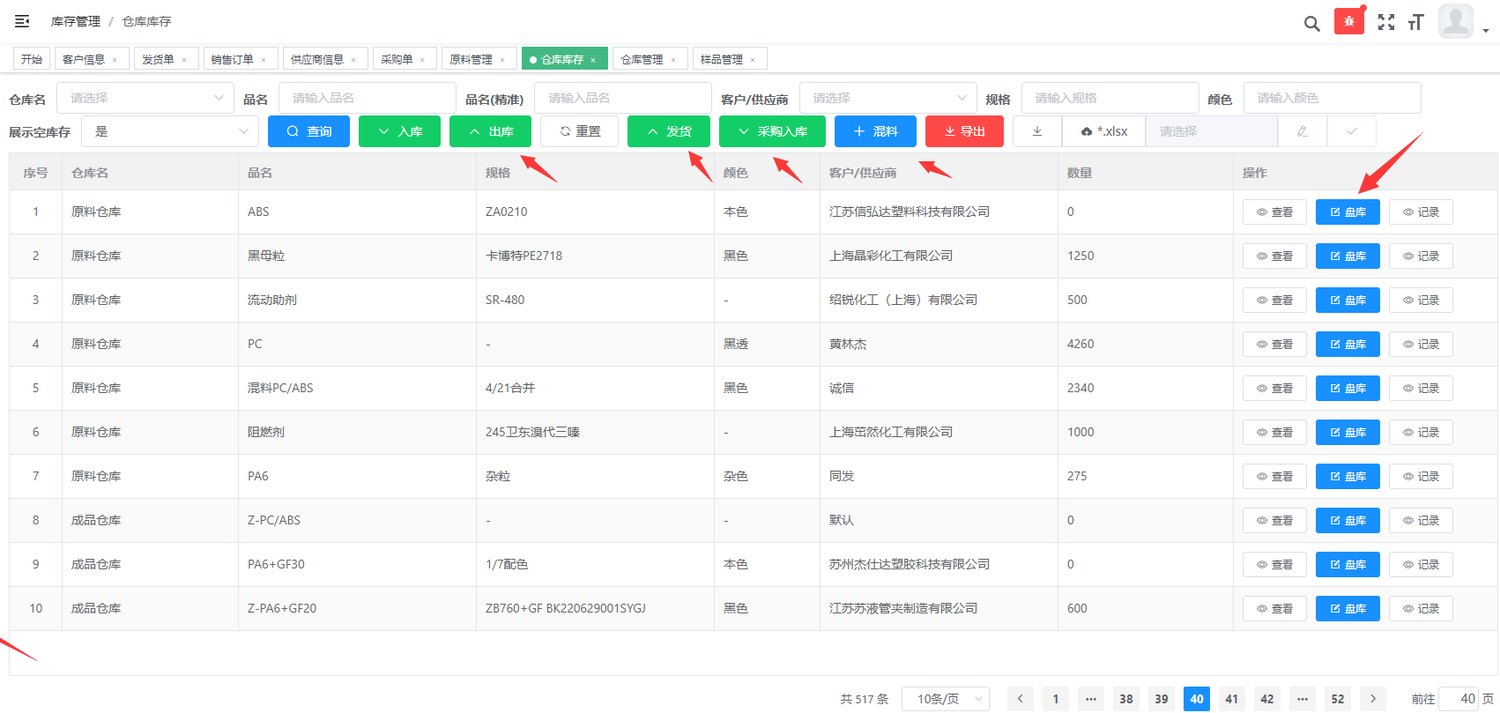
Stock / Warehouses — 517 rows
Warehouse stock list: warehouse (raw store, finished store), material (ABS, black masterbatch, flow agent, PC, PC/ABS blend), specification (ZA0210, Cabot PE2718), colour, customer or supplier, quantity from 0 to 4260, and actions for view, issue and log
A zero in the quantity column is not an empty shelf, it is a material created before the goods arrive. Switch off the stock display and those rows disappear — what a storekeeper minds is not the count, it is that half the screen is unusable.
Even Books match the shelf One stocktake line, no quantity change. The most useless-looking record on file is the proof that somebody actually counted that day.
Gain More on the shelf than on paper Book it as a gain into “other receipts”, never into purchasing — otherwise the purchase ledger grows an order nobody placed and supplier reconciliation starts there.
Loss Less on the shelf than on paper Book a loss with a reason: loss, mis-issue, weighing error. No reason means the case is not closed, and the adjustment only covers it up.

In And Out

One note each way, two numbers each

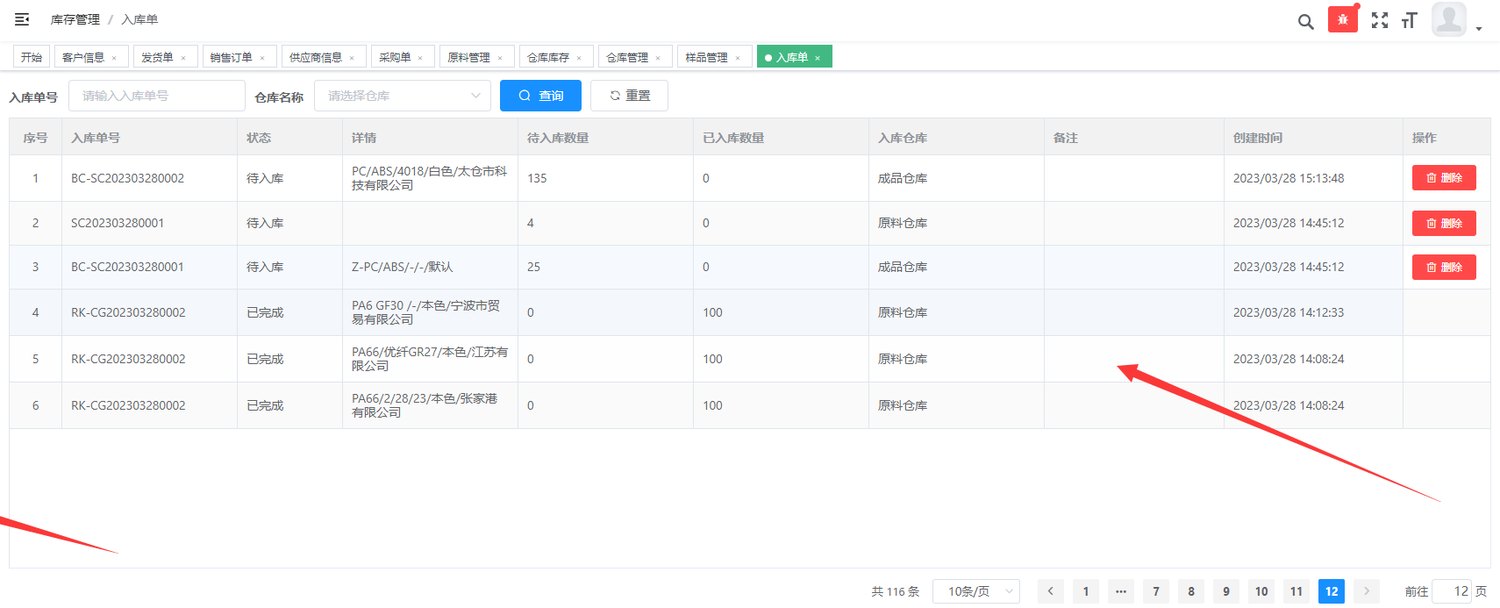
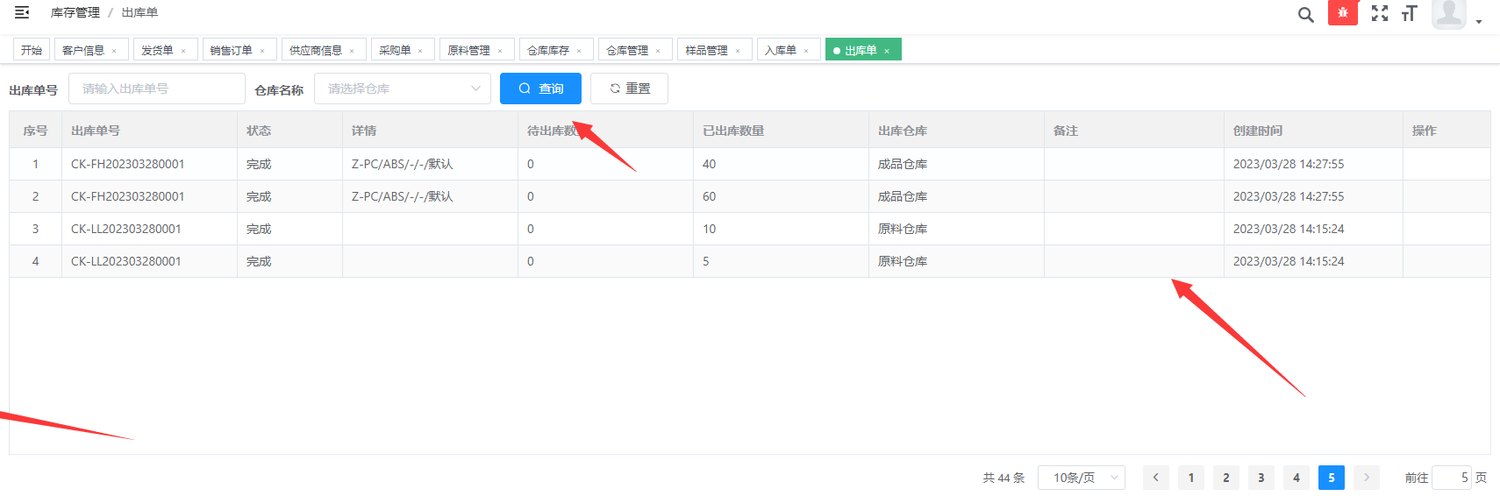
Goods receipts and issue notes look almost identical: number, status, detail, pending quantity, booked quantity, warehouse, created time. Two quantities per line is the cheapest idea in the system — goods arrive and go down as pending, they are checked and put away and only then become booked. Nobody has to invent a number in between, and nobody is pushed into confirming early.
Stock / Goods receipts — 116 rows
Goods receipt list: numbers BC-SC202303280002 and RK-CG202303280002, status pending or completed, detail, pending quantity 135, booked quantity 0 or 100, target warehouse, created time
135 pending, 0 booked: the truck has arrived, the pallet is not on the rack. A pending receipt can be deleted — stock has not moved, so nothing is lost.
Stock / Issue notes — 44 rows
Issue note list: numbers CK-FH202303280001 and CK-LL202303280001, status completed, pending quantity, booked quantity 40, 60, 10 and 5, source warehouse raw or finished
CK-FH is a dispatch, CK-LL a material issue, both on one page; the detail column says which finished batch or which machine the material went to.
Document number prefixes and stock direction
PrefixWhere it comes fromStock movement
RK-CGPurchase order arrives, storekeeper inspects and books inRaw store +
BC-SCProduction plan completed, finished goods booked inFinished store +
CK-LLMaterial issue dispatched, signed for on the floorRaw store −
CK-FHDispatch note issued against a sales orderFinished store −
DeleteOnly pending can be deletedStock has not moved, so deleting is clean. Once booked, the row exists and can only be reversed.
CancelVoided is not vanishedA red reversal keeps the original: who reversed what, when and by how much stays on file.
Two StepsArrival and put-away are two eventsMerge them and the storekeeper books first and checks later — the pending quantity exists to let people be one step slow.

Blending

Blending: turning a recipe into a lot

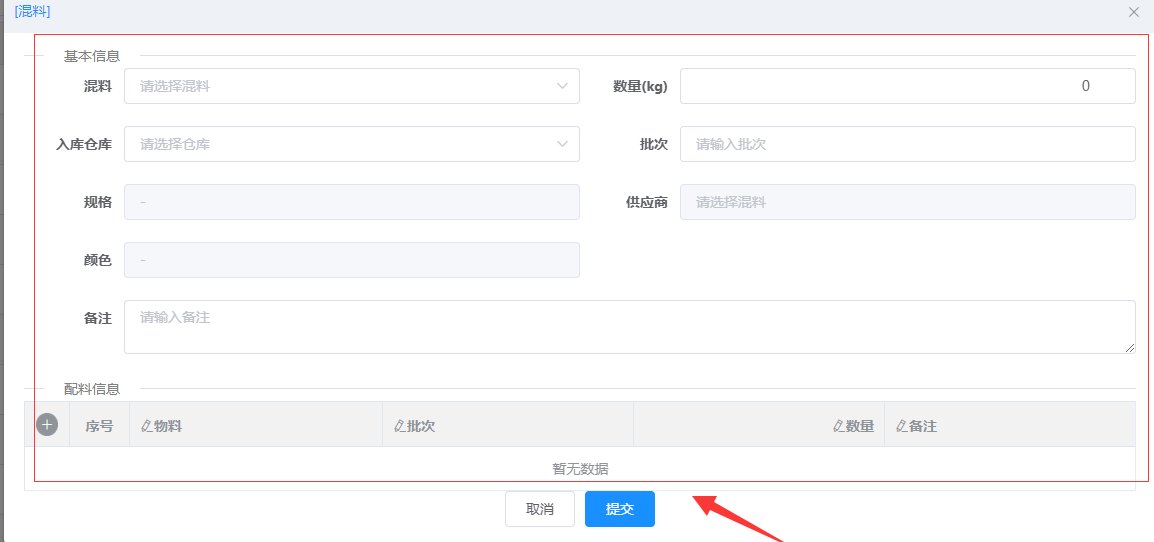
This is the step software most often loses in plastics. Several bags are combined in proportion into one new lot, and the ingredient table is the recipe: material, batch, quantity. On submit stock gains one new batch and the ingredients are deducted by quantity — from named batches, not from the total.
Stock / Blend
Blend dialog: blend name, quantity in kg, target warehouse, batch, specification, colour, supplier and note on top; ingredient rows of material, batch, quantity and note below
Output above, input below. Specification and colour are carried over from the chosen blend and cannot be typed — type them once and the shelf and the books start to diverge.
1
Set the output firstBlend name, quantity in kg, batch, target warehouse. Specification and colour follow the blend, so the name cannot be right while the colour is wrong.
2
Then the inputChoose material, batch and quantity row by row. The batch must go down to the bag, or a defect can never be traced back to the bag that caused it.
3
Submit deducts in one transactionOutput +1 row, inputs −N rows. The blend keeps its recipe, so the next lot is a repeat rather than a rebuild.

Blending cannot be undone: a wrong blend is downgraded or scrapped. So three things get checked before submit — batch, quantity, colour — and the system puts all three on one screen for exactly that pause.

Release

No report, no finished goods

Test items are a dictionary, test reports are the evidence. The dictionary fixes what is measured, to which standard and in which unit; the report only carries results — keep them apart and a revised standard never rewrites history.
Quality / Test reports
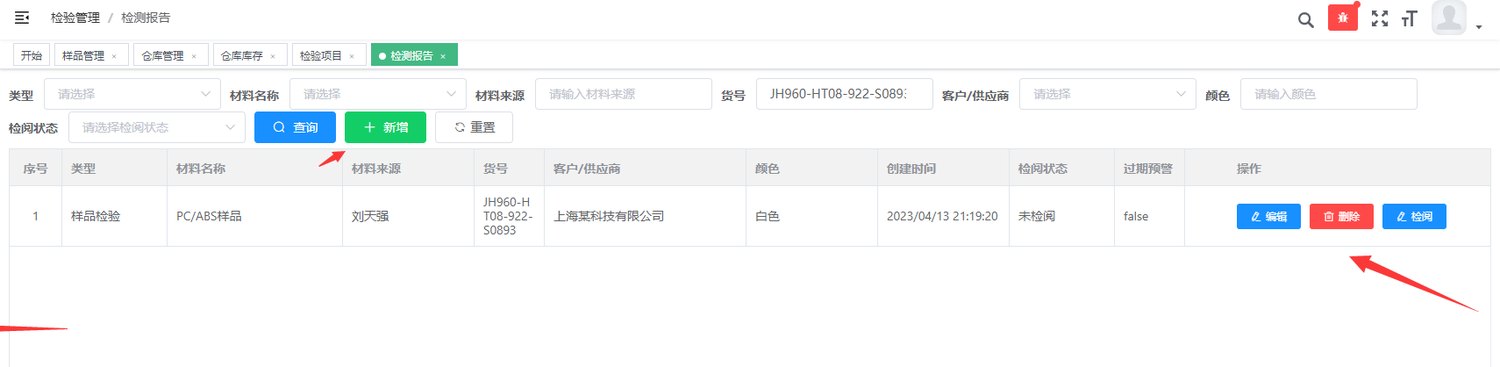
Test report list: type (sample test), material PC/ABS sample, source, article number JH960-HT08-922-S089, customer or supplier, colour white, status not tested, expiry flag false, with edit, delete and test actions
The filters follow the material, not the report: material name, source, article number, customer/supplier, colour, test status. Whoever looks a report up is holding a bag, not a report number.
Quality / Test items
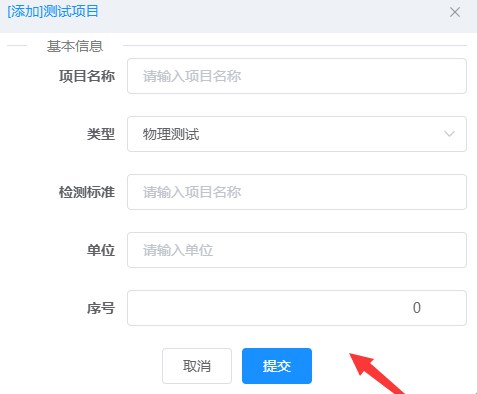
New test item dialog: item name, type (physical test), test standard, unit and sequence
Five fields only: name, type, standard, unit, sequence. One more field and the lab hesitates every time.
1
A report hangs on four thingsArticle number, material source, customer/supplier, colour. With all four, the bag can be found.
2
Two states onlyNot tested and tested. Untested material may be stored but not shipped; the system makes the state visible, the rule belongs to the process.
3
Expiry is one parameterSet the reminder to 30 days and the expiry flag flips on its own.

Thirty days is not a rule, it is this customer's report validity. It is a parameter because a different customer or a different material means a different number. Rules hard-coded into software end up being described as “the system does not fit us”.

The Handover

The material issue: the only form both sides sign

The issue note is the one document here that needs two signatures: the top half is the store dispatching, the bottom half is the floor receiving. Dispatch 500, receive 480, and the 20 kg gap is settled on the spot — spilled on the way, a weighing error, or left beside the machine for next time.
Production / Plans
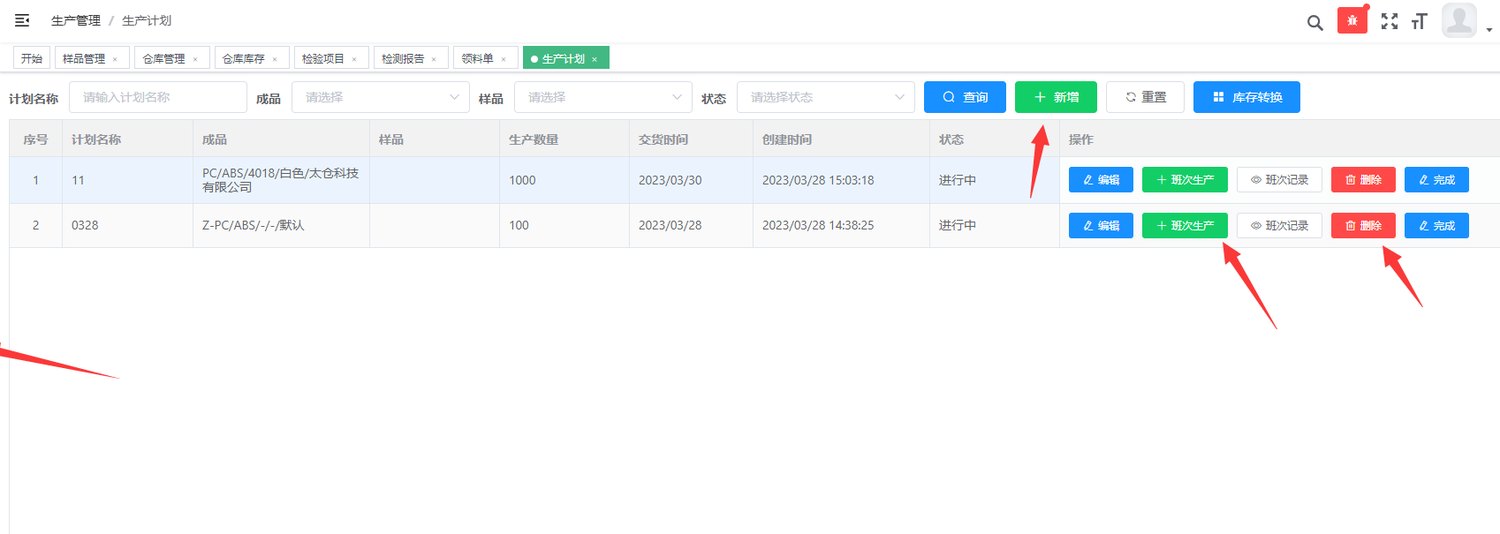
Production plan list: plan name, finished product PC/ABS/4018/white, sample, quantity 1000 and 100, due date, status in progress, with edit, each run, shift record, delete and complete actions
One plan can be produced many times. The buttons are “each run”, “shift record” and “complete” — the floor reports by shift, not once at the end.
Production / New material issue
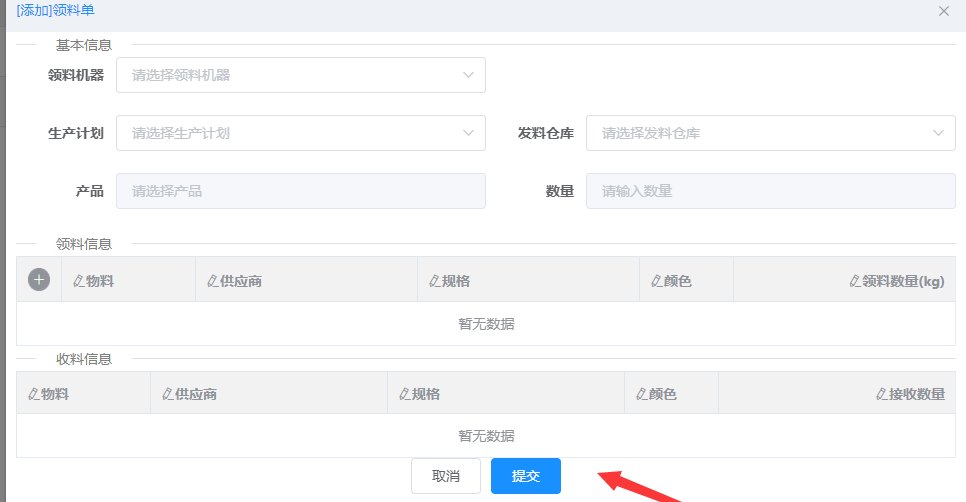
New material issue dialog: machine, production plan, source warehouse, product and quantity, then two detail tables for dispatch and receipt
Two detail tables, one document: dispatch is what the store sent, receipt is what the floor took. Until they agree, the note stays open.
VoidingGas in the melt, holes across the section
Brittle breakSnaps at the stress point, no necking
Colour driftBags from one lot do not match
Soft spotsUnder-plasticised, feels soft
Black specksContamination or local charring
Low propertiesTensile or impact short of spec
Poor flame retardanceSelf-extinguish time over the limit
OtherFor the ones that will not fit

Those eight are the floor's words, not standard terminology — a defect list has to speak the same language as the floor or nobody fills it in. With the machine number on the issue note, the same defect grouped by machine separates a mould problem from a material problem at a glance.

Thirty Screens

Thirty screens, one wall

The system ships with 30 screens: 10 lists, 12 entry dialogs, 8 configuration pages. Twelve of them are here — the sales, purchasing, quality and administration pages that case studies usually skip.
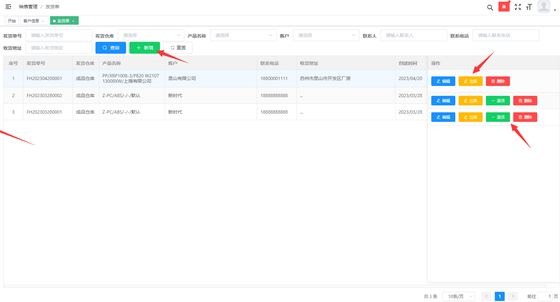
Customer list: name, contact, phone, bank account, invoicing details, fax, address and note, 57 rows
Customers57 accounts, template import
Dispatch note list: note number, warehouse, product, customer, contact, phone, address and issue status
Dispatch notesIssue and return, by note number
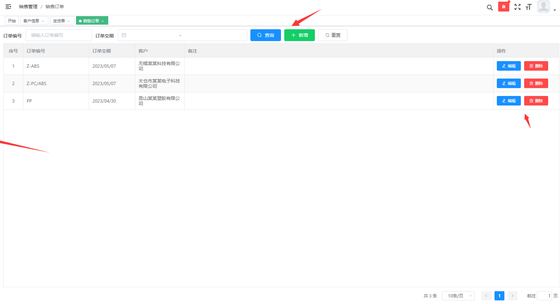
Sales order list: order number, due date, customer and status
Sales ordersNumber and due date, nothing else
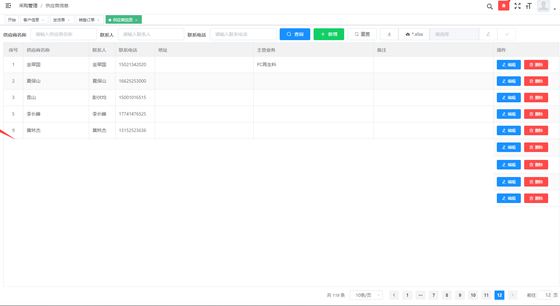
Supplier list: name, contact, phone and address, importable in bulk
SuppliersSame shape as customers, same import
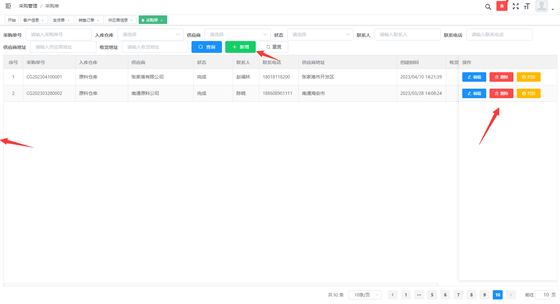
Purchase order list: order number, warehouse, supplier, status, contact and phone
Purchase ordersPurchase, arrival and payment
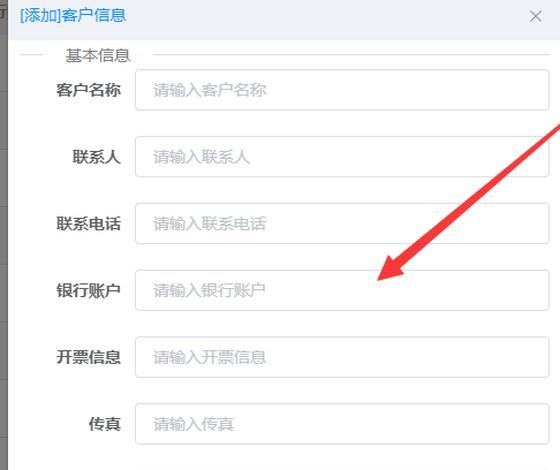
New customer dialog: name, contact, phone, bank account, invoicing details, fax, address and note
New customerFixed fields, no free-form
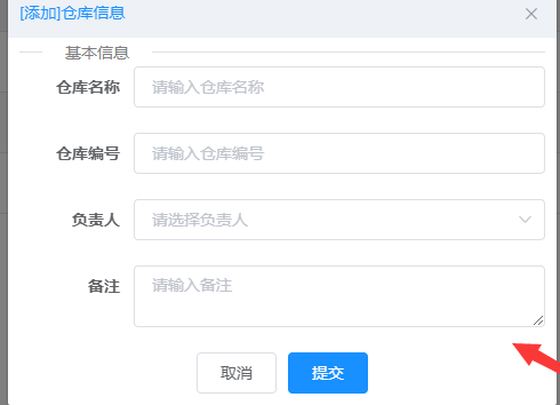
New warehouse dialog: warehouse name and type
WarehousesType is set here and nowhere else
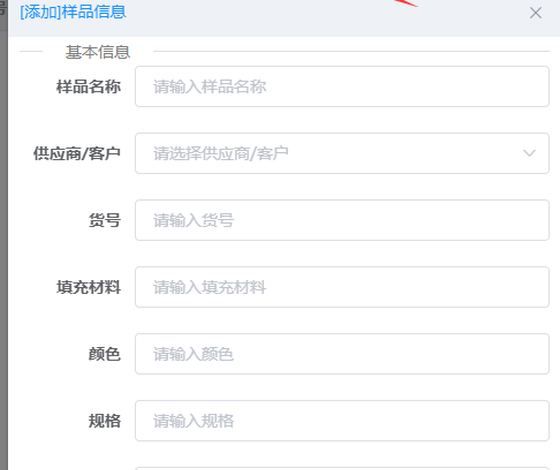
New sample dialog: sample name, specification, colour, customer and quantity
SamplesKept apart from finished goods
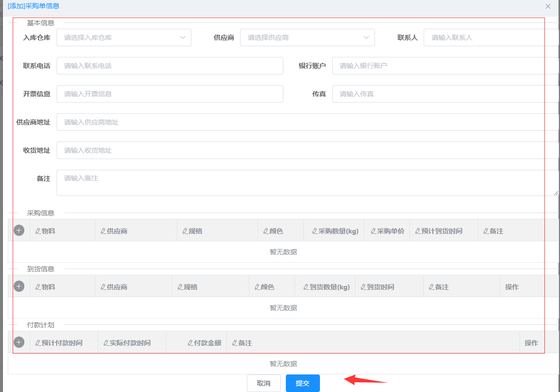
New purchase order dialog: target warehouse, supplier, contact, phone, bank account, invoicing details, fax, addresses and note, then purchase, arrival and payment tables
New purchase orderThree sections in one document
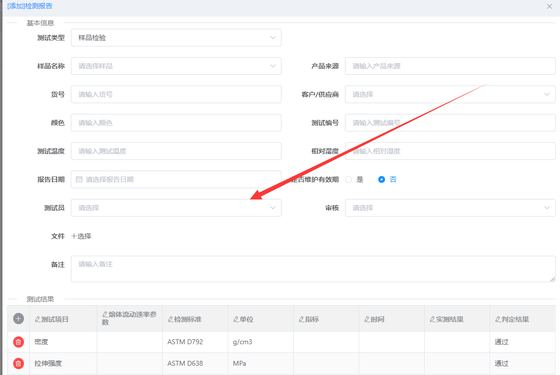
New test report dialog: material name, source, article number, colour, customer and test items
New test reportThe article number ties it to the bag
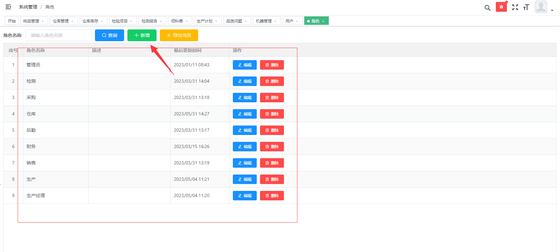
Role list: role name and permission configuration
RolesPermissions by page, menu follows role
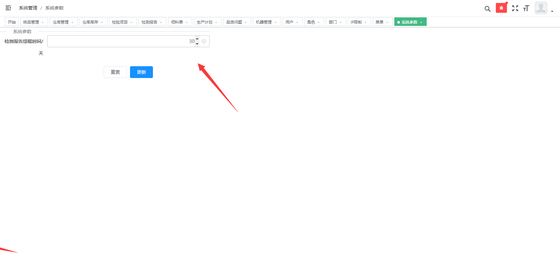
System parameters page: test report reminder time set to 30 days, with reset and update buttons
ParametersExactly one: 30 days

Seven of the twelve are dialogs. Half the craft in a back office lives in the dialogs: field order, what is mandatory, dropdown versus typing decide how often the person entering data swears. A handsome list page is useless if the dialog is what opens all day.

Who Can Change What

Seeing is not editing

The user table holds who, the role table holds which pages open, the department table holds whose costs these are. Departments carry a code prefix in the user list ([cwb] finance, [cgb] purchasing, [hqb] logistics) — the prefix is not decoration, it is how reports are cut by department.
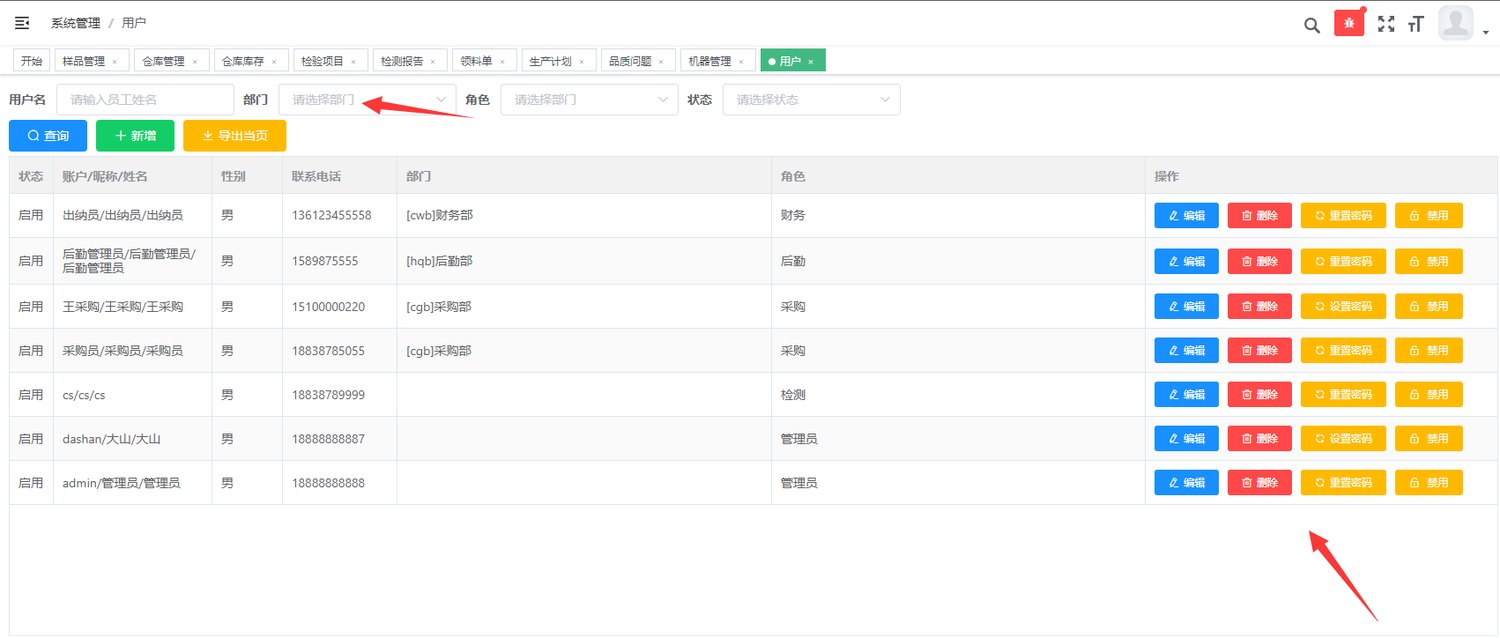
Administration / Users
User list: status enabled, account, nickname and name, gender, phone, department ([cwb] finance, [hqb] logistics, [cgb] purchasing), role (finance, logistics, purchasing, lab, administrator), with edit, delete, reset password and disable actions
Accounts are disabled, never deleted. Disable one and last year's receipt still shows who signed it; delete the account and the signature becomes nobody.
Example role and module permissions
RoleSalesPurchasingStockQualityProductionAdmin
Administrator●●●●●●
Purchasing○●○○——
Storekeeper○○●○○—
Production——○—●—
Lab——○●○—
Finance○○○———

Example: ● edit   ○ read only   — not in the menu. The real table follows the customer's organisation — no two plants are split the same way. There is no standard answer, only the answer to “who can wreck the books”.

Go-Live Order

Four weeks to a set of books that closes

How fast this goes live has almost nothing to do with the feature list and everything to do with who touches the first number. Same six modules: build accounts before warehouses and permissions lead nowhere; blend before receipts and the ingredient table has nothing to pick.

W1Master data

Make the dropdowns exist

Warehouse types (raw, finished) → materials (raw, finished, samples) → customers and suppliers by template. Until this is done, no document below can be filled in.

WarehousesMaterialsCustomersSuppliers
W2Purchasing

Run one real purchase

Purchase order → receipt (pending to booked) → the row appears in stock. Teaching the storekeeper to book on arrival beats any training session.

Purchase orderReceiptStock
W3Production

Run one real production order

Production plan → material issue (dispatch and receipt) → finished receipt → test report. Once the floor is in, the books have two sides to reconcile.

PlanIssueFinished receiptTest report
W4Close it

Give every number an owner

Test items and report templates, roles and accounts, the 30-day reminder. Permissions last — they only mean something once there is data to protect.

Test itemsRolesUsersParameters
Q1How do we move the old ledger in?
Only rows that still hold stock; history stays out. Keep the old material codes, put aliases in the note field, run a month, then merge duplicates. If you try to clean up while migrating, you usually end up with two sets of books and a monthly explanation.
Q2How is a blend costed?
The system keeps quantity and batch; money is a finance calculation. Put cost into the stock row and every change of price, exchange rate or allocation basis makes the two ledgers disagree forever. Quantity belongs to the warehouse, money to finance, and they reconcile because they are kept apart.
Q3Do we have to issue test reports?
If the customer asks for one, yes; if not, keep only the item dictionary. But set the reminder days: 30 is this customer's validity, not an industry rule. It is a parameter because the next customer will be different.
Q4Why can a goods receipt be deleted?
Only while pending. Goods arrived, nothing was put away, the stock row never moved, so deleting is clean. Once booked, the row exists and can only be reversed in red. A document can be voided; what happened cannot be un-happened.

MORE CASES

More Related Cases

Industrial warehouse management for a plastics compounder
EMSWarehouse management, intelligent manufacturing

Industrial warehouse management for a plastics compounder

In a plastics plant the hard question is not how much is in stock but why it changed. The same bag o...

View Details →
Production monitoring for made-to-order cranes
EMSProduction management, intelligent control

Production monitoring for made-to-order cranes

An overhead crane is a made-to-order machine: span, capacity, lift height and colour all follow the ...

View Details →
Non-standard production flow management
EMSProduction management, non-standard automation

Non-standard production flow management

On the same job, sales signs in square metres, purchasing buys in tonnes, the shop floor moves piece...

View Details →

View All Cases →

Planning a similar production line or enterprise system?

Start with our pricing logic, then let's talk requirements — cost structure, technology comparison and acceptance criteria, all laid out in the open.