One box, three watch posts: a smart medicine box system

A smart medicine box is not just a box that went online — it is one box at home, a batch of boxes at the store, and a screen of boxes across the community working as three ends. The proposal follows one box through its whole life: the user mini-program keeps medicine and reminders, the store app keeps stock and binding, the community console keeps monitoring and alerts — whoever holds the box can see it. The case walks 19 key screens out of 60 in the order of a box console with three watch posts, a ring-shaped box-state loop, and a weekly medication plan.

Industry
Smart health / family care (smart hardware + community service)
System type
Mini-program + store app + community console (60 design screens, 19 published)
Key design
Box console with three watch posts · six-state ring loop · weekly medication plan · temperature-humidity readings and dual-channel SOS · points redemption
Our role
Three-end information architecture, UI proposal walkthrough, asset redaction and delivery
60 screenscovering the full three-end chain: user mini-program, store app and community console
19 screenspublished, each one mapped to a duty on one of the three watch posts
3 endsuser mini-program / store app / community console - sharing one box's state
54 editsredaction: product brand, names and phones, addresses, drug-brand photos
27.6 °C Humidity 58% · Battery **** Drawer A · daily Drawer B · weekly User end Store end Console One box · climate and alerts · one state, three ends

Box console: one box, three watch posts

The system has a single protagonist — the box's state. Temperature, humidity, battery, door events and SOS leave the cabinet, and each end takes a post: what each post watches decides how its screens are laid out. The three posts below map to the three groups of screens.

User mini-program · keeps the family box

Medicine, reminders, points, SOS. Family members file medicine and plan a week without a manual, and read the cabinet climate at a glance.

Store app · keeps the store batch

Inbound, stock, on-sale, binding. Scanning starts every flow, and four tiles tell the store manager the batch rhythm.

Community console · keeps the community screen

Live monitoring, peace pings, SOS, priority watch. The operator sees not a UI but whether every box is safe right now.

User mini-program · the family post

Solves [forgetting]: filing medicine, on-time reminders, climate readings, one-tap SOS

The user end circles the box at home: the home screen puts four frequent actions on one layer - medicine, reminders, climate, redemption; the next layers hold the reminder dial, photo-filed medicine, points earned and spent, and the SOS button you hope never fires. A health library adds the content layer that explains why.

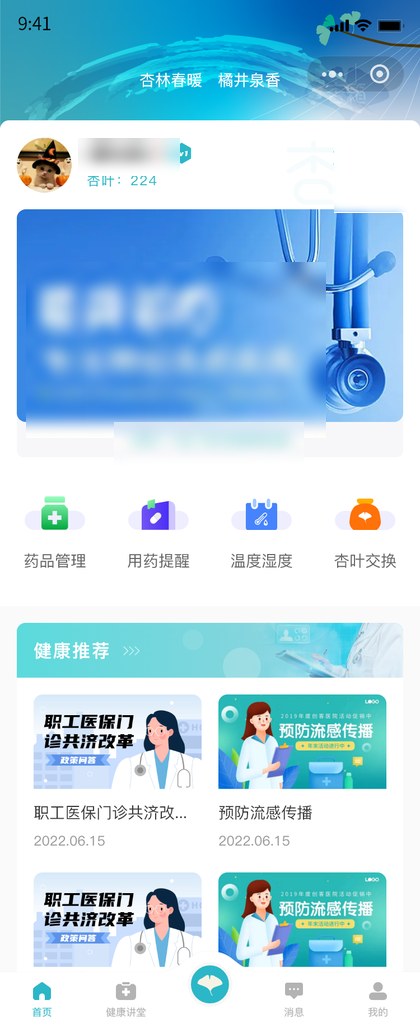
Four-entry homeClimate readingsMedication remindersPointsSOSHealth library
User home: health service entries and feature cards (brand and institution texts redacted)
Home · service entries

Medicine / reminders / climate / redemption - four frequent actions, none folded away

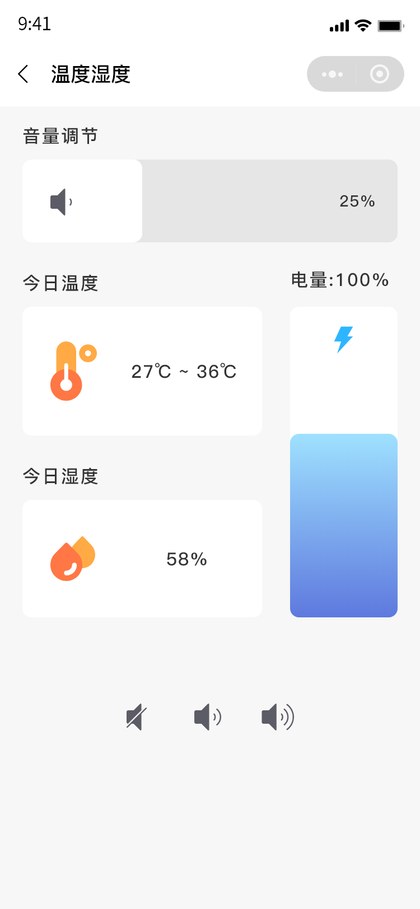
Climate page: cabinet temperature, humidity and battery
Climate · cabinet readings

Temperature, humidity and battery on one screen

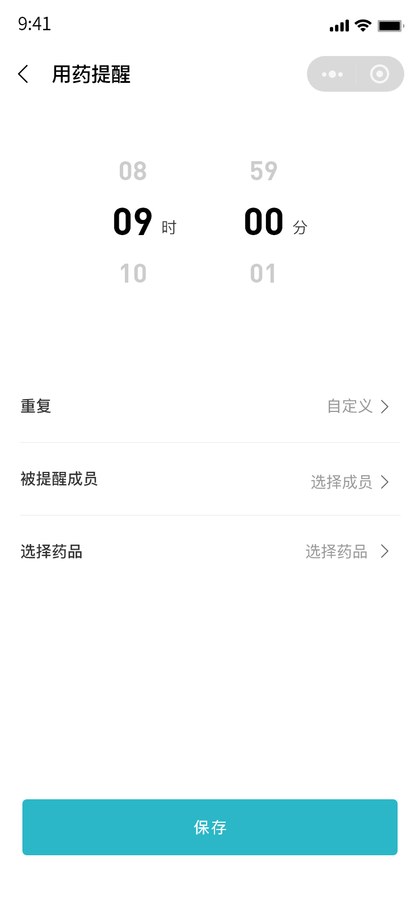
Reminder editor: time dial and repeat rules
Reminder editor · time & repeat

Hour and minute dials plus repeat rules and the person to alert

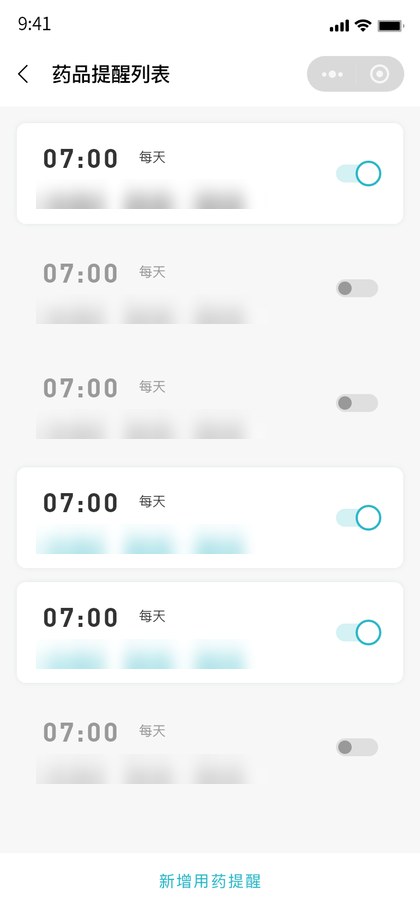
Reminder list: entries ordered by time (drug names redacted)
Reminder list · on schedule

Each row reads time, frequency and the medicine list; a toggle arms it

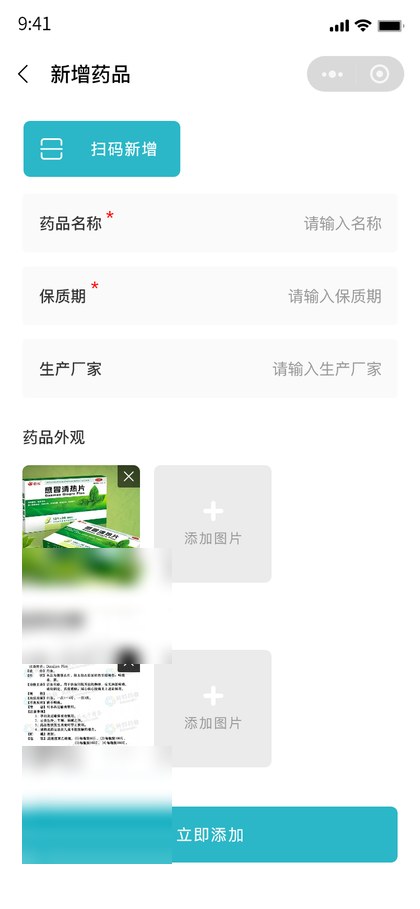
Add medicine: name, shelf life, maker and photos (packshots redacted)
Add medicine · photo filing

Name, shelf life, maker and two photos; scan-to-add saves typing

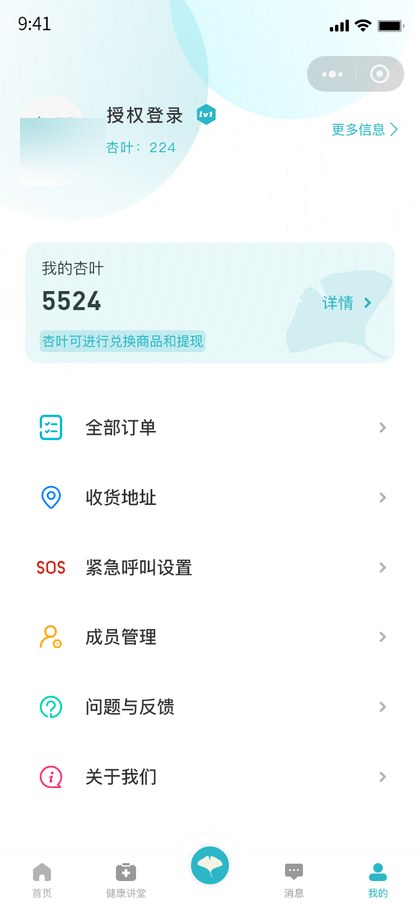
Profile: points and family member management (brand mark redacted)
Profile · family hub

Points balance, orders, addresses, SOS setup and member management

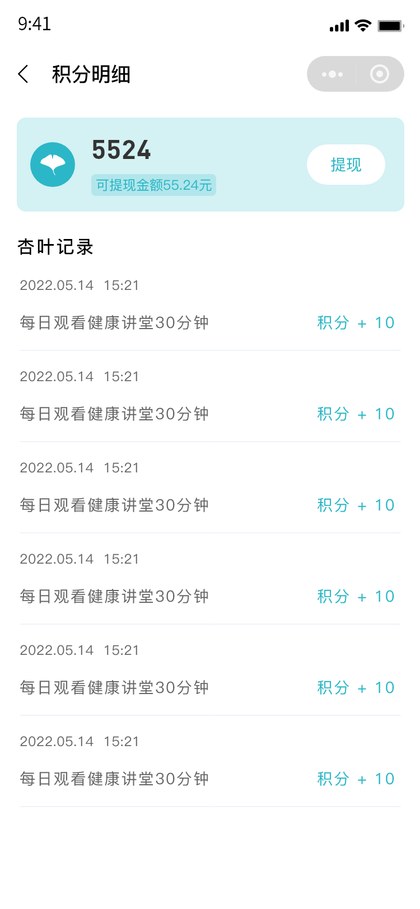
Points ledger: balance and earning records
Points ledger · earned clearly

Every entry names its source: watching, checking in - redeemable or cashable

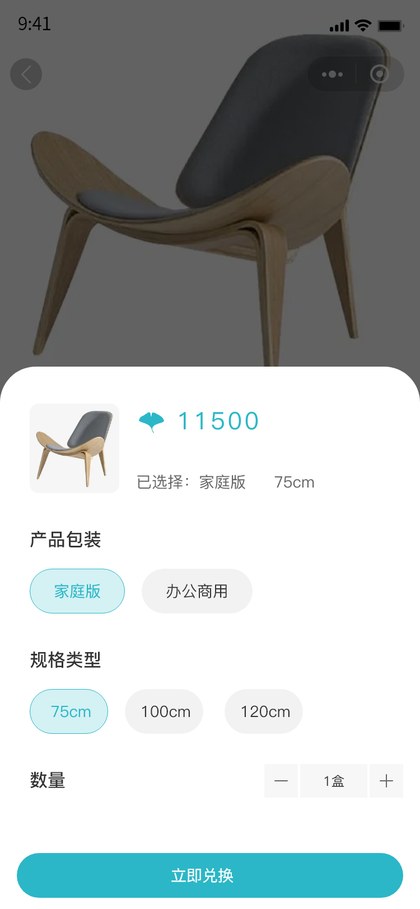
Redemption product detail with variant picker
Redemption · spent easily

Detail page straight to redemption; variants and count in one step

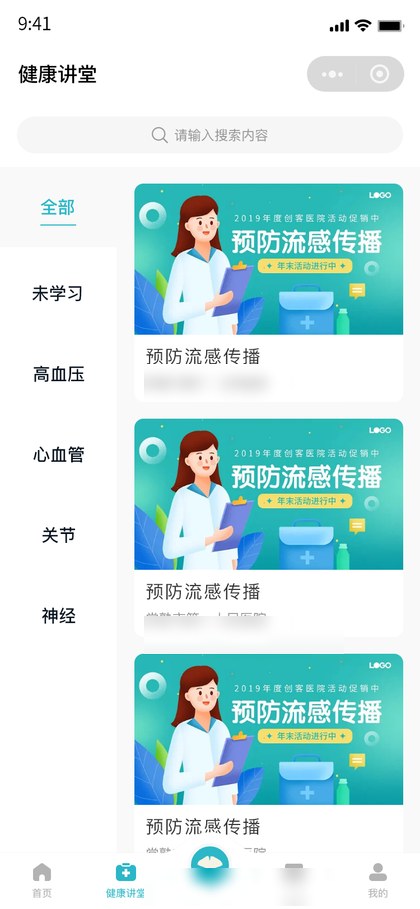
Health library: categorised content list (institution sources redacted)
Health library · content layer

A categorised content flow; watching earns points both ways

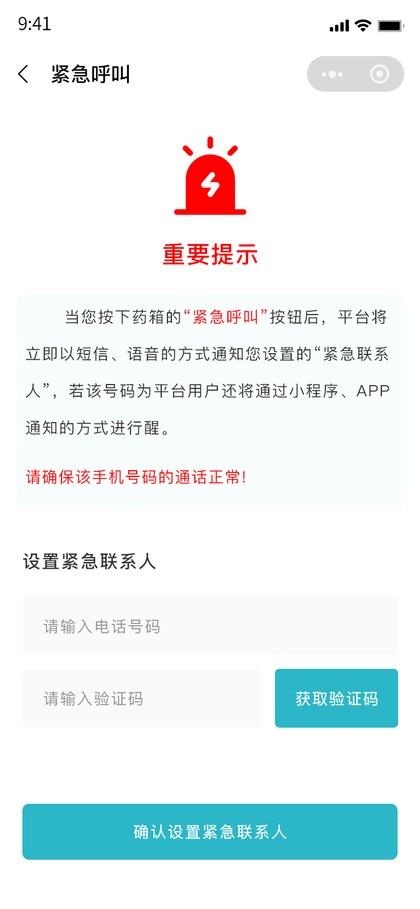
SOS setup: notice and emergency contact fields
SOS · one-tap alert

One press fires SMS and voice together; contacts confirm by code

Store app · the stock post

Solves [mess]: scan-inbound, clear stock, sold binding, one file per box

The store end circles the batch at the store: the home screen puts pending, stock, inactive and activated counts on the first layer, and a 7-day sales trend sets the week's rhythm. Scanning starts every flow - one scan moves a box from pending into stock, and another moves it into a buyer's file. One detail page per box keeps the ledger straight.

Four tilesSales trendScan-inboundStock & on-saleSold bindingOne box, one file
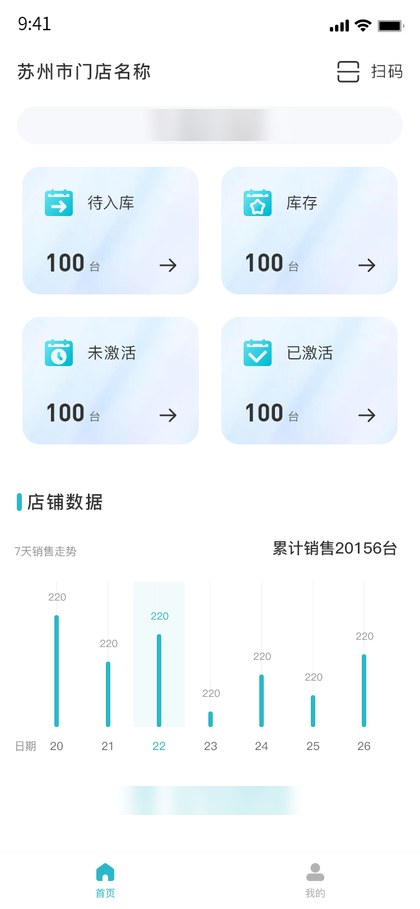
Store home: pending/stock/inactive/activated tiles and 7-day sales trend
Store home · rhythm first

Four count tiles plus a 7-day trend and a running total

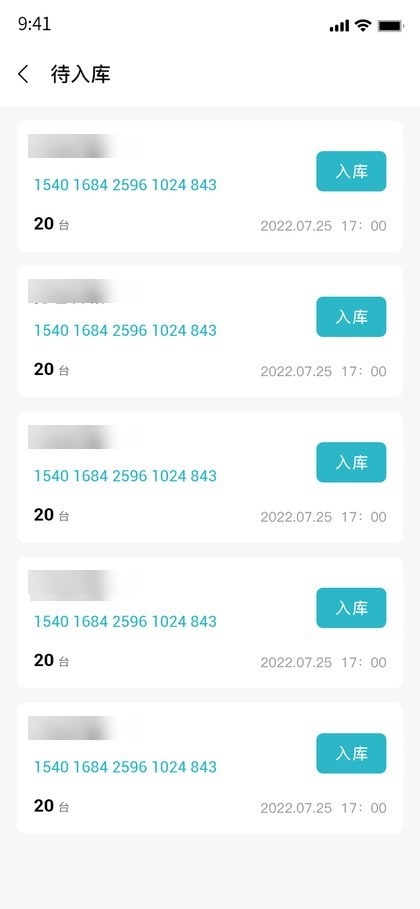
Store pending-inbound list (item names redacted)
Pending · scan to inbound

A whole batch lands on one screen; check them in box by box

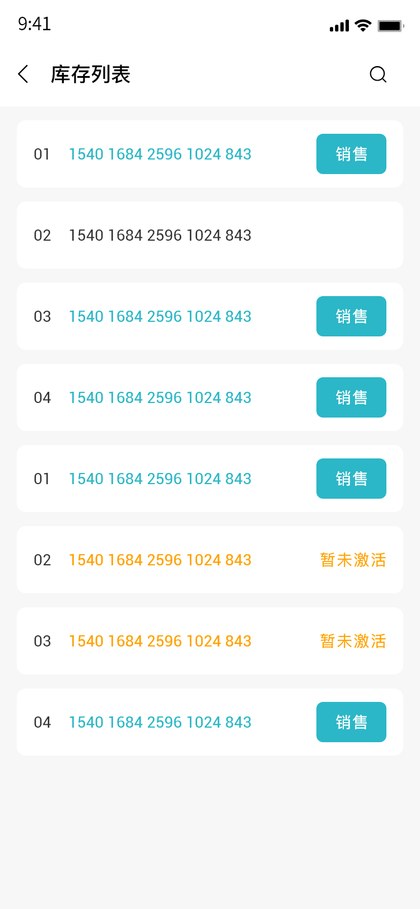
Store stock list with codes and states
Stock · on sale or idle

Every code carries a state tag: selling or not yet activated

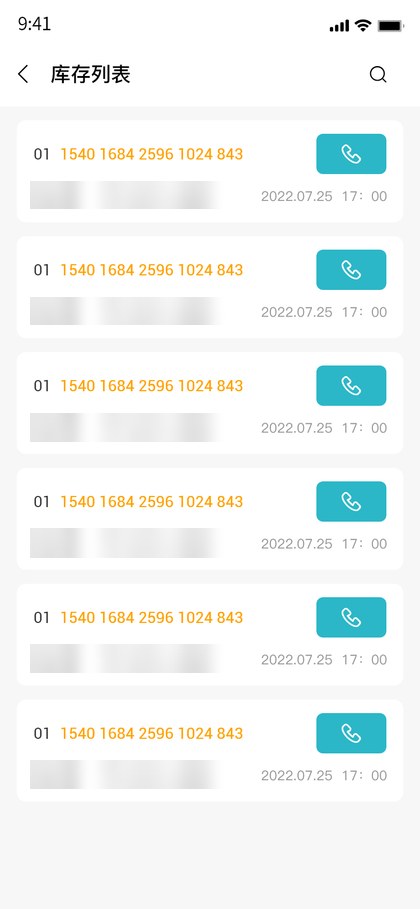
Store sold-binding list with buyer info (names and phones redacted)
Sold binding · buyer filed

Sold codes pair with buyers, so service finds its person

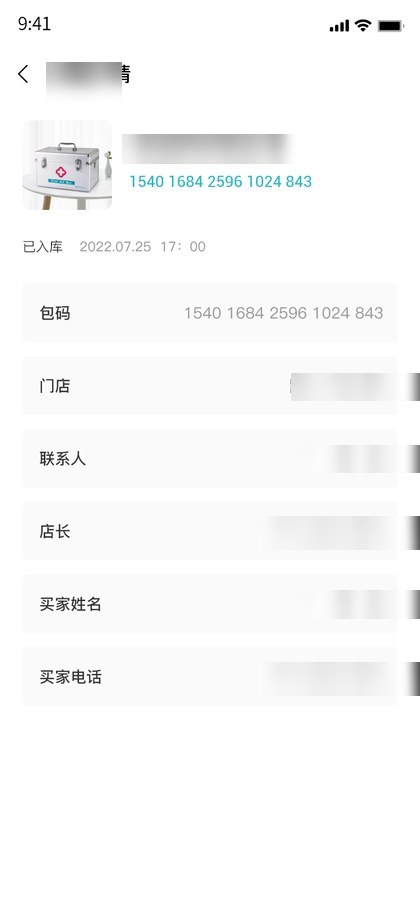
Store box detail: device, pack code, store and buyer file (names and phones redacted)
Box detail · one file

Pack code, store, contact, manager and buyer - one page per box

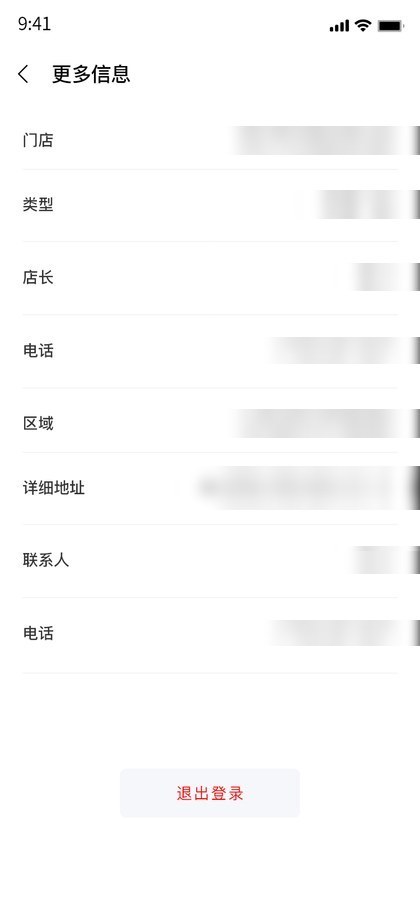
Store info: type, manager, phone and address (phones and address redacted)
Store info · branch file

Branch type, manager, region and address kept as a record

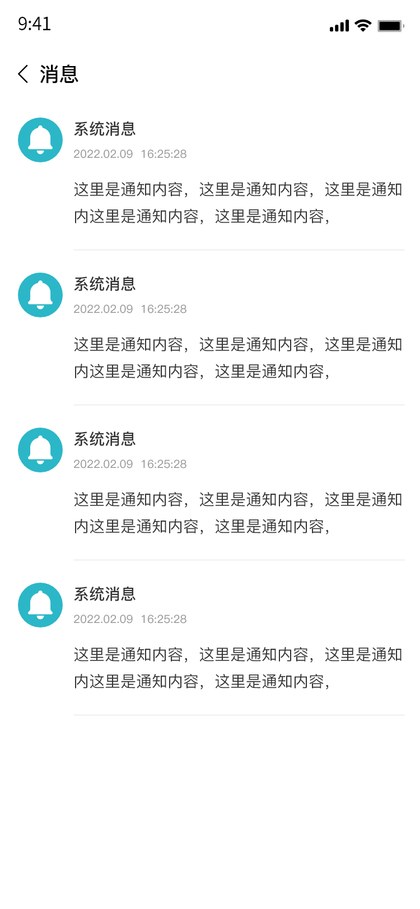
Store messages: system notice list
Messages · watch alerts

Inbound, binding and alert notices in time order with unread dots

Community console · the monitoring post

Solves [gaps]: live monitoring, three queues, one-pass filing

The console circles the screen across the community: live messages split into peace, SOS and priority queues - whose box went quiet today, who pressed SOS, the operator sees it on one list. Adding a box files code, name and phone in one pass. What the console manages is not an inventory but pairs of people and boxes.

Live monitoringPeace queueSOS queuePriority watchOne-pass filing
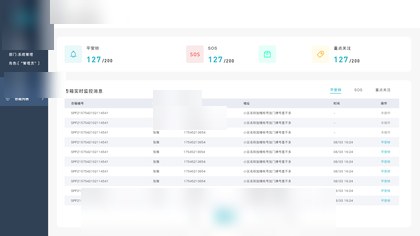
Console monitoring list: peace/SOS/priority counters and message table (name and phone columns redacted)
Monitoring list · three queues

Three counter tiles and a live table make anomalies surface at a glance

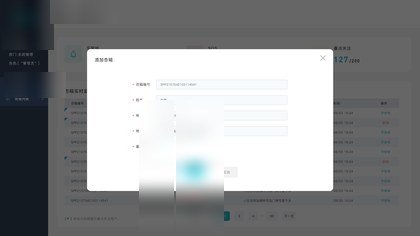
Console add dialog: code, name, phone, address and priority flag (name and phone redacted)
Add dialog · one-pass filing

Code, name, phone, address and a priority flag - five fields, done

Box Inactive Activated To stock In stock On sale Sold Recycle & re-shelve

A ring, not a line: six states, one loop, boxes come back

A box's life is not a straight line. Out of the factory it is nobody's; one scan at the store gives it an identity; it waits inspection, joins stock, goes on sale, and finally binds to a buyer and starts watching. A recycled box rides the dashed arc back to inactive and walks the ring again - box state is a loop, not a running log.

Every transition is triggered by a scan: who scanned, when, all recorded in the box file. There is no manual state editor anywhere in the UI - that is why the store end can afford to draw the whole flow as one ring.

Inactive
Fresh from the factory - no identity yet, waiting for the store to scan and activate
Activated
Identity written - code bound to a store and listed as manageable
To stock
At the store for inspection - count and condition checked before inbound
In stock
On the shelf record - sellable, searchable and traceable any time
On sale
Listed for sale - in the stock-to-sale flow, waiting for a buyer
Sold
Bound to a buyer - buyer and code filed, joining community monitoring

A weekly plan: reminders are not alarms, they are a visible week

The hard part of reminders is not the beep - it is trust: elders distrust alarms, and family members cannot hold three doses in their heads. The plan lays reminders out as a 7-day by morning-noon-evening grid - which day has medicine, which day pauses, one glance. At the hour, the cabinet chimes as the backup, so elders who never open the app still get reminded.

Reminders are managed by family members on their behalf: who is reminded, at what time, with what repeat rule - all editable in the member list. One layer up sit points: checking in on time and watching the library both earn points, points redeem goods - and staying healthy finally has a positive feedback loop.

MonTueWedThuFriSatSun 07:00 12:00 19:00

Peer Q&A

The four questions we hear most, laid out as watch-log entries - one number, one question, one clear answer.

Why does one box need three ends?

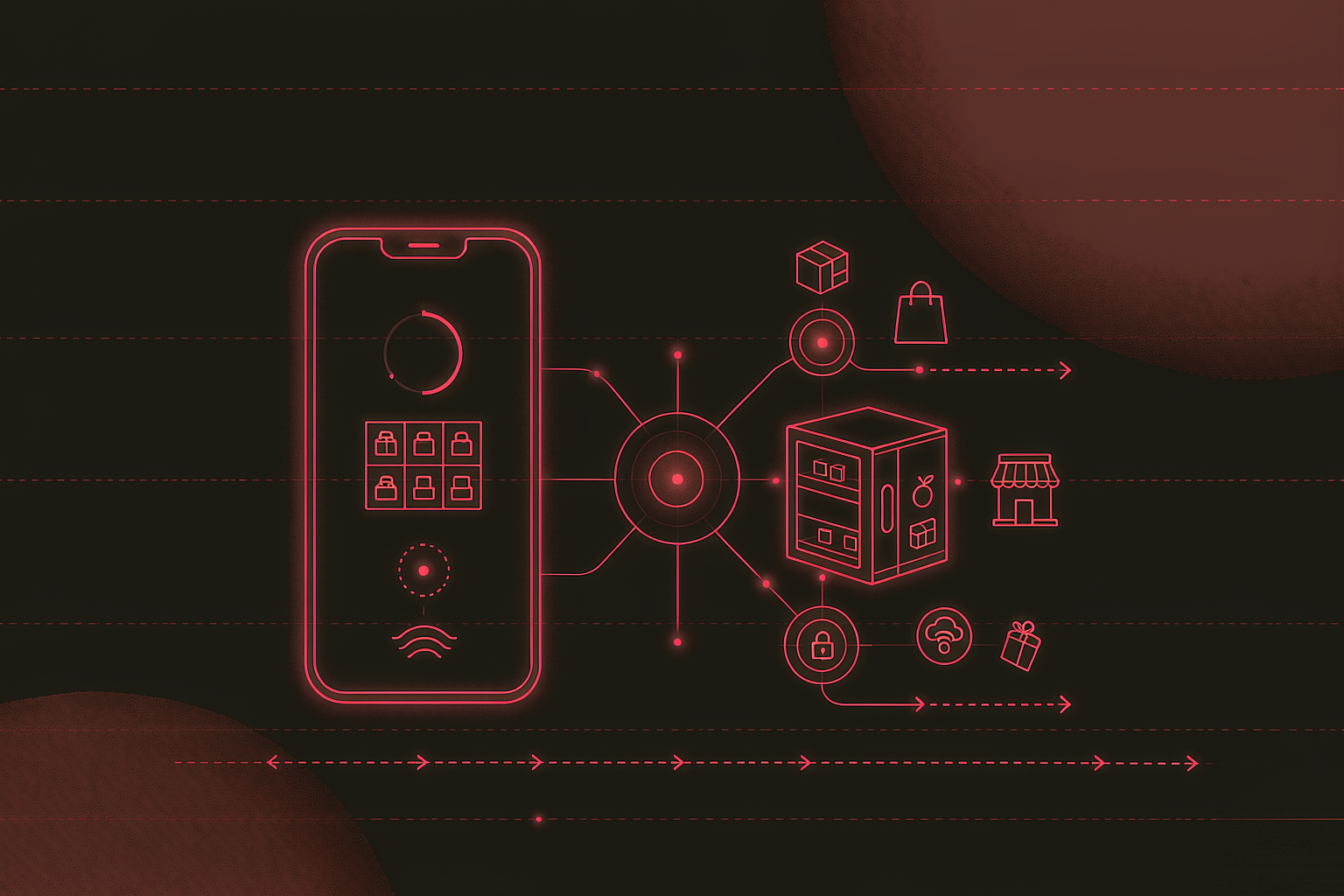
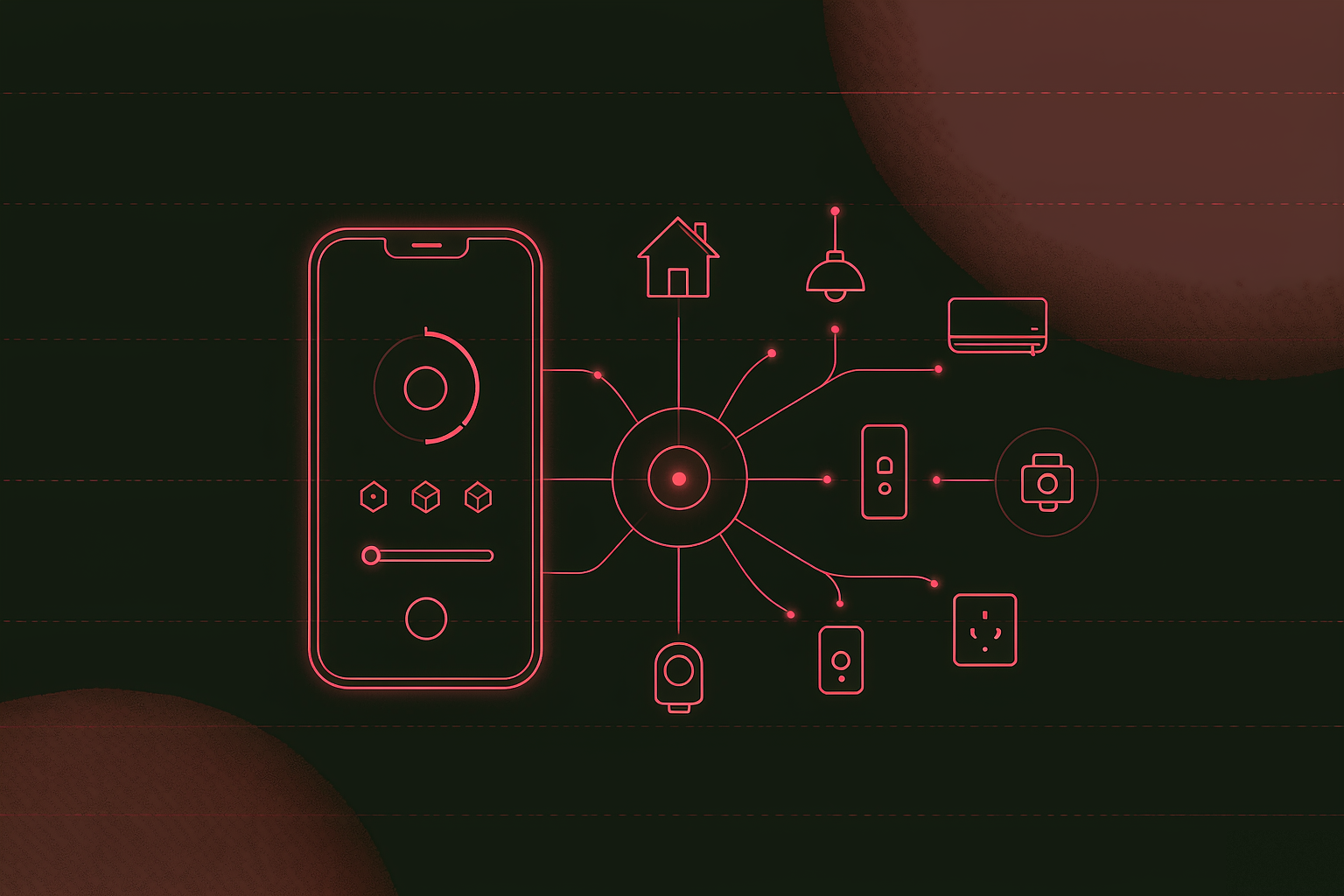
Because the box sits in different hands. The box at home is kept by family - medicine and reminders; the batch at the store is kept by the manager - inbound, stock and binding; the screen across the community is kept by operations - monitoring and alerts. Three roles, three scenes, three flows. The point is that all three share one box state: stock the store inbound still serves the same bound user, and a user's SOS lights a queue on the console. Build any single end alone and the system breaks at the handoff.
How do box states stay clean?

Tie every state change to one action: scanning. The six-state ring has no manual state editor anywhere - activation, inbound and sold binding all happen through a scan. Who scanned and when lives in the box file, so the ledger always reconciles - which is exactly why the store end can draw the whole flow as one ring.

What makes reminders and SOS reliable?

Reminders run on two channels: push notifications, and the cabinet chime as the backup for elders who never open the app. The weekly grid spreads three dayparts across seven days, and family members can set reminders on someone else's behalf. One press of SOS fires SMS and voice together, and emergency contacts must confirm by code - the red line asking to keep that number reachable is itself part of the reliability design.

What does the community console really manage?

Not boxes - pairs of people and boxes. Live messages split into peace, SOS and priority queues: daily check-ins go to peace, pressed SOS goes to SOS, and family-flagged cases go to priority. Adding a box files code, name and phone in one pass. What the operator watches is whether every box is safe right now - not an inventory sheet.

MORE CASES

More Related Cases

Smart medicine box · one box, three watch posts
Smart Factory IoTSmart healthcare, intelligent medicine box

Smart medicine box · one box, three watch posts

A smart medicine box is not just a box that went online — it is one box at home, a batch of boxes a...

View Details →
Smart Home APP Control System · One Air Conditioner, Six Airflow Channels
Smart Factory IoTsmart home

Smart Home APP Control System · One Air Conditioner, Six Airflow Channels

This proposal takes air as the app's main narrative: the stream enters at the grille, passes through...

View Details →
Production data wall · one screen, two cameras
Smart Factory IoTIntelligent manufacturing, intelligent workshop

Production data wall · one screen, two cameras

The Anpai Precision production-data wall is a digital-twin screen hung on the shop floor: a 3D plant...

View Details →

View All Cases →

Planning a similar production line or enterprise system?

Start with our pricing logic, then let's talk requirements — cost structure, technology comparison and acceptance criteria, all laid out in the open.