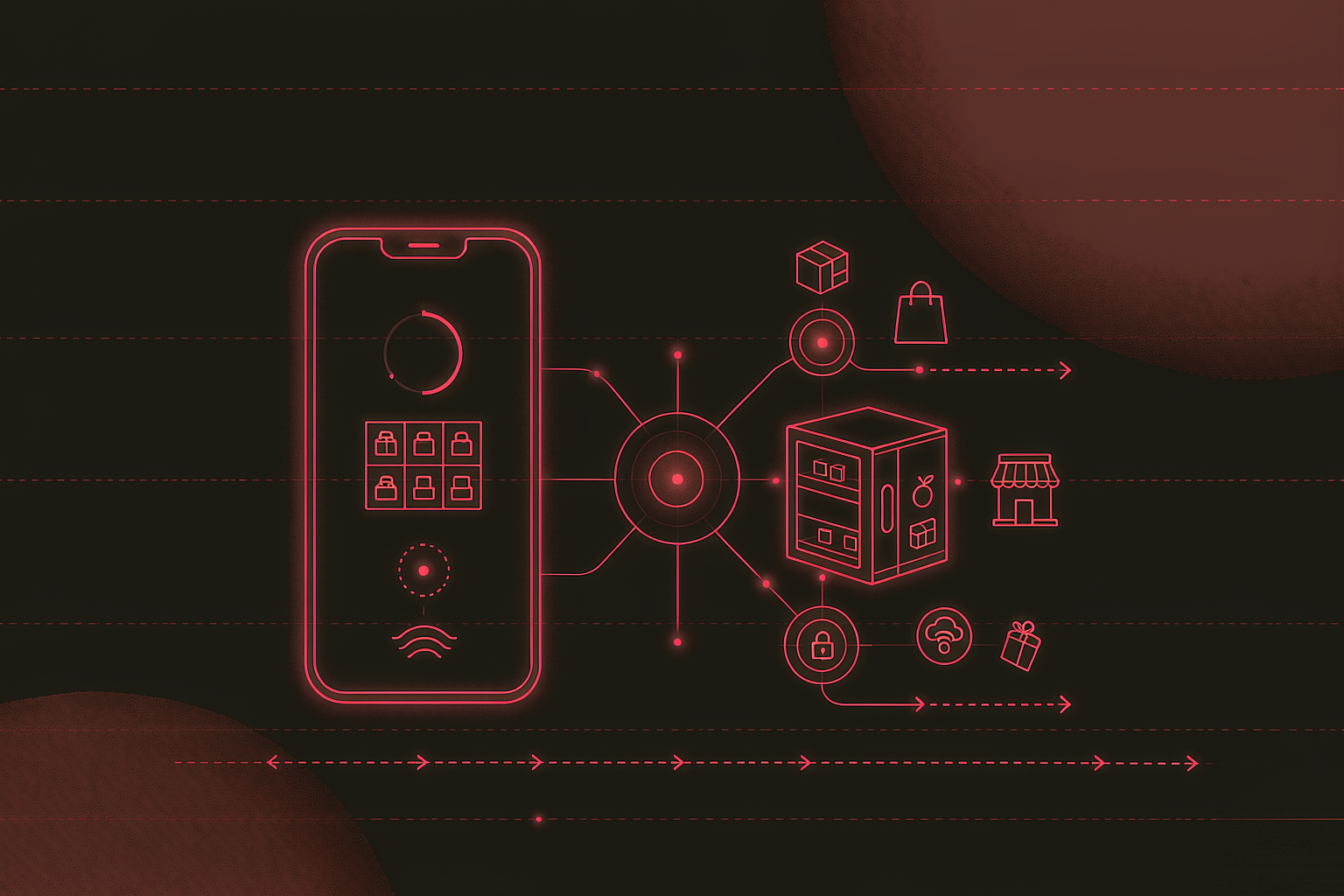
One AC unit, six airflow runs

This proposal takes air as the app's main narrative: the stream enters at the grille, passes through the heat exchanger, the zone valve and the louvres, drains away, and comes back to the remote in your hand — the six functional domains of the app follow the same route. The case walks all 41 screens along that route: how accounts get in, how devices are read, how a home is zoned, how scenes are dispatched, how repairs flow and how messages and members are managed.

Industry
HVAC / smart home (multi-zone residential temperature control)
System type
Mobile app UI proposal (41 design screens, 34 published)
Key design
One-tap sign-in · home multi-zoning · a half-screen 26C ring as the primary reading · one-tap scene dispatch · three-photo repair tickets · message and member permissions
Our role
UI proposal design, interaction walkthrough, asset redaction and delivery
41 screenswalked once along six airflow runs, each run mapping to one functional domain
34 screenspublished, sensitive details handled per the dust-filter ledger at the bottom of this page
8 zonesmanaged on one screen, with the half-screen 26C ring as the primary reading
3 photosfixed at the moment of submitting a repair, turning spoken descriptions into archivable tickets
CENTRAL AC · SMART CONTROL APP · UI PROPOSAL INTAKE GRILLE · AIR IN 26.0°C Humidity 52% · low fan 8 zones · 3 scene groups 01 02 03 04 05 06 Intake grille Heat core Zone valve Louvre blades Condensate Remote panel Accounts Device info Home & zones Scenes Repairs Messages Where air comes in → passes through → lands: six runs map to six domains of the app

Run 01 · Air In

Run 01 · Intake grille: how accounts get in

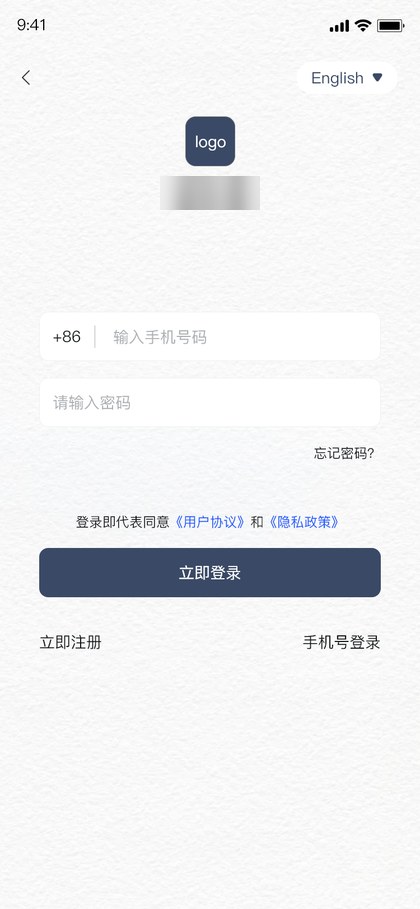
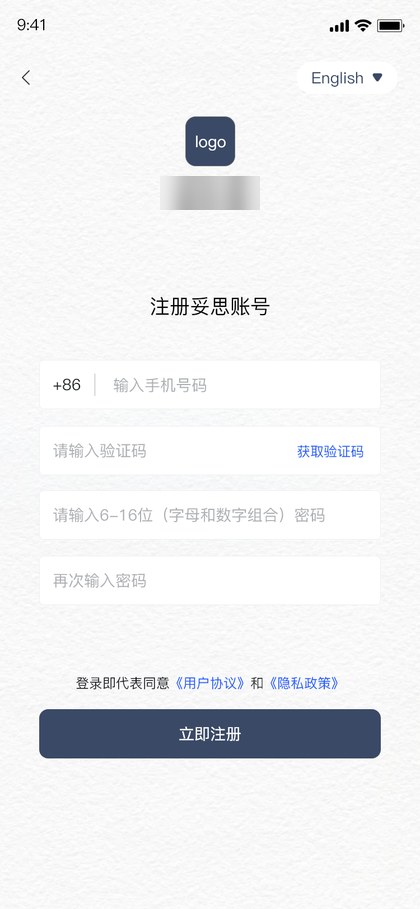
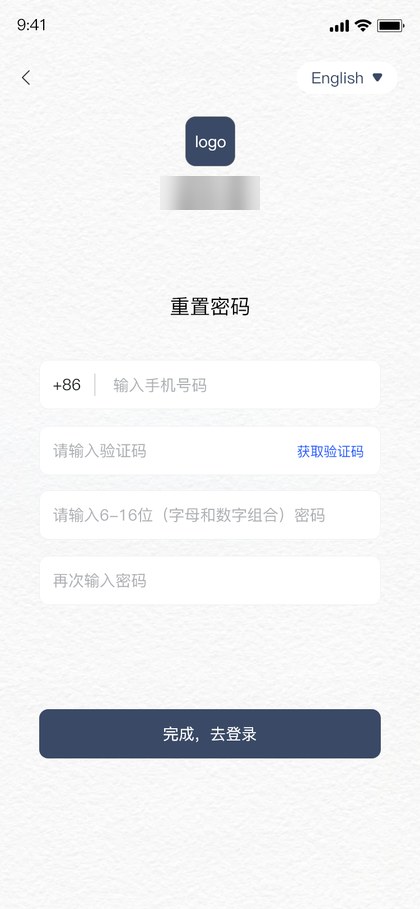
The first breath of a new user enters at the grille. The proposal gives sign-in two main lanes: one-tap sign-in with the device phone number, and password sign-in, with registration and password reset as side lanes. Countdown timers and agreement ticks are settled before the keyboard rises — details that never appear in a feature list, yet decide whether a user gets in at all.
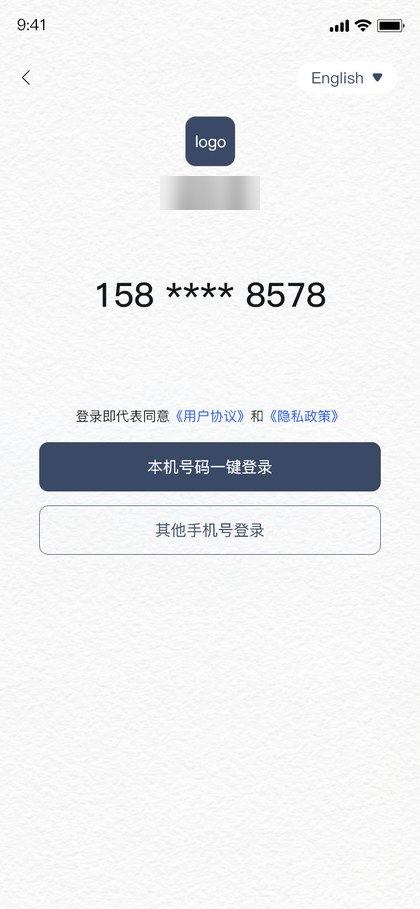
One-tap sign-in screen with a device-number one-tap button (brand shown as a design placeholder)
One-tap sign-inMain lane one: device-number one-tap, two steps to home.
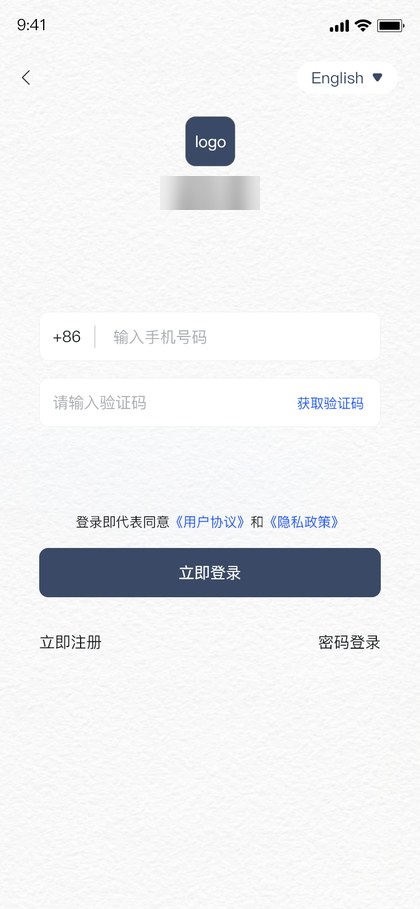
Verification-code sign-in screen with phone number and code fields
Code sign-inMain lane two: phone number plus code, no resend within the countdown.
Password sign-in screen with a forgot-password entry
Password sign-inThe habitual lane; forgot-password sits above the keyboard.
Registration form screen
RegisterSide lane: agreement ticked first, straight into a signed-in state.
Password reset screen with verification code
Reset passwordSide lane: code-based reset, sharing validation with sign-up.

Run 02 · Heat Core

Run 02 · Heat core: where device info is read

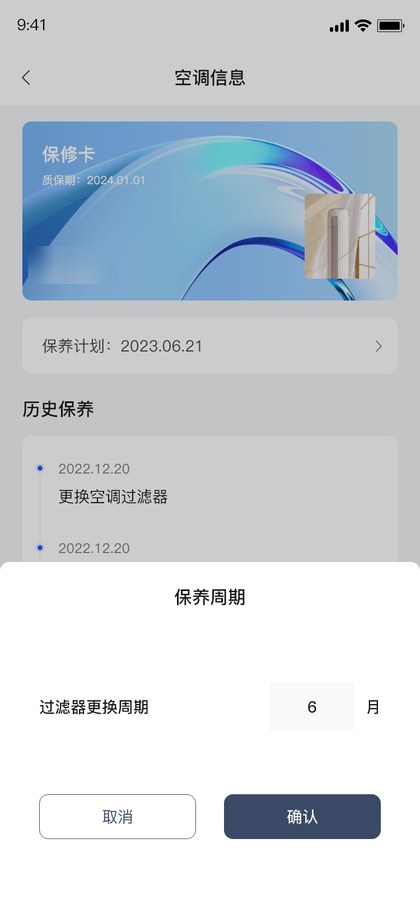
Air gets its temperature only after the core; device info becomes readable only past the detail page. The AC info page lines up the device card and run records in one column, and the cycle sheet stacks today, this week and this month into one entry. Metering features easily become a wall of numbers; the proposal's rule is: readings belong to cards, explanations belong to records.
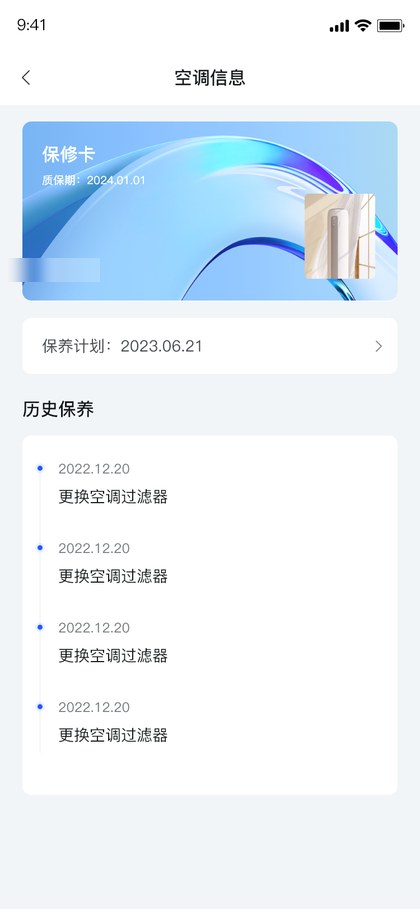
AC info screen: device card and run record list
Device detailsDevice card first, run records in a single timeline.
Run cycle sheet: today, this week and this month in one entry
Run cyclesThree granularities in one entry, no page change to switch.
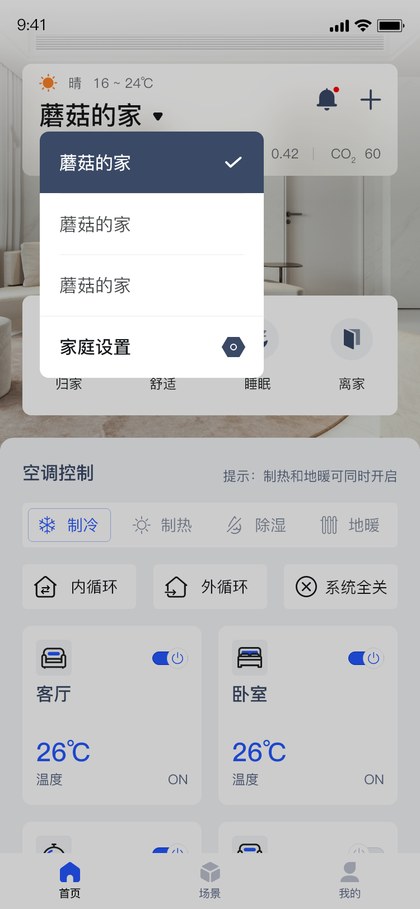
Main panel pull-down sheet: zone switcher list
Zone switchPull down on the main panel to change zones without leaving.
Empty state illustration: no messages yet
Empty stateDataless moments go to illustration, never a blank screen.

Run 03 · Zone Valve

Run 03 · Zone valve: one home, eight zones

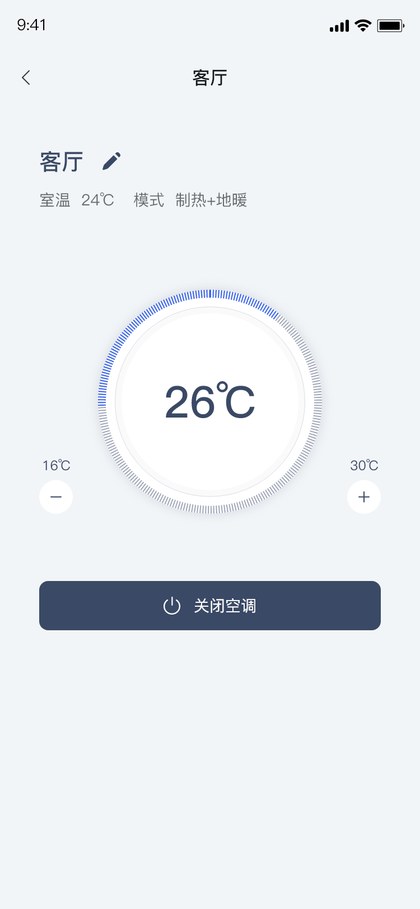
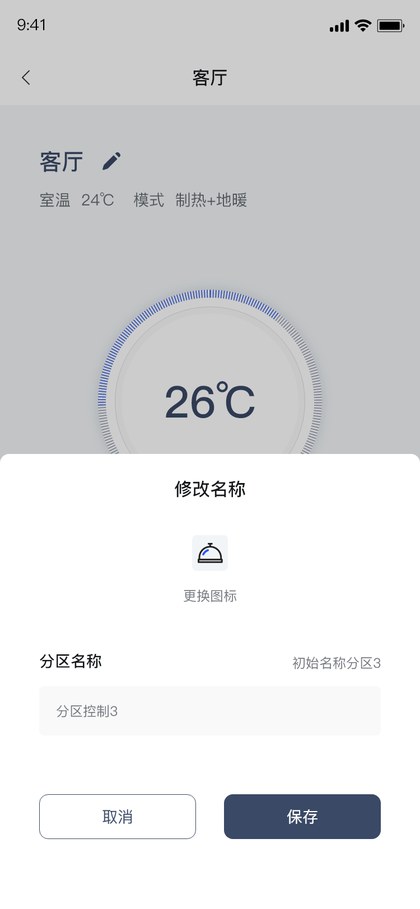
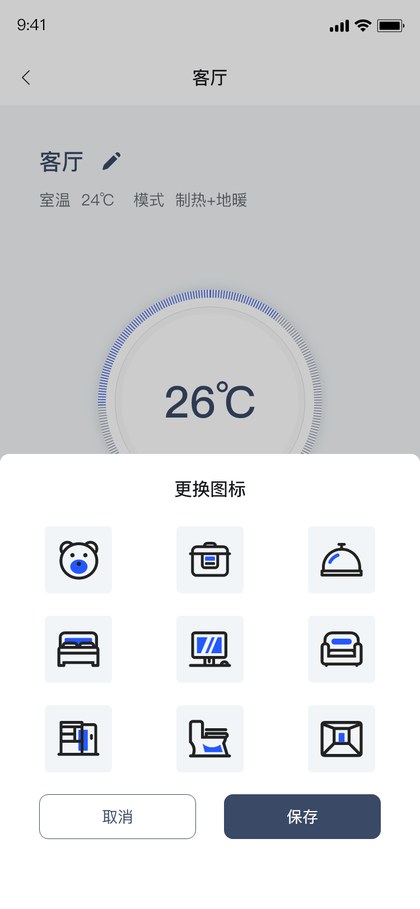
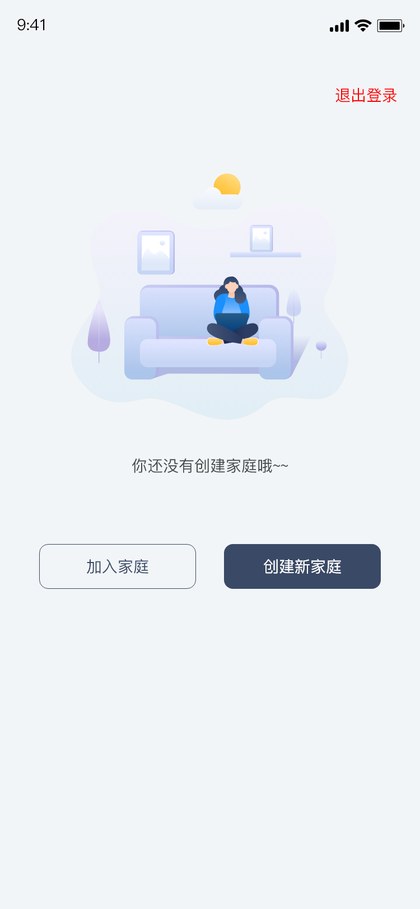
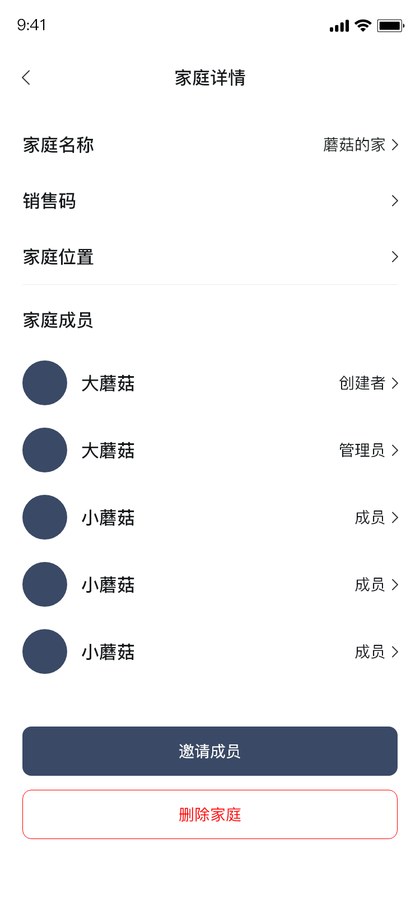
Residential AC is a multi-zone form: one outdoor unit feeds the living room and every bedroom; in the app this maps to a two-level home → zone structure. Home details collect the sales code, location and member roster; the zone detail puts the 26C ring across half the screen — temperature is the reading users need at a glance, so the big ring is the primary information slot. Rename and icon sheets manage personality; the no-home page manages cold start.
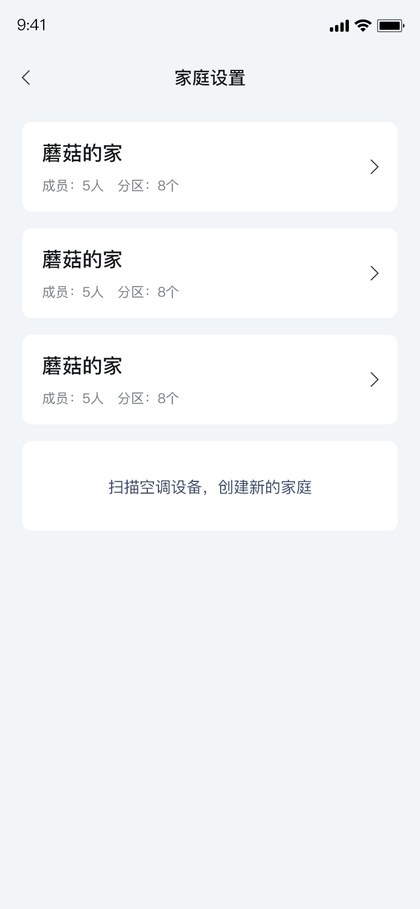
Home settings screen: home list and create entry
Home settingsJoined homes and member counts; create entry always present.
Home detail screen: home name and member list (sales code redacted)
Home detailsRoster, location and sales code on one screen (code redacted).
Zone detail screen: half-screen 26C ring with power and mode
Zone 26CThe half-screen ring is the primary slot; power and fan sit below.
Rename zone sheet
RenameOne input manages personality, no second-level page.
Zone icon picker sheet: icon grid
Change iconGrid picking with an instant selected state.
No-home empty state: create or join a home
No home yetCold start offers two lanes; the illustration stays calm.

Run 04 · Louvre Blades

Run 04 · Louvre blades: how scenes blow

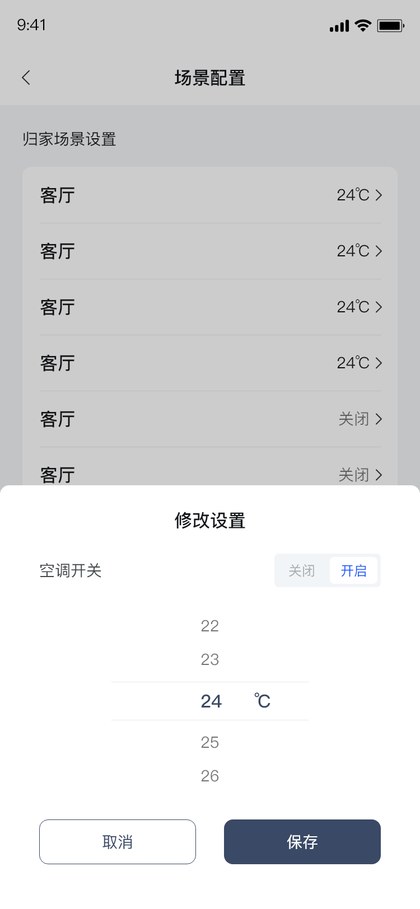
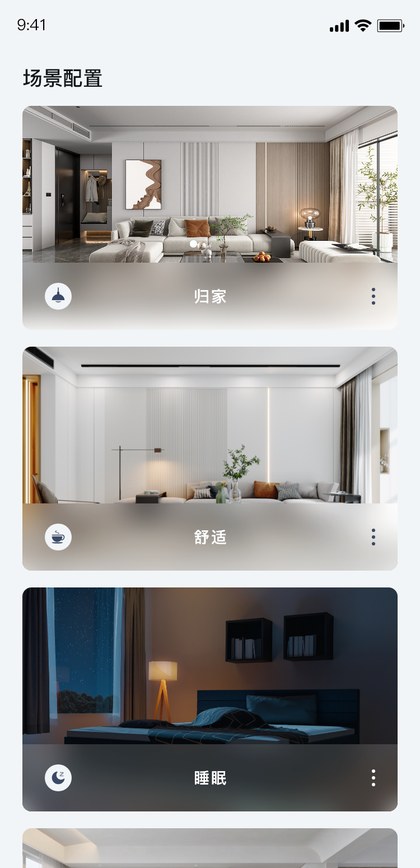
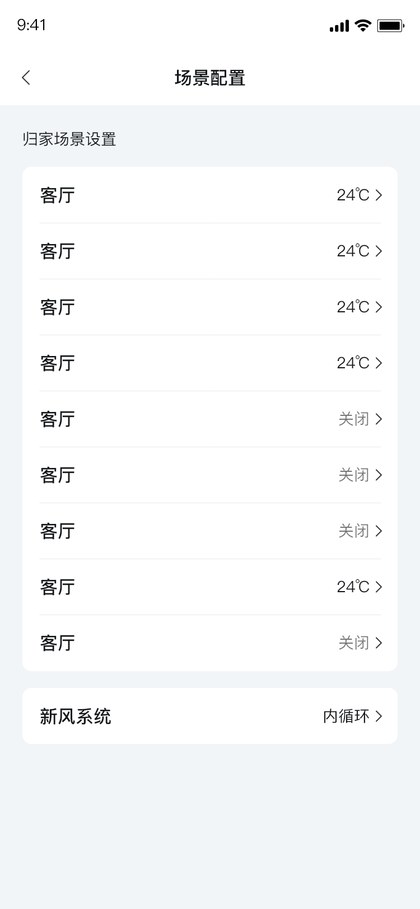
Louvres decide where air goes; scenes decide which group of actions the app performs for you. Scene config uses carousel cards to pick a scene with zone temperatures and switches directly below; the list page flattens every zone's setpoint; a sheet collects single-zone confirmation. Three screens answer one thing: before one-tap dispatch, every change is visible.
Scene config screen: scene carousel with zone temperature controls
Scene configPick by carousel; zone setpoints and switches right below.
Scene config list: zone setpoints flattened
Zone listEvery setpoint flattened for before/after comparison on one screen.
Scene config sheet: single-zone temperature confirmation
Sheet confirmSingle-zone tweaks go through a sheet, changes visible first.

Run 05 · Condensate

Run 05 · Condensate drain: how repairs flow

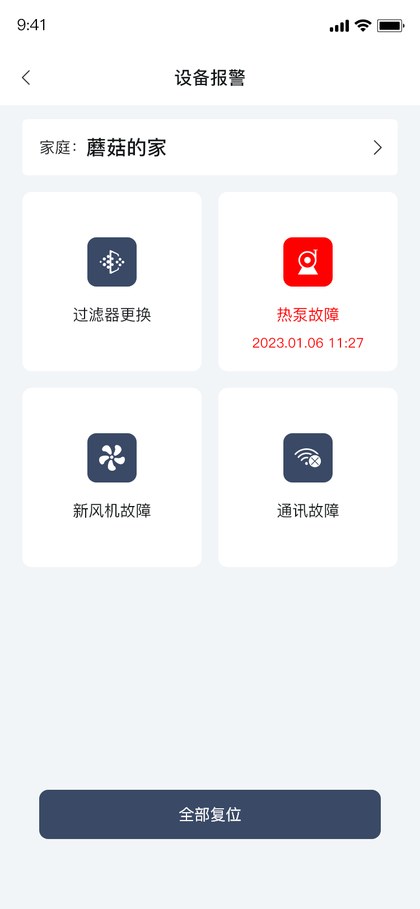
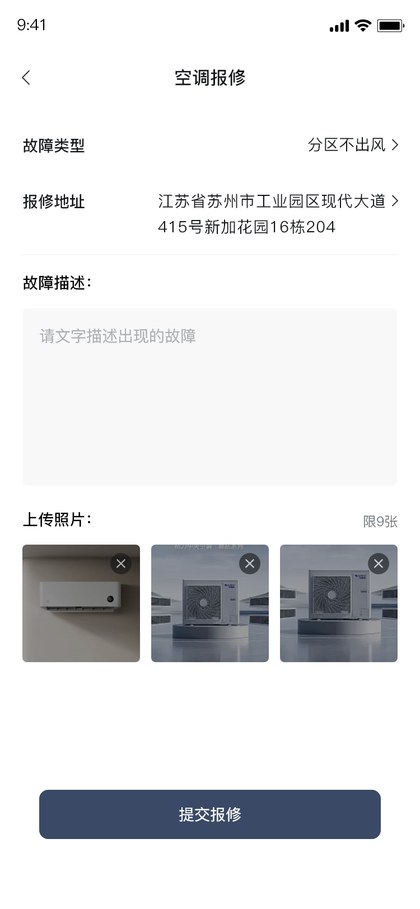
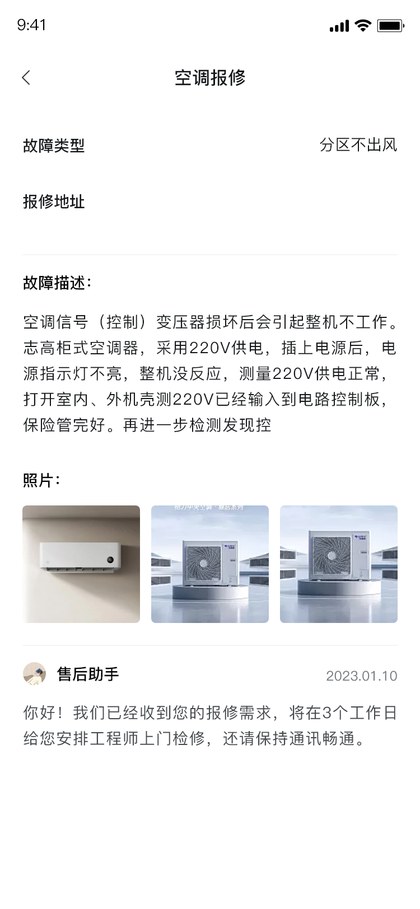
The coldest run of the airway is reserved for the thing nobody wants. Repair upload fixes a text description plus three photos, pressing spoken descriptions into archivable tickets; the record list flows from pending to done. Alarm settings split filter, thermal protector, fresh-air unit and communication faults into four entries, and the red dot goes only to the type that needs handling.
Repair upload screen: fault description and three device photo slots
Repair uploadText plus three photos, archived at the moment of submit.
Repair detail screen: description and device photo (address redacted)
Repair detailsDescription, photos and address on one screen (address redacted).
Repair record list: pending and done states (addresses redacted)
Repair recordsPending and done as two status lines (addresses redacted).
Alarm settings screen: four fault entries and repair records
Alarm typesFour faults, four entries; the red dot marks only pending ones.
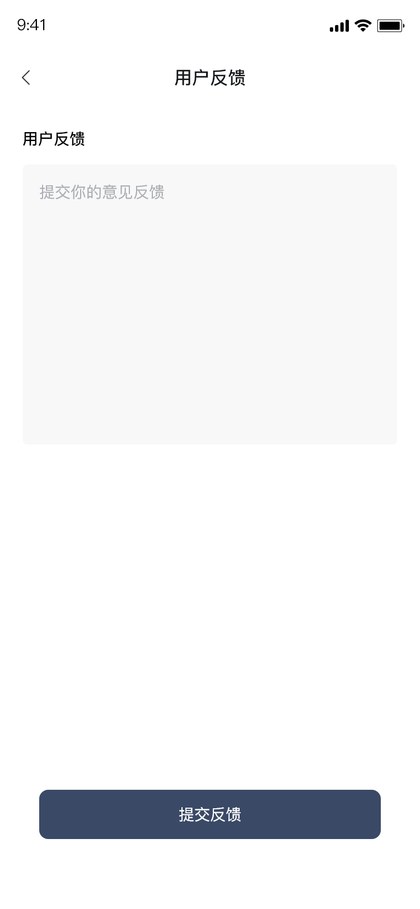
User feedback screen: feedback type and submit
FeedbackSplit from repairs: product suggestions never mix into tickets.

Run 06 · Remote Panel

Run 06 · Remote panel: how messages and members are managed

The last run of air lands back in your hand. The message center splits repair notices from device notices; the message stream renders device behaviors such as “AC parameter changed” as readable short sentences; member info, the invite sheet and permission changes govern who may control this AC; the home dashboard returns device cards and common services to the first screen. Controllable, visible, governable — the three closing acts.

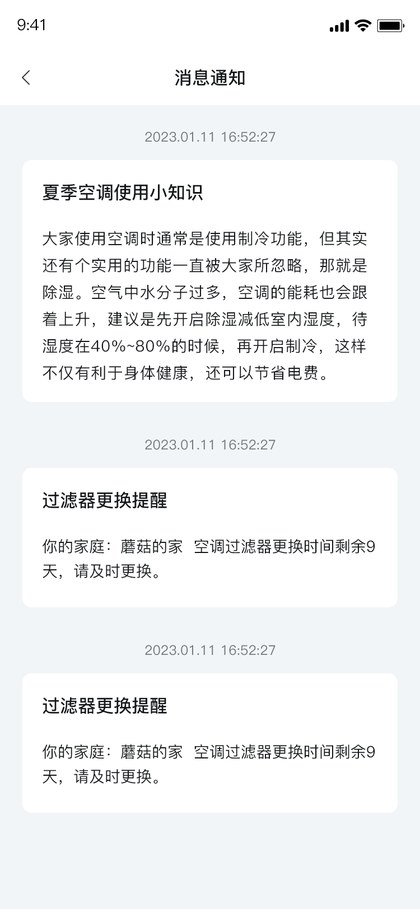
Message list screen: repair and device notice categories
Message listRepair and device notices as two clean categories.
Message stream screen: device behavior as readable sentences
Message streamDevice behavior as sentences: who changed what, at a glance.
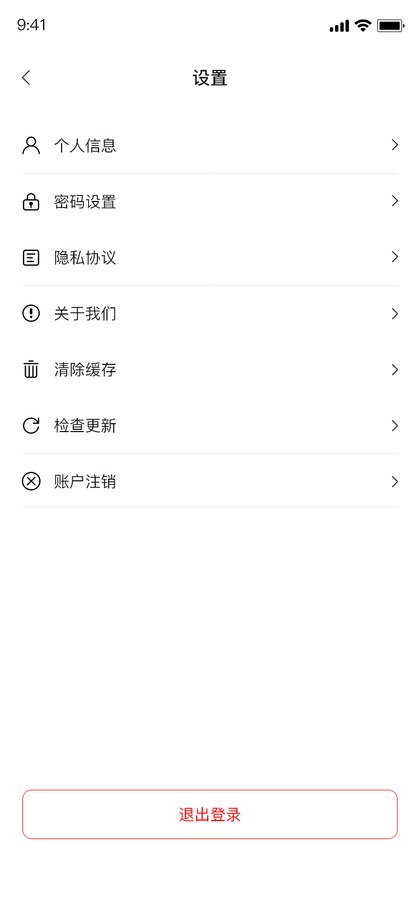
Settings screen: profile, members, data management and agreements
SettingsProfile, members, data management and agreements in one column.
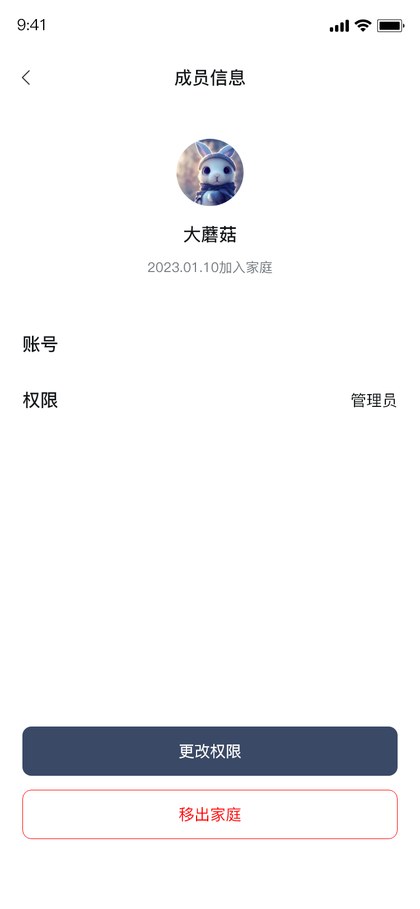
Member info screen: member account erased, role shown as admin
Member infoAccount redacted; the role tier is readable at a glance.
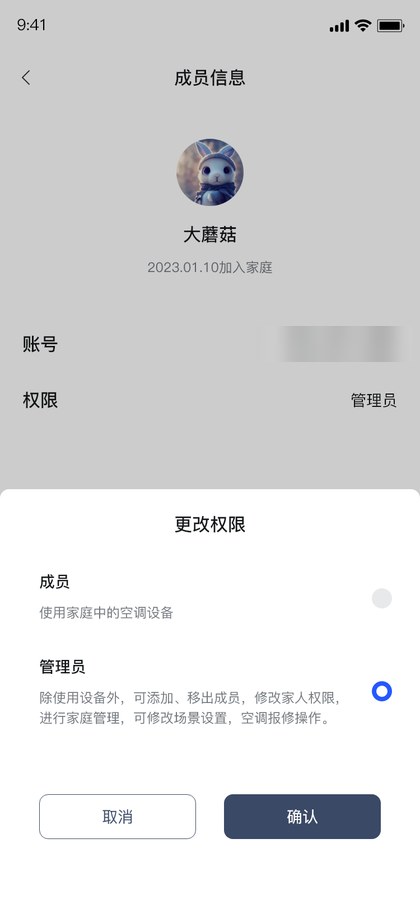
Member info screen (permission state): account blurred, role shown as admin
Member permissionsAccount blurred, role tier readable at a glance - the permission state of the previous screen.
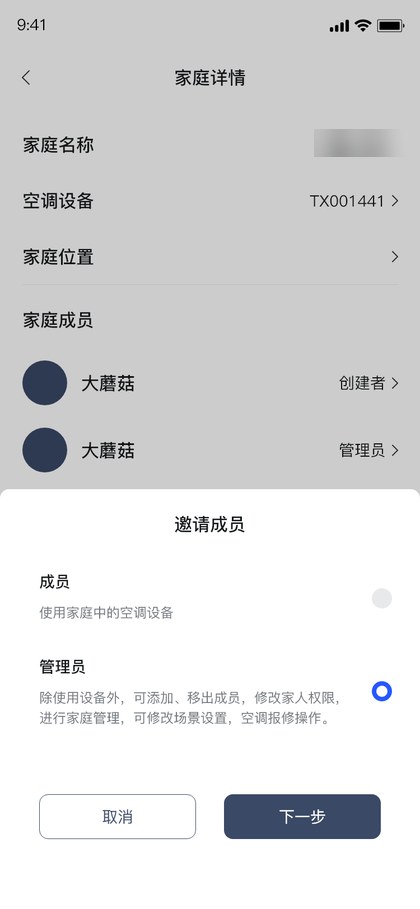
Invite member sheet: member list and permission management
Invite sheetInvites ride on the member-list sheet; no QR page exists.
Home dashboard screen: device cards and service grid
DashboardDevice cards and common services back on the first screen.
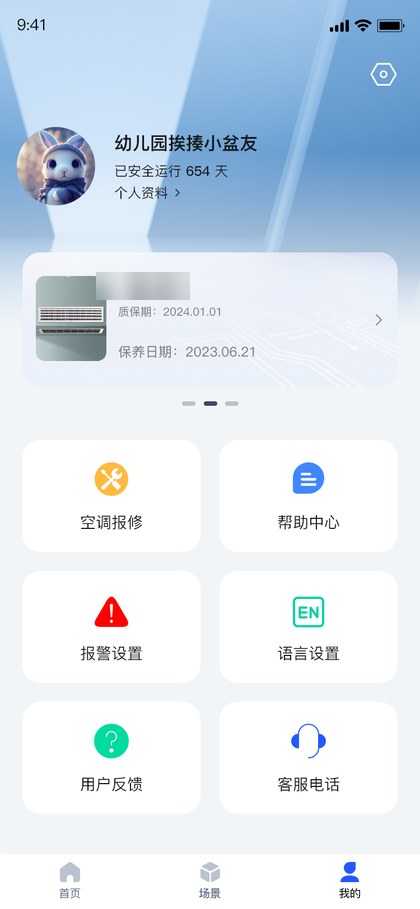
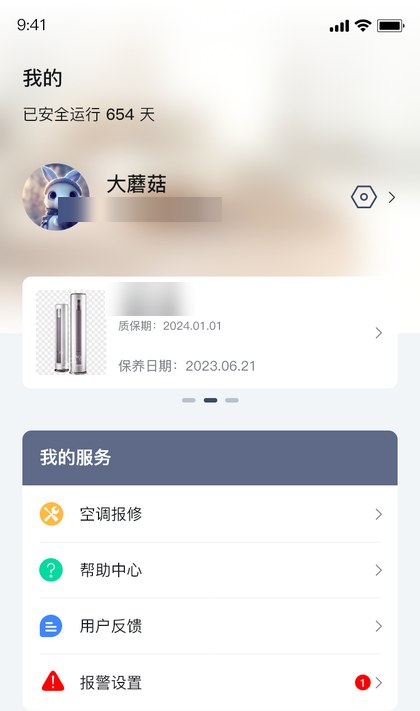
Profile page screen: running days, device card and service list
Profile pageRunning days and safety notes - the emotional value of this page.

Sample Board

The sample board on the chassis

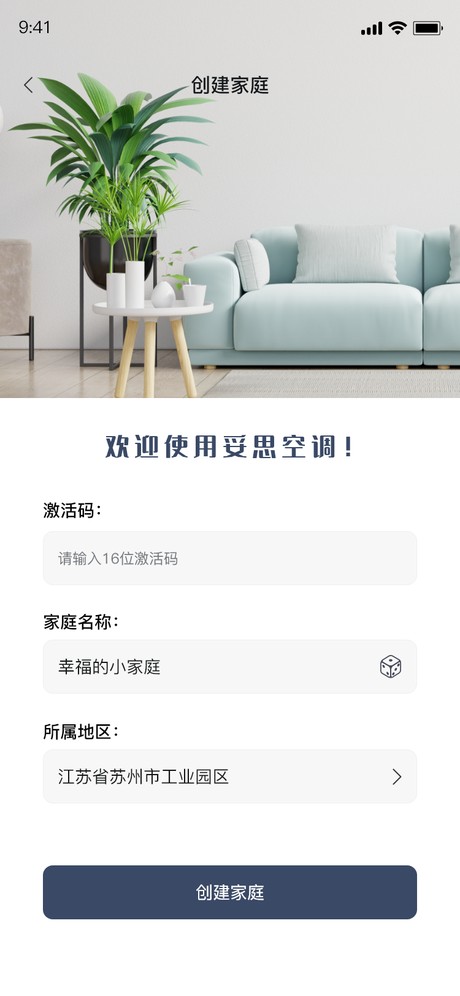
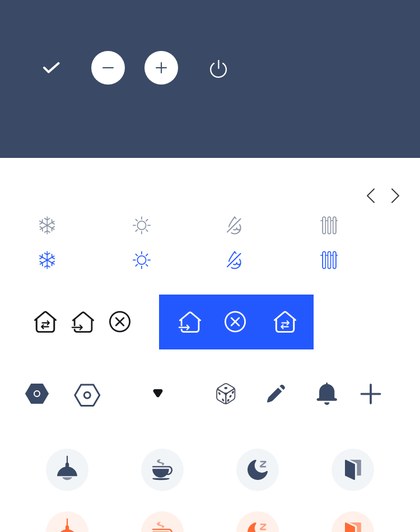
Beyond the runs, three screens answer “what this machine looks like”: the full-home layout packs the humidity strip, room cards and four-zone control into one screen; create-home closes with a live-photo guide and an activation code; the icon library and palette define the pictographic language of the whole set.
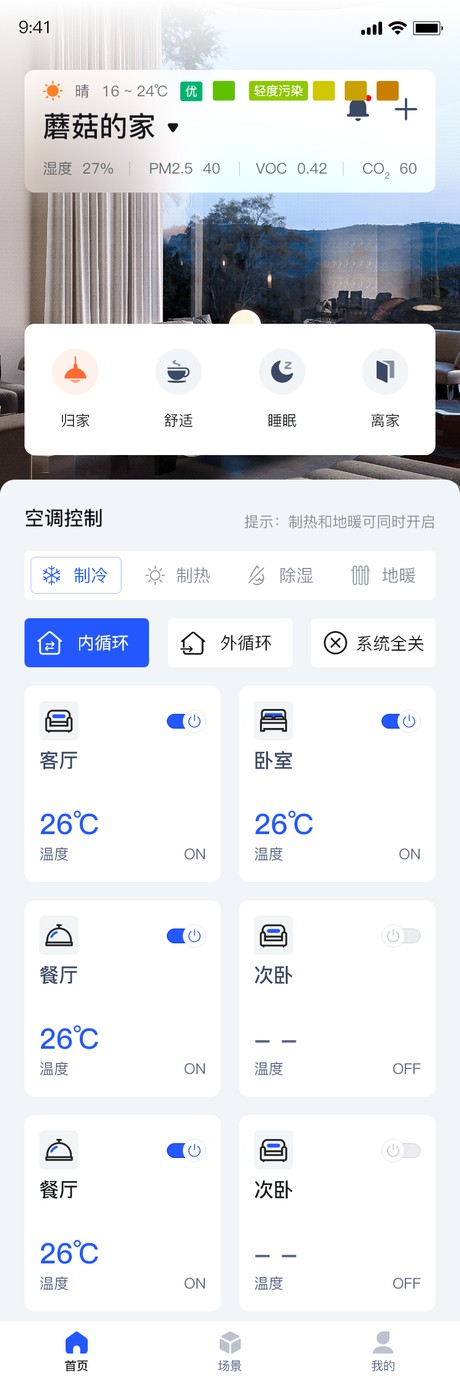
Full-home layout specimen: humidity strip, room cards and four-zone control
Full-home layoutFour zones closed out on one screen.
Create-home specimen: live-photo guide and activation code
Create homeLive-photo guide and activation code.
Icon library and palette specimen defining the pictographic language
Icon libraryThe pictographic language of the whole set.
Readings

Readings and their scope at the end of the run

When the six runs finish, these are the readings users actually watch on this screen. All zone names and temperatures below are illustrative values from the UI proposal.

26°CLiving room · cooling · low fan
28°CBedroom · fan
26°CStudy · cooling
—Second bedroom · off

Why temperature is the primary slot

Temperature is the reading users need at a glance. The proposal promotes it into a half-screen ring and compresses mode and fan speed into one tier line below, separating priority by size and position rather than more color.

Every reading is illustrative

Zone counts, temperatures and running tiers are illustrative values of the UI proposal and represent no live device data. Accounts, sales codes and addresses in the screens were erased or cropped during asset processing, and the brand slot keeps the design-draft placeholder.

On the same screen, “humidity 52% · low fan · 8 zones · 3 scene groups” is secondary information, kept below the ring in both size and position - information needs hierarchy before a screen can breathe.

Filter Ledger

The dust-filter ledger: how screens were screened, how sensitive details were erased

Before entering the site, every screen passes a dust filter: no QR codes, no real numbers, no concrete addresses. Of 41 screens, 34 were published; the ledger follows.

ActionCountNotes
Not published7 screensDuplicate sign-in states ×2, help center ×2, a personal-info page containing a phone number ×1, an invite QR page ×1 (anti-mis-scan), a duplicate profile state ×1
Erased5 spotsMember account phone number ×1, repair address ×1, repair list addresses ×2, home sales code ×1
Brand blur12 spotsSign-in wordmarks ×5, device-card brand names ×4 (AC info ×2, dashboard ×1, profile ×1), profile welcome line ×1, member account ×1, device code ×1; pixelated and blurred, the brand slot keeps the design-draft gray placeholder
Cropped2 spotsProfile page cropped above the customer-service hotline row; repair list cropped to two record rows
Segmented3 screensEmpty state taken from the default page, icon grid from the icon library, carousel and zone controls from the scene long screen
Published34 screensAccounts 5, device info 4, home & zones 6, scenes 3, repairs 5, messages & members 8, full-unit and auxiliary specimens 3

Every brand wordmark and sensitive field inside the screens is pixelated and blurred; the brand slot keeps the design-draft gray placeholder (logo) and no vendor name appears; copy and captions are de-branded accordingly.

Delivery & FAQ

Airway FAQ

The four questions asked most about this proposal.

Q1Why tell the story of an AC app through airflow?
The essence of an air conditioner is organizing where air goes: intake, heat exchange, zoning, direction, drainage, and back to the remote in your hand. The essence of this app is organizing where control goes. Walking screens along the airflow surfaces broken chains faster than walking a page list: wherever the air is cut off is exactly where the feature breaks.
Q2Why does the 26C ring occupy half the screen?
Temperature is the reading users need at a glance. The proposal promotes it into the primary slot and compresses mode and fan speed into one tier line below the ring, separating priority by size and position, not by stacking color.
Q3Why are repair tickets fixed at three photos?
The most common back-and-forth in repairs is the technician asking what happened. The upload page fixes the photo slots at the moment of submission: ticket text describes, photos prove, and the number of follow-up questions drops.
Q4Why is the invite QR page not published?
On a mock-up a QR code looks like a real one. To avoid mis-scanning, full QR pages never appear in demos; the invite feature is carried by the member-list sheet alone.

MORE CASES

More Related Cases

Smart medicine box · one box, three watch posts
Smart Factory IoTSmart healthcare, intelligent medicine box

Smart medicine box · one box, three watch posts

A smart medicine box is not just a box that went online — it is one box at home, a batch of boxes a...

View Details →
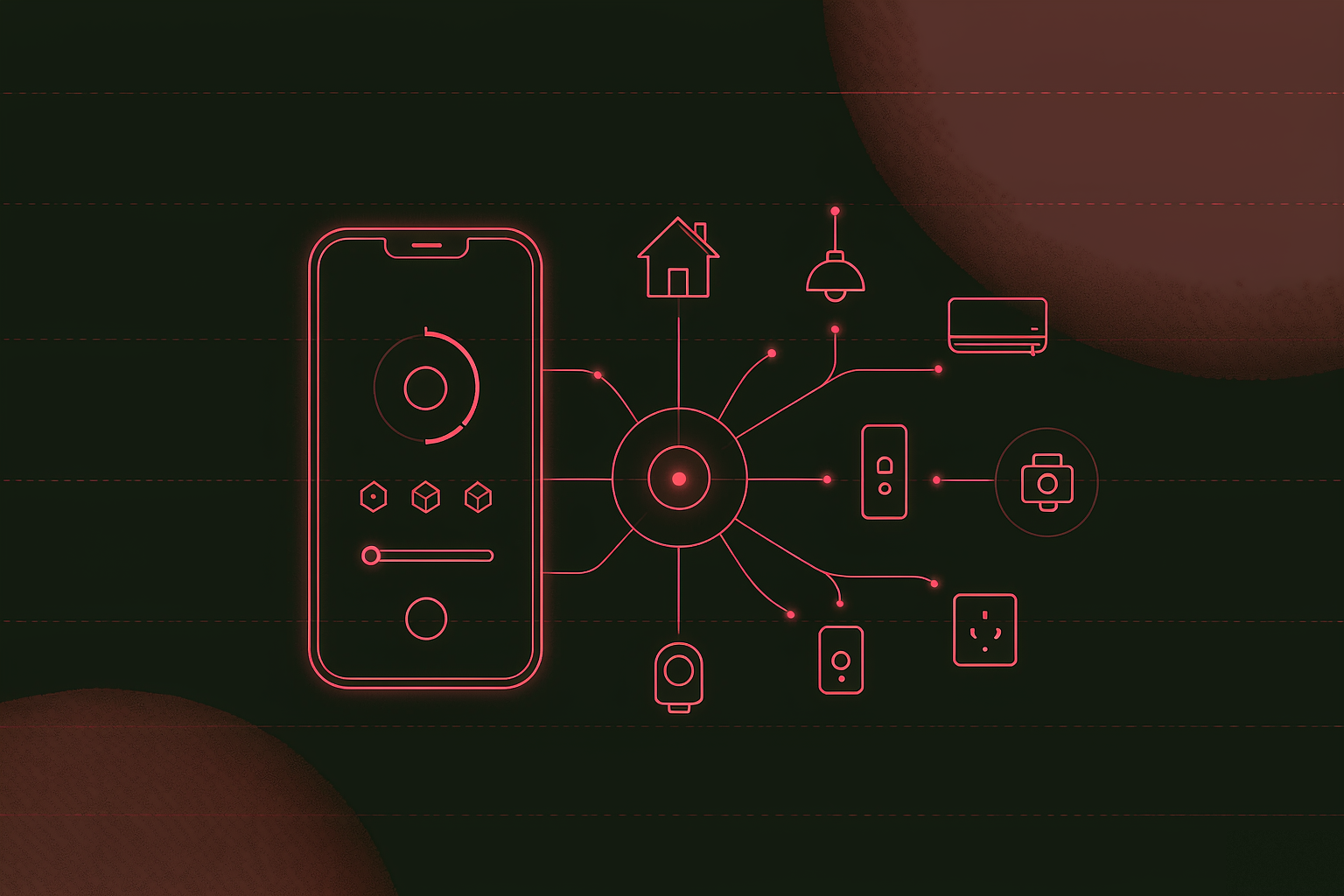
Smart Home APP Control System · One Air Conditioner, Six Airflow Channels
Smart Factory IoTsmart home

Smart Home APP Control System · One Air Conditioner, Six Airflow Channels

This proposal takes air as the app's main narrative: the stream enters at the grille, passes through...

View Details →
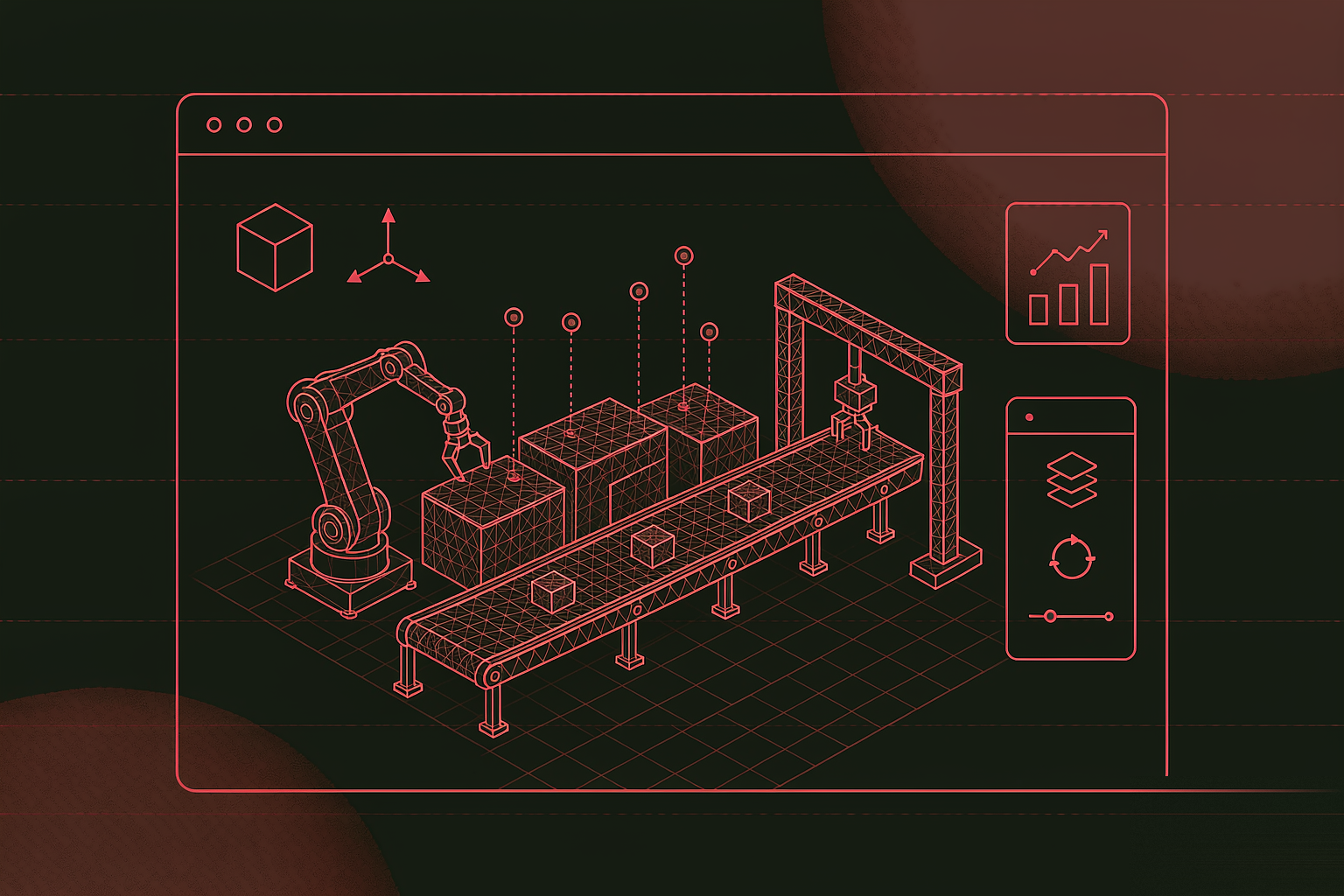
Production data wall · one screen, two cameras
Smart Factory IoTIntelligent manufacturing, intelligent workshop

Production data wall · one screen, two cameras

The Anpai Precision production-data wall is a digital-twin screen hung on the shop floor: a 3D plant...

View Details →

View All Cases →

Planning a similar production line or enterprise system?

Start with our pricing logic, then let's talk requirements — cost structure, technology comparison and acceptance criteria, all laid out in the open.