

Smart sand & aggregate pit-site management platform
A B/S on-site management platform for sand pits: login, visual dashboard, card top-up, dredger manag...
View Details →STOP 01 · T-30 DAYS
Registration is the first conversion of the whole event. The proposal compresses sign-in to its shortest form — phone-number authorization in two taps; registration splits into a delegate lane and a visitor lane: delegates pick tracks and file affiliation for review, visitors just pick a time slot. Each lane collects its own fields, so the review criteria never collide.


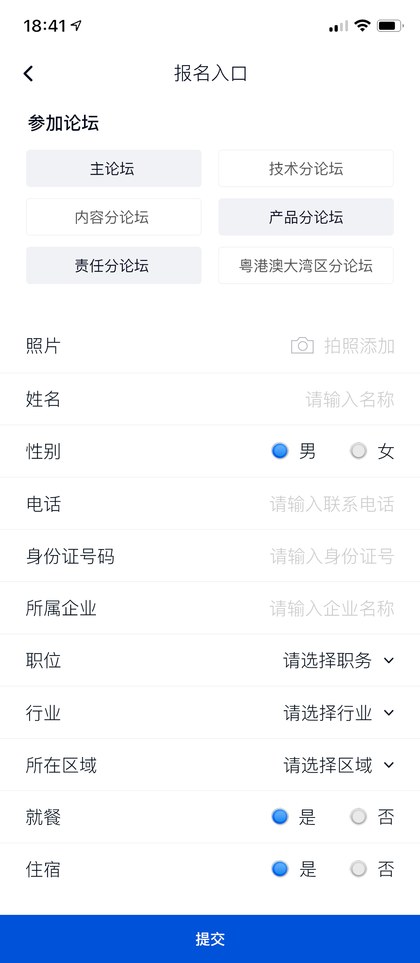
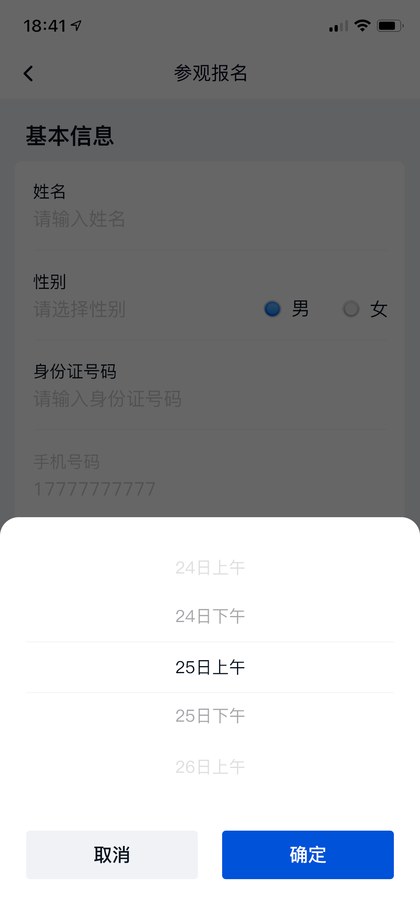

STOP 02 · T-7 DAYS
Paper badges must be printed, handed out and reprinted; the e-badge is summoned once. The pass page keeps name, affiliation, title and entry credential on one screen, so gate checks finish with a scan; the “Me” page pins registration, favorites, badge and lodging into the first screen — the hour at the gate runs on these two screens.


STOP 03 · DAY 1 08:30
The hour before opening is the peak of questions: how to get there, what to bring, where to sleep, what the health rules say. The services page folds them into downloads, venue rules, health notice and transport; the transport page marks both venues on a map with one-tap navigation; the lodging page ties meal times and room numbers to the badge. Answers served before they are asked keep the desk quiet.
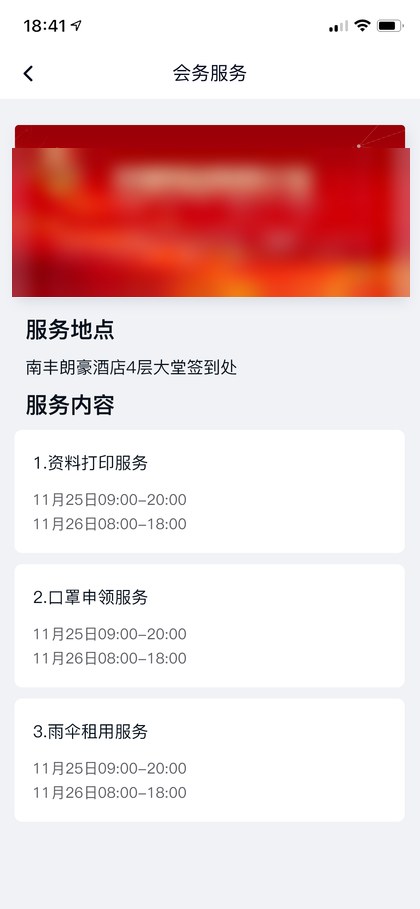
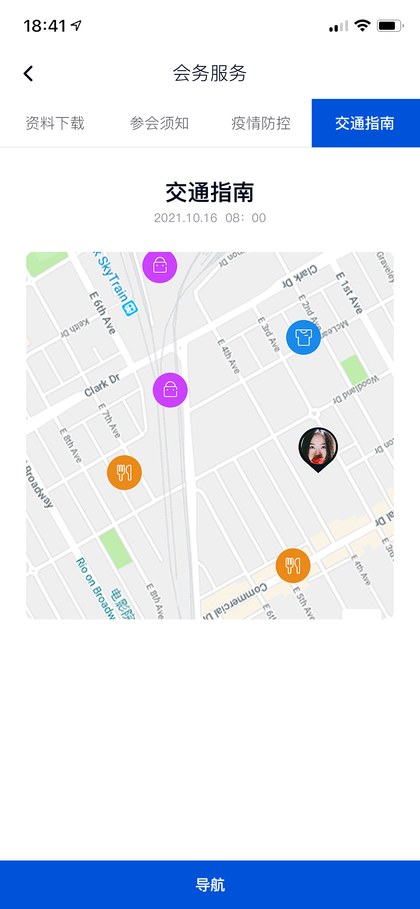



STOP 04 · DAY 1 09:00
After the opening the mini-program switches from an organizing tool to a viewing entrance. The home page pins services, registration, health notice and the media handbook into a grid with the plenary and track entrances under the key visual; the plenary page streams sessions as a timed list; the live page puts three streams side by side — those outside the hall enter it here.



STOP 05 · DAY 1 14:00
The afternoon tracks are a decision peak. Agenda pages split by day and give each track one thesis line — you pick a session by that line, not by scrolling a table; the speaker page lays out names, affiliations and portraits as a matrix (the demo is fully redacted), one tap to the profile. Picking a session and placing a face are the two moves of the afternoon.



STOP 06 · T+1
Traffic surges once after the closing: media hunt assets, attendees hunt replays, the organizer files the wrap-up. The updates feed lines up field reports in time, and detail pages replay them in full; the coverage page works as a distribution wall of finished assets — one card per session, imagery and headlines ready to take; the media handbook stays downloadable, and next year's exhibitor deck grows out of this page.




Ledger
40 design screens, 22 published, 18 withheld. Forum names, speaker names and portraits, streaming platform marks and exhibitor listings were handled per the ledger below; withheld screens were pulled whole, never cropped into partial use.
| Subject | Method | Scope |
|---|---|---|
| Forum name | Pixelation + gaussian blur | Red hero headers and banners on 4 screens, 6 spots |
| Speaker names & affiliations | Whole-card blur | All 6 cards of the speaker matrix, nothing left readable |
| Portraits & badge photos | Pixelation + gaussian blur | E-badge, authorization, Me and lodging screens, 4 spots |
| Streaming platform marks | Pixelation + gaussian blur | Corners of three streams on the live screen |
| Coverage asset titles | Whole-card blur | All 6 finished cards of the press wall |
| Exhibitor listings | Withheld entirely | Logo- and profile-dense; 3 screens dropped (list and two profiles) |
| Speaker profiles | Withheld entirely | Dense portraits and biographies; 2 screens dropped |
| Forum detail long page | Withheld entirely | Dense, repetitive and forum-branded; 1 screen dropped |
| Duplicate drafts | Best version kept | Old home versions, old services versions, duplicate detail states; 12 screens dropped |
Q & A
Four questions most often asked about the timeline, the e-badge and the dual registration lanes.
MORE CASES
A B/S on-site management platform for sand pits: login, visual dashboard, card top-up, dredger manag...
View Details →
A B/S supervision console for city, county and Yellow River Commission levels: regional one-map view...
View Details →
Conference products fail when the feature list becomes a menu wall — registration, agenda, streamin...
View Details →Start with our pricing logic, then let's talk requirements — cost structure, technology comparison and acceptance criteria, all laid out in the open.