
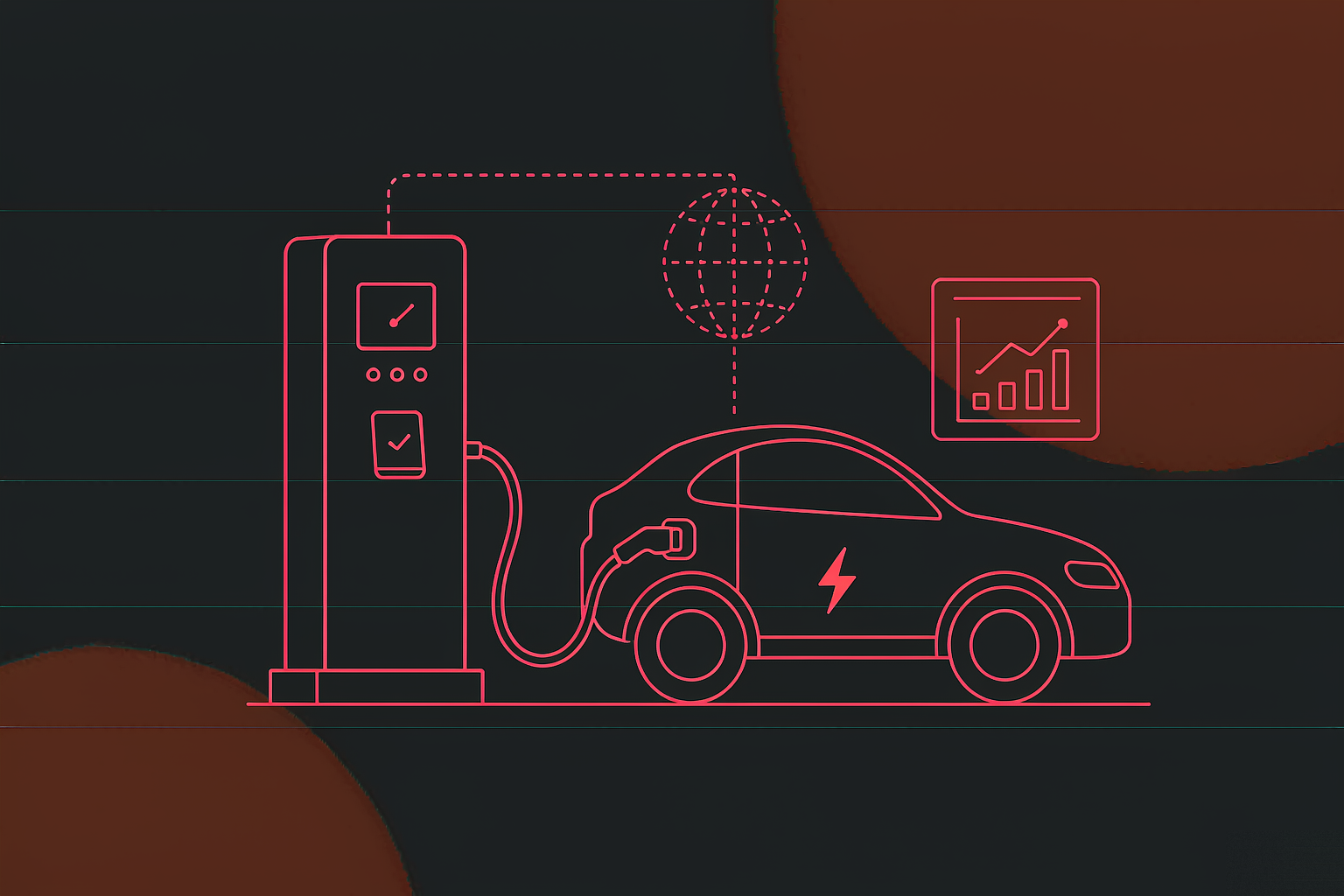
EV charging service app
A mobile service system for EV owners: book an installation by city district and follow it through t...
View Details →The Whole Picture
Book an install, report a fault, start a charge, read the bill, reach a human — that is the whole of it. The interface is not sliced along the operator's org chart; it is sliced along those five actions. Home carries the shortcuts and the live session, Stats carries the money, Charge carries the controls, Inbox carries the notices, Account carries the paperwork. Device management, dispatch and reconciliation stay in the back office and take no tab.
Drivers open the app at three moments: charging now, just finished, about to charge. The session sits directly under the four shortcuts, so kWh, cost and time left are visible without tapping through. Booking and repairs are low-frequency and only need a shortcut; charging is the high-frequency action and needs the real estate.
No settings maze — just four kinds of records a driver may need to pull up: orders, bookings, repairs, vehicles. Every interaction leaves a document behind, so the question "where did my booking get to" is answered by the app rather than a support call.
Installation Booking
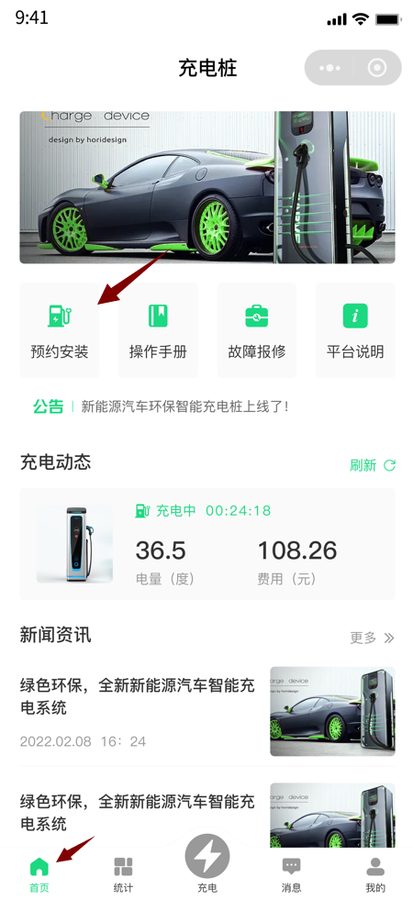
Installing a charger is not an order that completes itself: it needs a district, a site survey, wiring and a network connection. The booking therefore has to be a trackable ticket, not a message that vanishes on submit.
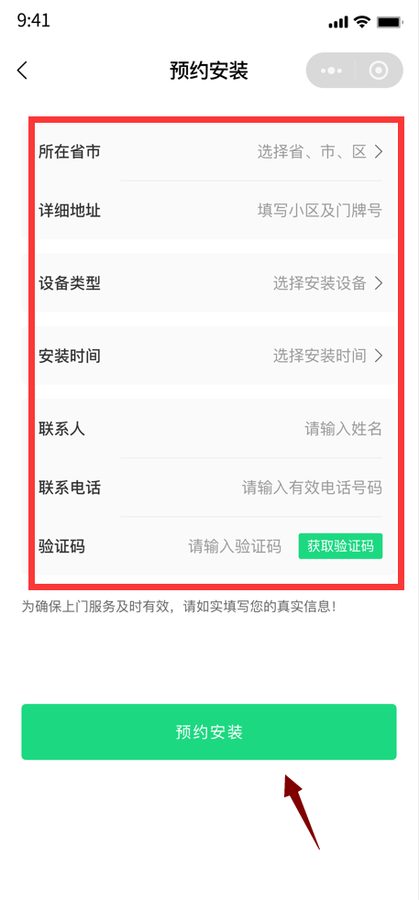
Charger type by vehicle and power sets the frame for everything after.
Province, city, street address and a preferred slot; the district decides who comes.
Name, phone and a verification code, so the crew can confirm before leaving.
Capacity, parking bay and property rules get checked; the state reads "under review".
Wiring, mounting, network; the state moves to "connected" then "installed".
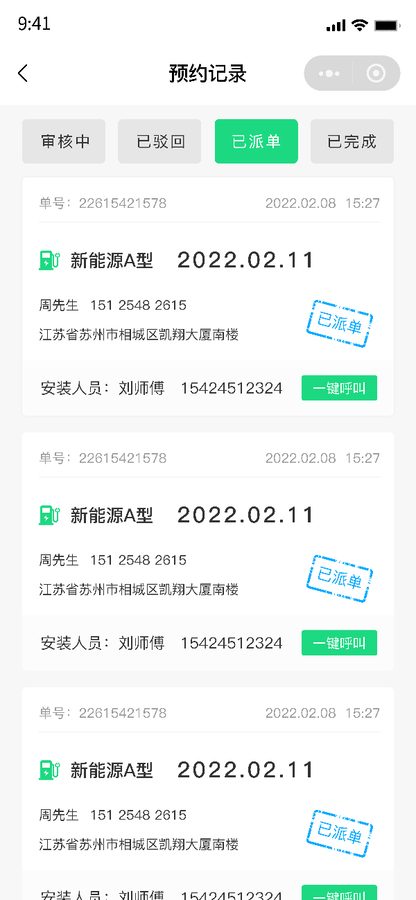
The booking keeps the crew's name and number, so a later repair has a contact.
| State | What the driver sees | What the back office does |
|---|---|---|
| Under review | Request received, waiting for confirmation | Checks the address and capacity, assigns a district |
| Connected | The charger is on the platform | Brings the device online and binds its number |
| Installed | Done, ready to charge | Records the crew and the completion time |
| Closed | Filed, retrievable from bookings | Settles the ticket into the after-sales file |
Splitting the address into "province and city" plus "street" is not cosmetic: the district decides dispatch, the street decides how much cable the crew loads. Merge them into one field and someone has to read addresses by hand to guess a district — which breaks the moment volume arrives.
Fault Report
Eight faults in ten can be diagnosed by looking: a scorched connector, a frayed cable, an error code on the screen. So the photo sits beside the text as a first-class field, not buried in an attachment picker.
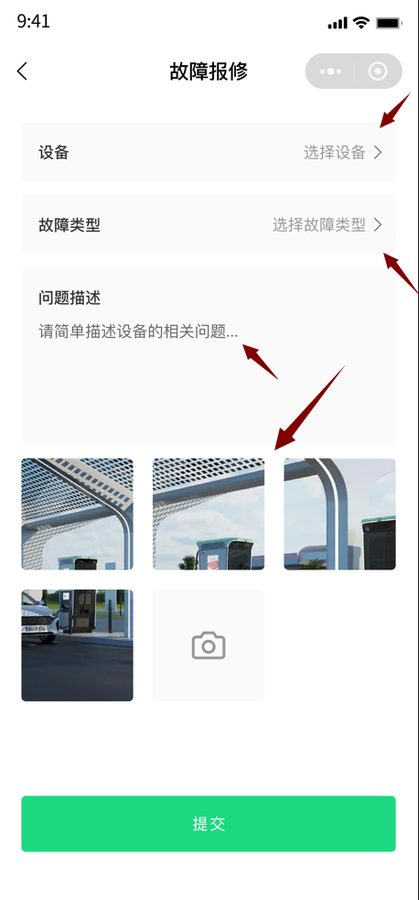
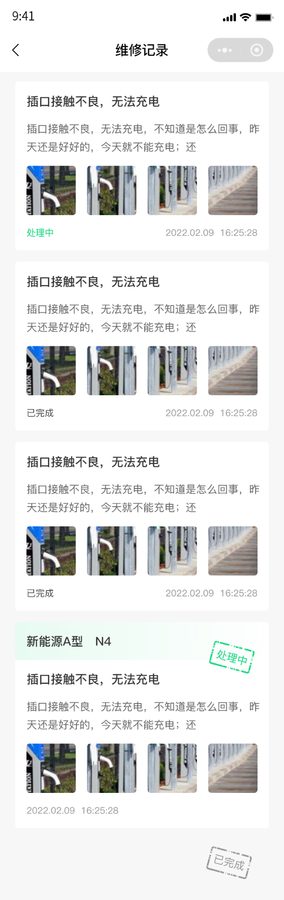
"It won't charge" could be a corroded connector, an offline charger or a vehicle-side refusal. One photo of the connector and the screen tells the dispatcher whether to send a part or a tester. One visit versus two is a doubled cost.
Plenty of systems file the ticket where only staff can see it, leaving the driver in the dark after submitting. Opening the record is both an answer and evidence: when, what was replaced, who came. Fewer arguments, fewer calls.
Charging Session
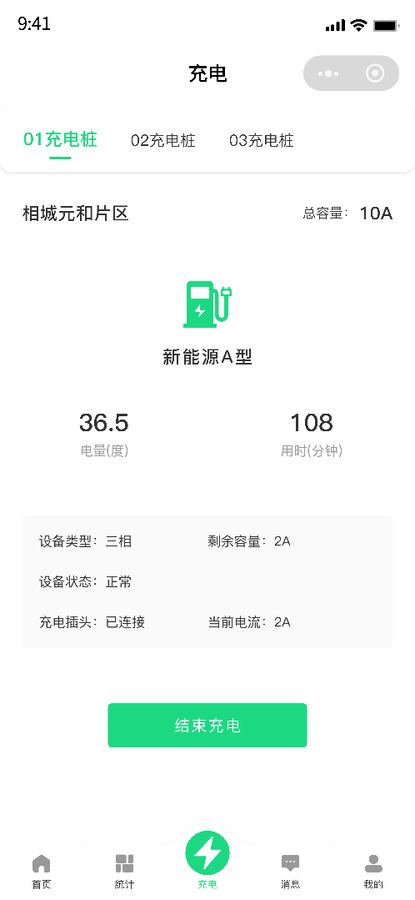
Two moments cause trouble: the queue stops being worth it, and the driver has to leave mid-session. The state machine makes both explicit — a queue can be cancelled, a session can end at any time, and settlement follows the kWh actually delivered.
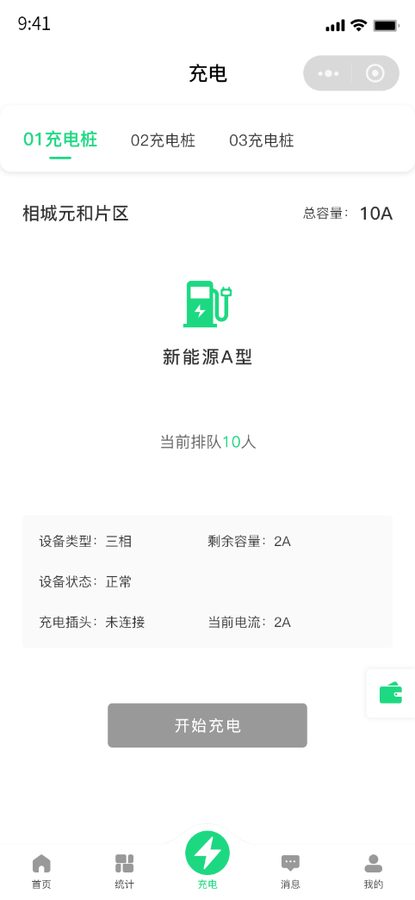
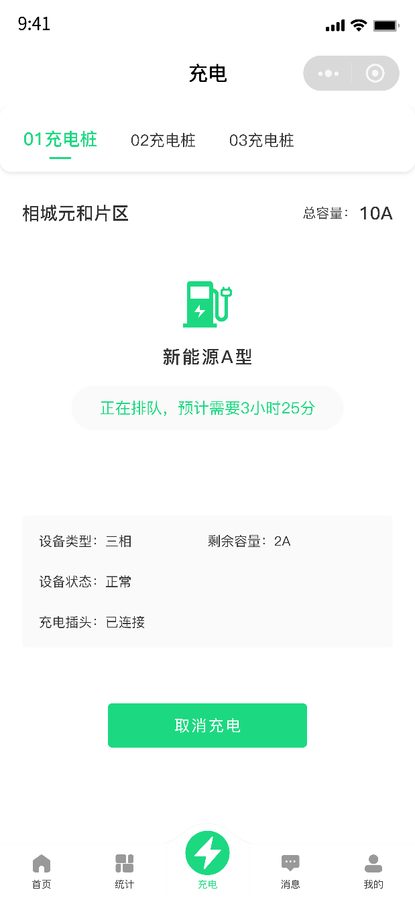
The hard part of a queue is not the wait, it is not knowing how long the wait is. A rough estimate from the vehicles ahead — their power draw and remaining charge — is enough for a driver to decide whether to stay or move on. Without it, people stand at the charger refreshing a screen.
Nine disputes in ten are about time. Start, end, kWh, duration and cost sit side by side, so the driver can do the arithmetic: how much, how long, at what rate. Written plainly, it saves the explanation later.
Billing
The failure mode in charging bills is rarely arithmetic; it is reconciliation — the monthly total not adding up to the line items, or a line item not matching the payment record. So billing drills down three levels, each landing on a document.
| Level | What it shows | Question it answers |
|---|---|---|
| Overview | Switch by charger, last month's total spend and session count, daily bars | "How much this month, and which days were heavy" |
| Session detail | Per day: kWh, session count, cost; tap a day for device number, duration, kWh | "Which session was this charge for" |
| Tariff split | Band, rate, session count and amount, peak versus off-peak | "Why was this one more expensive" |
| Order | Order number, created at, paid at, payment method | "Was it paid, when, and how" |
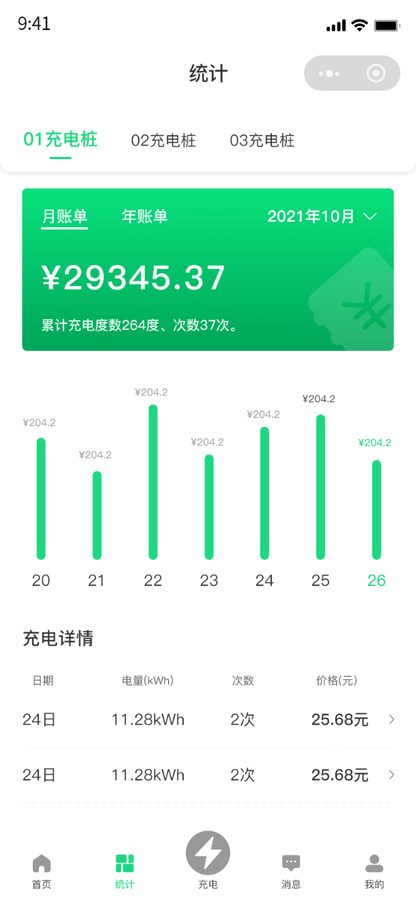
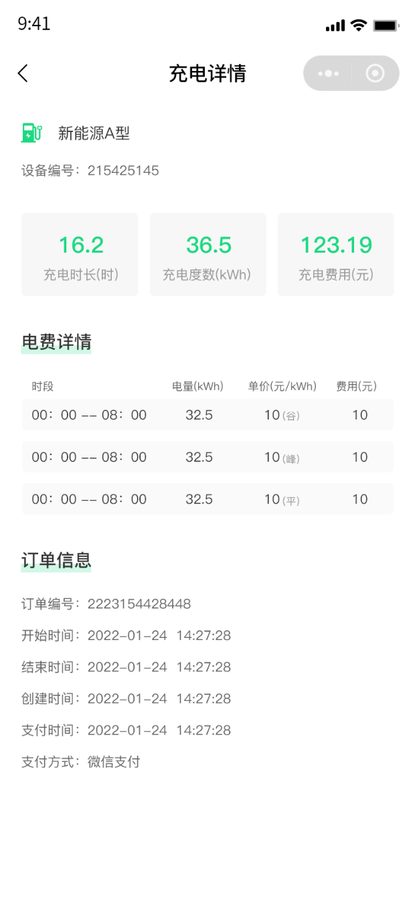
Time-of-use tariffs are what make a bill add up: the same charger costs different rates by day and night, so the bill must split by band. Otherwise the total matches, the rate does not, and the driver still argues. Band, rate, count and amount sit in four adjacent columns so the arithmetic can be checked.
Notifications
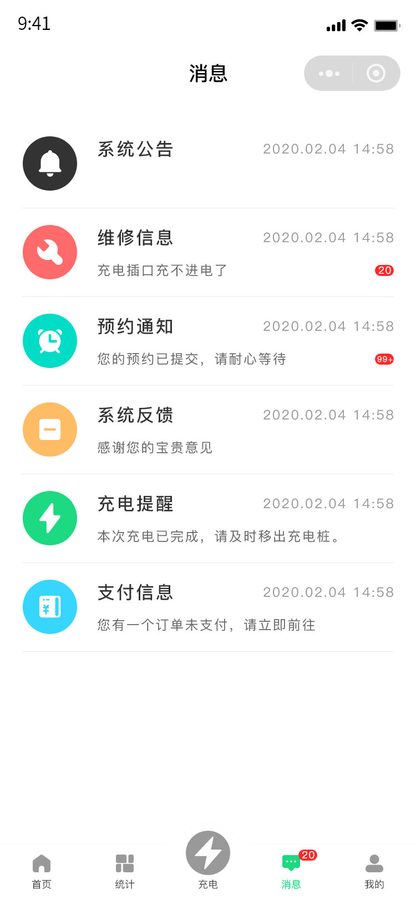
The usual failure is "I was told, but I cannot find it". Notices are grouped by event type, each carrying a time, a summary and a route back to the document — an announcement opens the article, a repair opens the ticket, a payment opens the order.
Outages, tariff changes, campaigns. Opening one gives the full text, laid out by heading.
Accepted, dispatched, completed — one notice each, so nobody refreshes the record list for status.
Review result, changed visit time, completion — all attached to the same booking.
Session started, finished, aborted; a nudge to move the car once the target is reached.
Invoice generated and payment succeeded, each keyed to an order number.
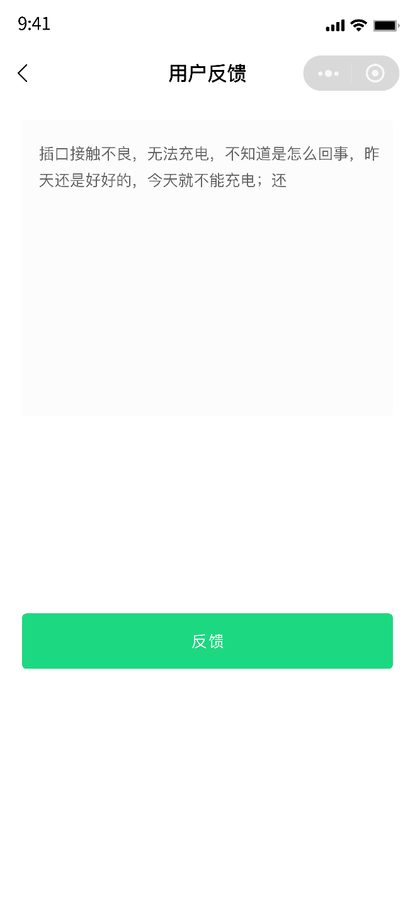
When someone replies to a suggestion, the driver hears about it — closing the loop instead of a void.

Vehicle & Records
A household may run two cars; a fleet may run twenty. Vehicles are multiple profiles under one account, and orders, bookings and repairs hang off the account — changing cars adds a record, it does not erase the bills.
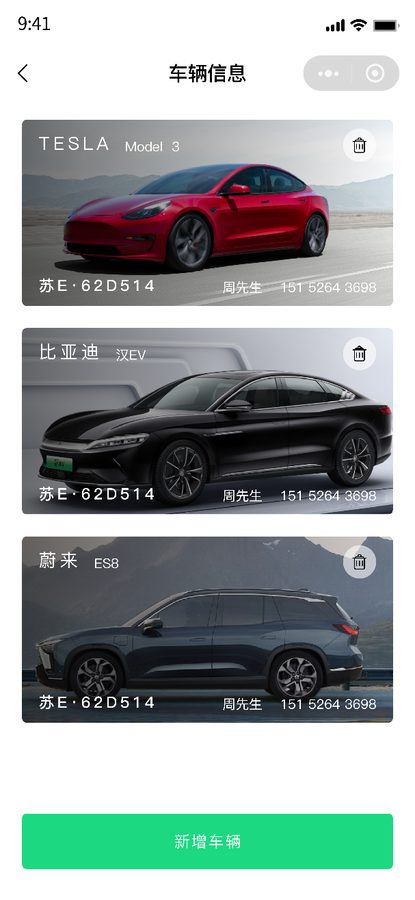
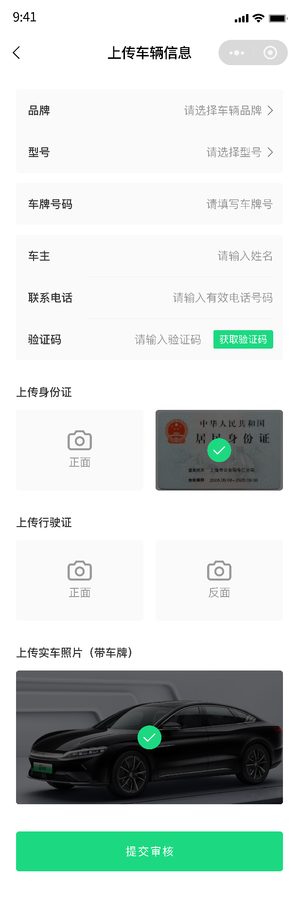
Charger power and connector type track the vehicle closely, and brand, model and plate are what let the back office judge whether a pile fits. The document and photo are the check, and later the evidence of whether a fault is vehicle-side.
If orders hung off the vehicle, changing cars would wipe the history — disastrous for ride-hailing and fleet users. The account is the key, the vehicle is an attribute: sell, add or swap a car and the bills and repairs remain, so reconciliation does not restart.
Screen Gallery
Delivery-build screens below, de-identified, with demo vehicles and details. One visual system runs end to end: green as the primary colour, card-based blocks, five fixed tabs, a red dot on messages — a driver is never lost, on any screen.
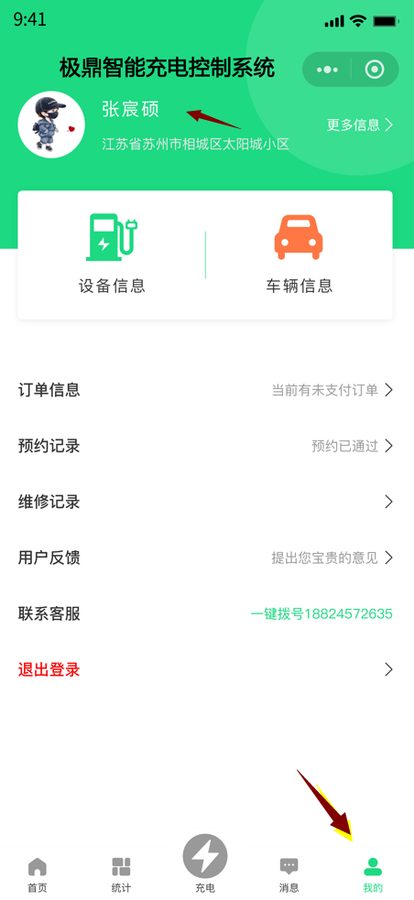
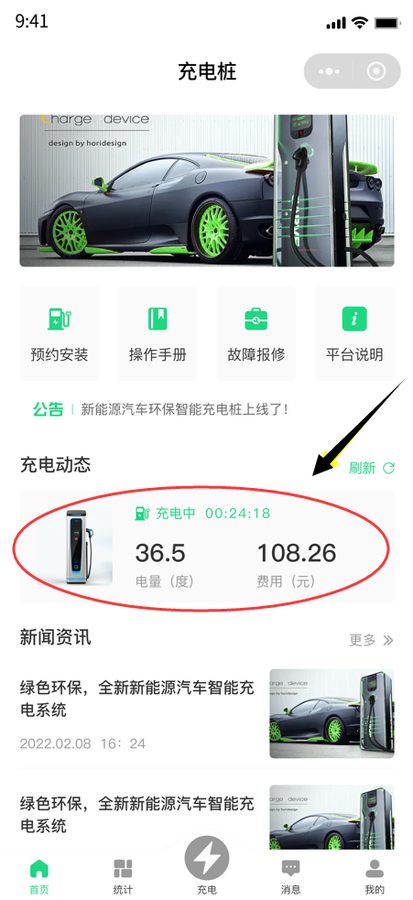
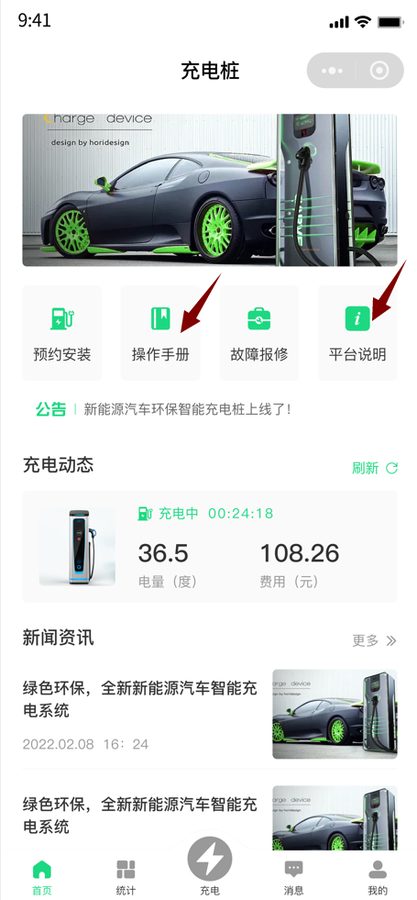
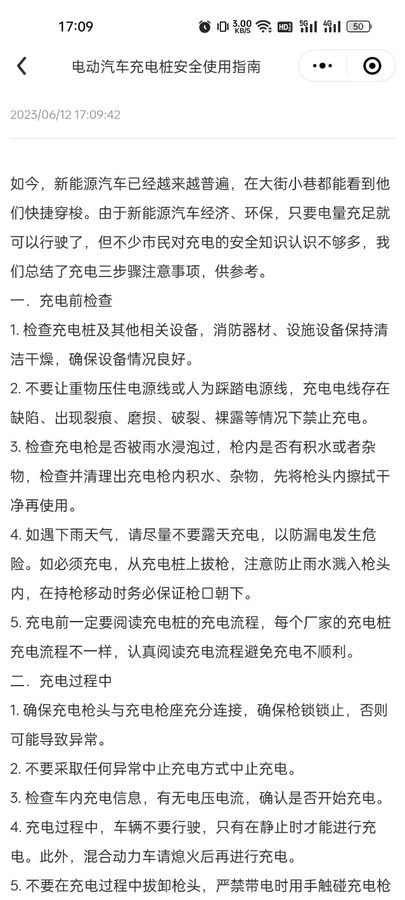
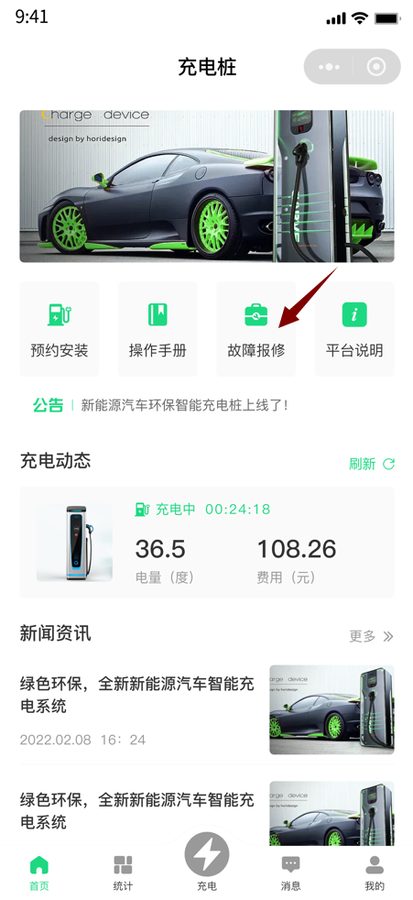
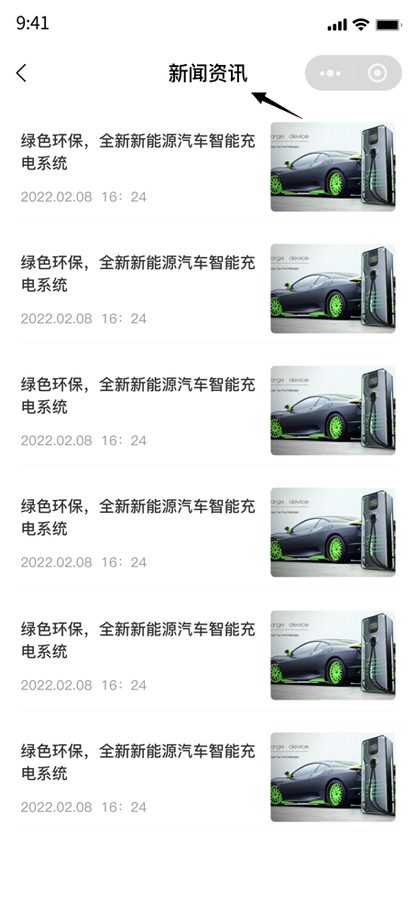
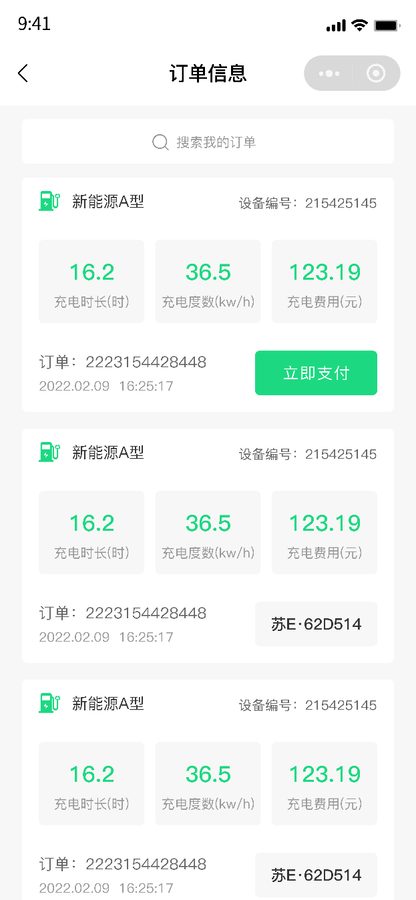
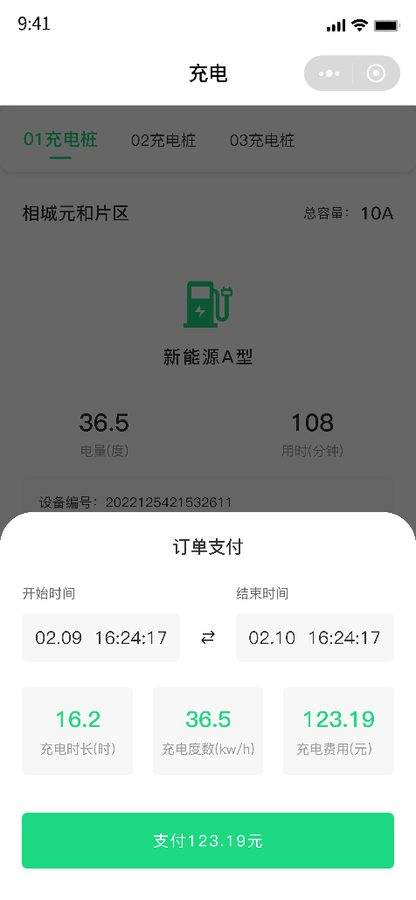
Eight screens here; queue, mid-session and tariff detail appear earlier in the page.
Scenarios
The same system feels different to a private owner and a fleet. The difference is not features but frequency, timing and sensitivity to the bill — which is why billing is built more finely than the charging screen itself.
Once or twice a week, mostly at night. They care when the install happens and what the month cost; queues are irrelevant. Bookings, monthly bills and charge alerts do the work; the charging screen is rarely opened.
Two sessions a day, and time is income. Queue size and wait estimate are the core information, and cancelling or switching piles decides whether the shift pays. Alerts have to arrive at "your turn", not later.
A dozen cars under one account, split by vehicle and month at close. Multi-vehicle profiles plus monthly bills and order detail keep finance out of spreadsheets.
Chargers on construction sites, harsh conditions, frequent faults. Photo reports, a repair archive and a crew phone number decide whether downtime is half a day or an hour.
Deliverables & FAQ
One interaction designer, two mobile developers, two back-end developers, one tester and a project manager. Design started with state machines — four booking states, five charging states, three order states — because screens drawn before states are the ones that get redrawn.
Visually the app is deliberately "de-back-officed": no spreadsheet grids, no stacked filters, information carried in cards, one question answered per screen. That is the real difference between a driver app and an operations console — the console offers everything, the app offers what to do next.
As agreed, no client name, pricing or hours appear here; screens are delivery builds with demo data.
The vendor platform runs the hardware: online state, power, fault codes, remote start and stop. This system runs the driver: booking, repairs, sessions, billing and payment. The two meet over a device interface — state is read from the vendor platform or the device protocol, and sessions are opened here and written back. If the vendor already exposes an API, this system is the driver-side layer; if not, a device-access service sits in between and translates each brand's protocol into one data shape.
A merchant account, API key and certificates, integrated either directly or through a service provider. The flow is: invoice generated, payment invoked, asynchronous callback confirmed, order marked paid, bill written. The critical part is idempotent callbacks — retries deliver the same notification more than once, and double-booking is the most common production incident. Refunds follow the same rule: return to the original channel and record a separate transaction.
Installing a charger is not a courier drop. Capacity, parking bay, permission to chase walls and distance to the meter all need a human judgement, and dispatching without it sends a crew on a wasted trip. The review settles whether and how, so the visit succeeds first time. Making the review visible also tells the driver where it is stuck, rather than leaving them to assume the request was lost.
At small scale the priority is "it works", not "it has everything". A mini program fits better: no download, scan and use, easy to share, cheaper to build and maintain than two native apps. Move to an app when there are fleet customers, a need for multi-vehicle files and monthly reconciliation, or an existing system to integrate with. The module order here follows that logic — charging and payment first, records and billing next, notifications and operations last.
MORE CASES
A mobile service system for EV owners: book an installation by city district and follow it through t...
View Details →
Companion software for a pool-cleaning robot: a PC back office plus Android / iOS apps; devices come...
View Details →
A shopping app for a health-retail brand: self-operated quality assurance, curated and daily-plus zo...
View Details →Start with our pricing logic, then let's talk requirements — cost structure, technology comparison and acceptance criteria, all laid out in the open.