
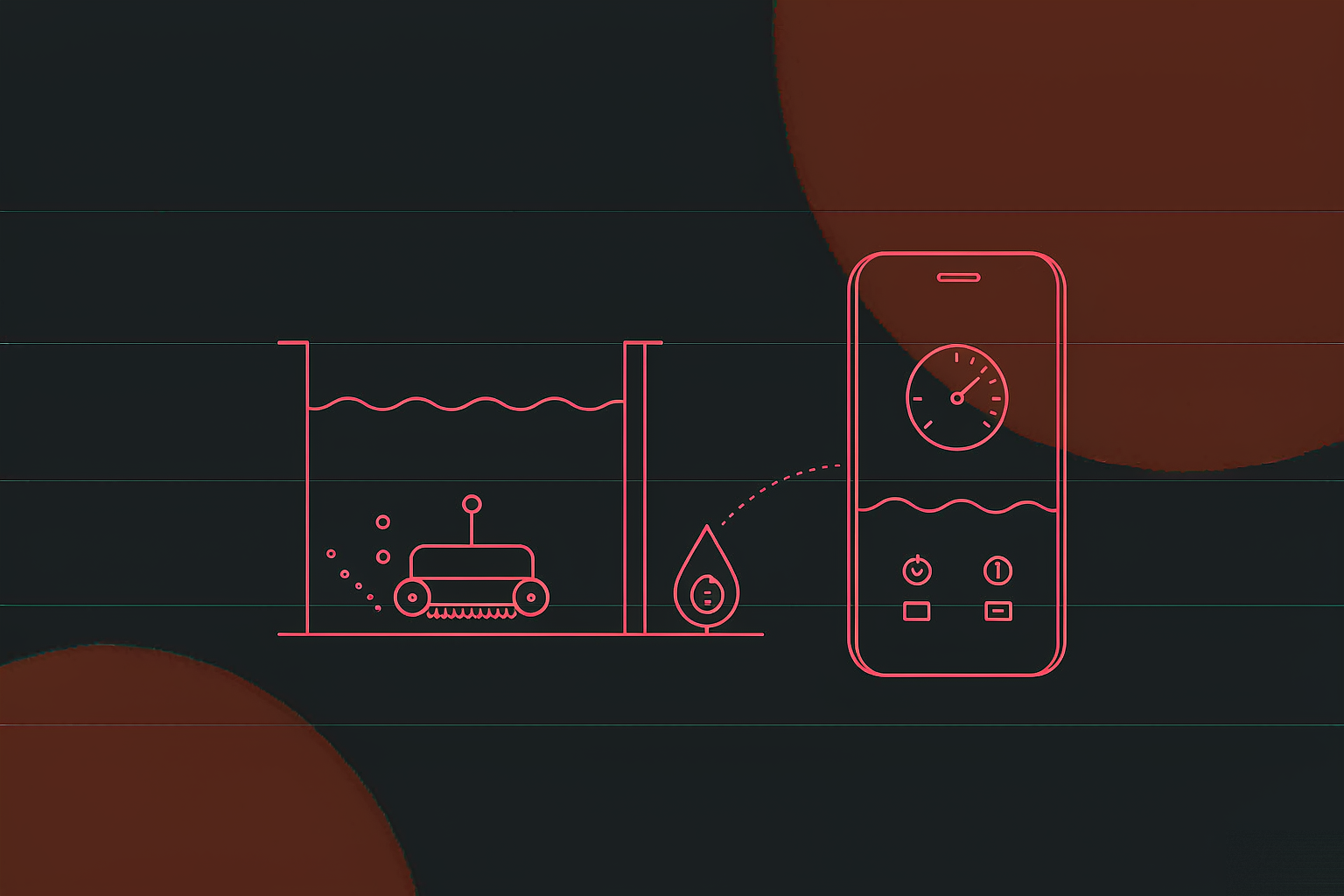
Pool-cleaning robot companion software: Bluetooth in, cloud mapping on top

Companion software for a pool-cleaning robot: a PC back office plus Android / iOS apps; devices come online through Bluetooth provisioning and SN activation onto a TLS-encrypted MQTT link; the app renders the pool map and cleaning tracks live, and canvas-touch zone editing sends no-go areas straight to the robot; remote control, OTA upgrades and multilingual serve overseas markets; four servers behind a 2,000-connection MQTT tier.

Industry
Smart hardware · pool-cleaning robots (export category)
System type
IoT device platform: PC back office + Android / iOS apps + hardware link
Key technology
Bluetooth provisioning · SN activation · MQTT + TLS · cloud pool mapping · canvas-touch zone editing · OTA · JWT auth · Redis cache · multilingual
Jiding scope
Feature shaping, platform and dual-app development, server architecture and deployment, launch support and upkeep
2product forms: PC back office plus Android / iOS apps with identical features
6app modules: Bluetooth, accounts, mapping, device management, OTA, multilingual
8core services: auth, activation, file, cache, scheduler and the MQTT trio
2,000connections per MQTT server (provisional cap); scale by adding servers or upgrading

System Architecture

Architecture: three ends, one cloud, one encrypted bus

The back office, the dual apps and the hardware in the pool share one TLS-encrypted MQTT message bus — commands out, status back, maps and log files, all on the same trail.

Three ends, one cloud: office, apps and hardware ride one encrypted bus PC back office Users · devices · system management Run records · logs · parts · activation Every device, every command on record Android / iOS apps Provisioning · mapping · remote control OTA · multilingual · privacy policy Identical on both stores, built for export Hardware in the pool Pool-cleaning robot · buoy Bluetooth provisioning · SN · OTA Ships offline; provisioned, it joins the cloud MQTT message bus · TLS-encrypted Queue first, then consume; delivered by the clientid-to-server key mapping App server Gateway · node · Redis · auth · scheduler Database server Business data on its own box MQTT server Provisional 2,000 connections each File server Images · activation files · device logs After provisioning, the regional MQTT address goes out and the SN number fetches a TLS key — one encrypted line per device
Architecture restored: three ends, one cloud, one bus — commands, status, maps and logs on the same trail

Connection Chain

Connection chain: from Bluetooth to encrypted duty in six steps

The robot ships with no network config, so the first kick is the app's Bluetooth — provision, pick a region, swap the key, shake hands, bind; only then is the device truly on the cloud.

Bluetooth Accounts Mapping Devices OTA Multilingual Privacy policy built in

▲ Six app modules: Android and iOS identical; email verification code handles sign-up and sign-in; a privacy policy ships for overseas markets.

1

Bluetooth

The app shakes hands over Bluetooth and writes the home Wi-Fi into the device — its first time online.

2

Pick a region

The chosen region returns its own MQTT address, so the device lands on the nearest entry.

3

SN for a key

The device's fixed SN number requests a TLS key — one key per machine.

4

Encrypted handshake

Certificate stored, the hardware completes the MQTT handshake in TLS mode and the link is sealed.

5

Bind & activate

The device activates online and binds to the user's account; the office sees who owns what.

6

On duty

Mapping, control and OTA all ride this encrypted line, every message queued and logged.

Why “SN for a TLS key” deserves its own line: the classic IoT hazard is one key shared by a fleet. Here the TLS key is requested per device against its fixed SN number — each machine holds its own certificate before the handshake, one encrypted line apiece; firmware version, activation state and user binding are all verified on that same line.

Mapping & Tracks

Mapping and tracks: the pool comes alive in the app

Position messages stream up the cloud MQTT link and the app renders the pool map with the cleaning track; users can even draw a no-go zone and the robot obeys — the map is not just for looking, it gives orders.

App mapping page: pool map + serpentine track + touch-drawn no-go zone Pool · 8m × 4m · connected No-go zone R Cleaning track Robot position Canvas-touch zone edit Three abilities, one data path Cloud map rendering MQTT messages drive the pool map as it forms Live track rendering Draws as it cleans; progress at a glance Zone editing Canvas touch → office → device, synced Map in the cloud, track on the link, zones at the fingertip — every patch of the pool is under control Position messages ride the cloud MQTT link; front-end rendering and device execution share one dataset — what you see is what the robot does.
Mapping and tracks: the cloud renders the pool, fingertip-drawn zones reach the robot — a map that watches and commands

Device Control

Device control: four entries at the fingertip

The app's device module splits daily use into four entries — see the status, reach the controls, tune the parameters, check the history.

Status display

Work progress, battery and messages in real time — how far the robot has got and how much charge is left, known from the app without peering over the pool edge.

Remote control

Start-stop and mode switching go out through the app and ride the MQTT link straight to the device — the pool side is optional.

Parameter control

Adjustable run-time settings live in the app; cleaning strategies for different pools and seasons change on the spot, no re-provisioning needed.

Work review

Completion, cleaning track, time and energy spent are all reviewable afterwards — how long the run took and what it cost stays in the account.

OTA upgrades: the back office sets version-match rules and uploads the package; devices upgrade online — new features and fixes ship without a factory return, so export units iterate across the ocean. OTA rides the same TLS line as provisioning and activation, so the firmware package cannot be hijacked.

Back Office

Back office: a device's whole life on record

The back office organises into user, device and system management — from sign-up to retirement, every stage has a record.

Device managementthe hardware filing cabinet

  • Base data: online state, activation state, firmware version and other collectables
  • Run records: MQTT commands issued from the app, with results
  • Run logs: uploaded file logs, viewable and downloadable
  • Parts management: filter and brush usage at a glance
  • Activation: online activation and the device-to-user binding

System managementthe platform cockpit

  • Users / roles / orgs / menus: accounts, access control, departments, menu config
  • Base config + multilingual: platform settings and office-side languages (apps carry their own)
  • Sign-in records: time and IP of every office login
  • Access logs: every request the system serves
  • Exception reports: system anomalies on file
Why “run records” deserve their own line: every MQTT command a device received and how it executed is on record — when a user claims a missed patch, the record shows whether the command never left, the device skipped it, or the mode was wrong; remote support turns from guessing into checking, which is also what lets an overseas support desk hold the line.

Core Services

Core services: eight services under one bus

The platform lifts shared capabilities into services — auth, activation, file, cache, scheduler plus the MQTT trio — so business modules can mind their own business.

Service bus: shared capability as services; the MQTT trio minds every message Auth · JWT ticket Activation · SN for TLS key File · configurable storage Cache · unified Redis Scheduler · Cron pushes MQTT service Hardware link · robot / buoy API App link · dual-platform API Queue · routed by clientid PC back office · commands and records Android / iOS apps · rendering and control Pool robot · buoy · status and files back Auth issues the unified ticket, file credentials work across servers, the cache keeps distributed state equal — shared capability built once, business minds its own
Service bus: five shared services + the MQTT trio — messages queue first, then deliver by clientid

Deployment & Delivery

Deployment and delivery: four servers, six steps

The project runs on dedicated servers — app, database, MQTT and file each on its own box; data safety and platform stability are architectural from day one.

Dedicated deployment · four servers, scaling paths thought out in advance App server Gateway · app node 01 Redis · auth service Scheduler Nodes / Redis can split under load Database server Business data on its own box Routine backups Data safety, separately kept MQTT server Provisional 2,000 connections TLS-encrypted access Over the cap: add servers or upgrade File server Images · activation files Device log storage Credentials issued once, valid across Servers keep a good network path between them; third-party accounts and top-ups are opened by the client before development starts. App-store listing sits outside deployment; we assist the submission. Server, SMS and domain fees are billed separately. Dedicated servers and a clear scaling path: launch is not the end, it is the start of operability
Deployment: four dedicated servers with scale-out room left for nodes, Redis and MQTT connections
1

Documents first

Operating manual and user guide ship with the system, videos included.

2

Training throughout

Pre-launch talks, post-launch training and in-life feedback, all free of charge.

3

Test & tune

Testing, debugging and optimisation before deployment; nothing ships half-done.

4

Launch & hand over

Formal go-live with the system and its documentation handed over.

5

Everyday upkeep

Uptime care, code upgrades, database backups, server management and support guides.

6

Dedicated deployment

Project-specific servers; data safety and stability have an owner.

FAQ

Four common questions

How is companion software for a pool robot different from a generic IoT platform?

Three ways. The connection starts at Bluetooth — the device ships without network config and only comes online after app provisioning. Communication is encrypted end to end — the regional MQTT address goes out by region, and the fixed SN number fetches a TLS key before the handshake. And the interaction is heavy — pool mapping, track rendering and zone editing are graphical operations whose canvas-touch input travels back to the office and out to the device, not an on-off switch.

How are the pool map and cleaning track produced?

While the robot works, position messages stream up the cloud MQTT link; the app renders the pool map and the cleaning track from them, with progress, time and energy at a glance. The user can also edit zones on the map with canvas touches (a no-go area, say) — the drawing goes to the back office first, then syncs to the device. The map is not just for looking; it gives orders.

How are device communication and accounts secured?

Four lines of defence: Bluetooth provisioning brings the device online; the regional MQTT address plus a TLS key fetched against the fixed SN number encrypt the link; the auth service issues standard JWT tickets for global identity, and services like file storage honour them; the office records every sign-in with time and IP, every request in the access log, and every system exception — nothing goes unanswered.

The devices sell overseas — what about upgrades and languages?

Upgrades ride OTA: the back office sets version-match rules and uploads the package, and devices update online — no factory return. Multilingual works on two fronts: the app interface supports several languages with a built-in privacy policy, and the back office carries its own language configuration; both grow with the market.

Deliverables & Results

Deliverables and effect

Deliverables

  • Dual forms: PC back office (users / devices / system) plus Android / iOS apps with identical features
  • Six app modules: Bluetooth provisioning, accounts (email verification code), mapping, devices, OTA, multilingual with privacy policy
  • Smart features: cloud pool-map rendering, live track rendering, canvas-touch zone editing synced to the device
  • Device chain: Bluetooth → regional MQTT address → SN for TLS key → encrypted handshake → activation → OTA
  • Core services: JWT auth, activation, configurable file storage, Redis cache, Cron scheduler, MQTT hardware / app / queue trio
  • Deployment: four dedicated servers (app / DB / MQTT / file), provisional 2,000 MQTT connections per box, clear scaling path

Effect & de-identification

The most direct change is on connection: from bare-metal out of the box to encrypted duty, the six-step chain guides every device — one TLS line per machine, no eavesdropping on commands, no hijacked firmware.

The second change is on experience: the pool map and cleaning track render live in the app, zones are drawn with a fingertip and the robot complies; progress, time and energy stay reviewable, giving the product word-of-mouth backed by data.

The third change is on support: MQTT commands and results are all on record and run logs download freely, so overseas support checks instead of guesses; OTA iterates export units without a factory return. The project ran with two back-end and two app developers, four months of development plus four weeks of testing; as agreed, this page names no client and carries no pricing or effort figures.

Building companion software for a pool robot or another cleaning appliance? Settle three questions first: how the Bluetooth provisioning and activation chain is designed, how the MQTT messages are architected, and how map rendering and zone editing should feel.

MORE CASES

More Related Cases

Pool-cleaning robot companion software system
EC AppIntelligent robot, intelligent cleaning

Pool-cleaning robot companion software system

Companion software for a pool-cleaning robot: a PC back office plus Android / iOS apps; devices come...

View Details →
Curated mall app for a health-retail brand
EC AppE-commerce platform, distribution platform

Curated mall app for a health-retail brand

A shopping app for a health-retail brand: self-operated quality assurance, curated and daily-plus zo...

View Details →

View All Cases →

Planning a similar production line or enterprise system?

Start with our pricing logic, then let's talk requirements — cost structure, technology comparison and acceptance criteria, all laid out in the open.